


New Participant
December 4, 2021
Question

Media Encoder stops rendering half-way and all settings are greyed out - help!

  • December 4, 2021
  • 2 replies
  • 900 views

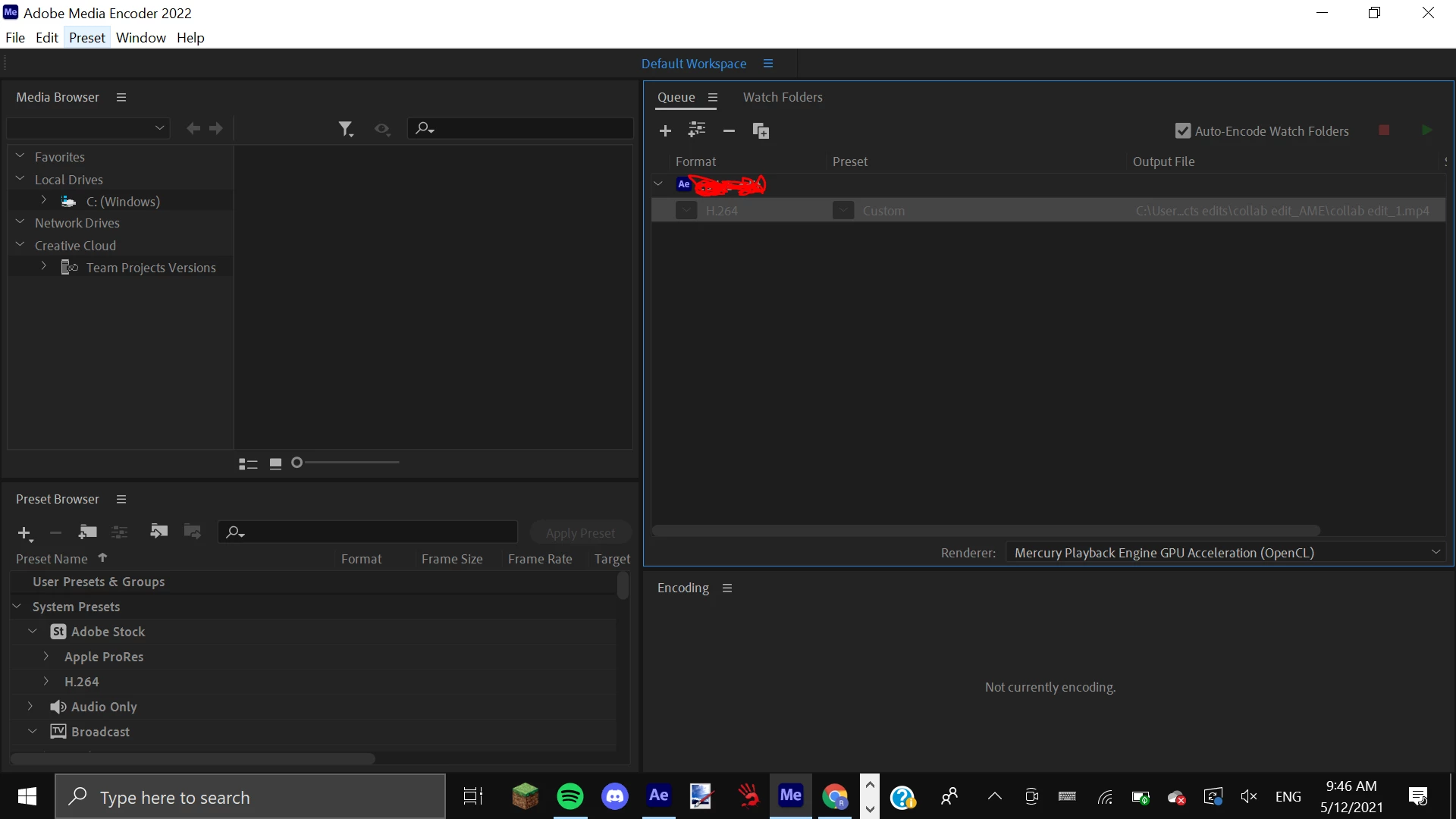
I'm trying to render a project from Adobe After Effects 2022 in Adobe Media Encoder 2022. I have the up-to-date versions on both of them. I put in all of my settings and click the start render button. Suddenly the render stops and all buttons + settings are greyed out. I cannot restart the render, nor change my settings. I have had no luck finding this problem or any solutions on any other forums. I have purchased the legitimate version of Adobe Creative Cloud and I am a little bit new to all of this. This is how AME looks after it stops rendering.
 

This topic has been closed for replies.

2 replies

Community Manager
December 22, 2021

Hi there, 


We're sorry for the trouble. Could you test the issue after disabling the Hardware encoding under Preferences > Media?

Let us know the outcome.


Thanks,

Shivangi

Participating Frequently
December 6, 2021

I know it's not right solution. But work must be done, right? 
Fast solution is to take .mov file (that you make in AE) and drop it into Photoshop. Then go to File / Export / Render video. 
Works for me every time.

rhiaaAuthor
New Participant
December 6, 2021

Thank you for your response. Just wondering, can you drop .AVI files into Photoshop? And when you render the video, how is the quality?

Participating Frequently
December 7, 2021

Don't think so. At least I couldn't make it ...