New Participant
February 25, 2024
Question

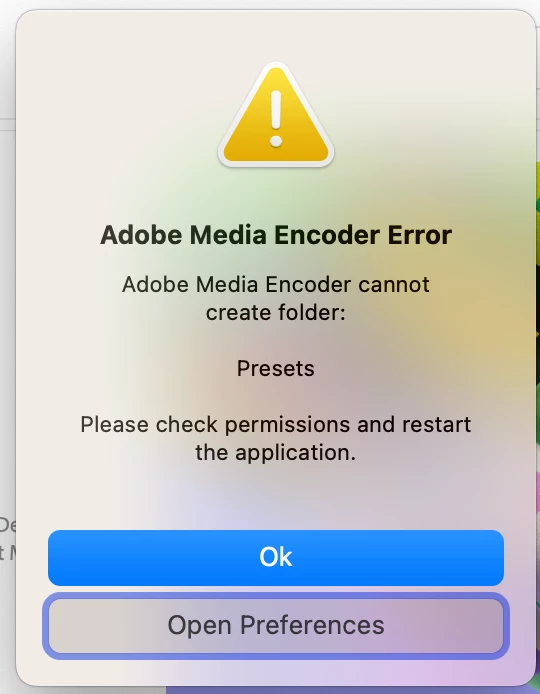
"Media Encoder cannot create folder: Presets" and no AME folder

  • February 25, 2024
  • 1 reply
  • 2313 views

I've looked through the forums and couldn't find anything covering this, so I figured asking here was worth a shot- sorry if this has been asked before.

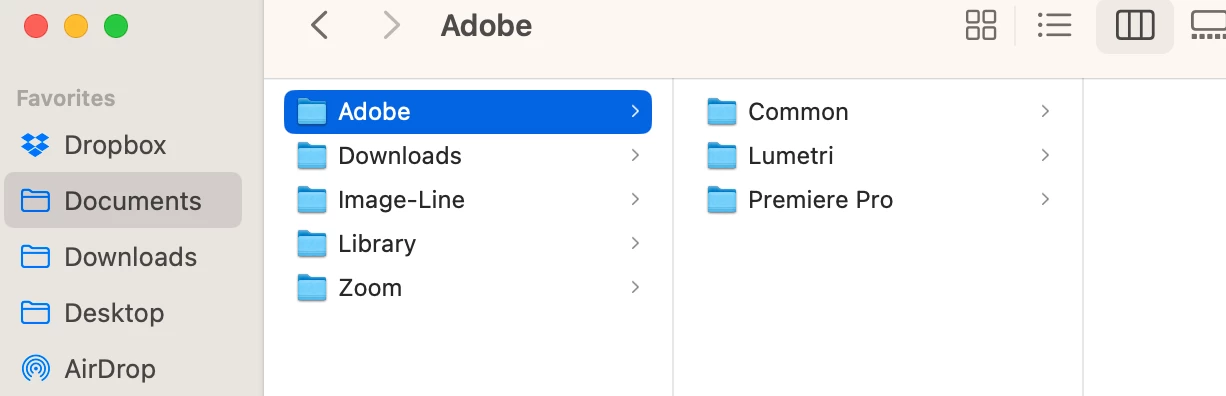
I can't get Adobe Media Encoder 2024 open on my mac; it's been giving me the "cannot create folder: presets" error. I've tried a few solutions, but nothing's worked. There isn't an "Adobe Media Encoder" file in the "/documents/adobe" folder, and I don't know how to make one- manually creating one doesn't work.

Do I need to make that folder again to fix the situation, and how can I get Media Encoder to open? Thanks! 
This topic has been closed for replies.

1 reply

EckiAME
Community Manager
Community Manager
February 27, 2024

You need to grant Adobe Media Encoder access to the User/Documents folder in Privacy & Security > Files and Folders. You also need to make sure that the Documents folder itself is writeable.

me____Author
New Participant
February 28, 2024

Thanks for getting back to me! I've made the documents folder writeable, and I've tried to give ME access in Files and Folders, but there isn't any option to enable things. The minus button does nothing, and right clicking only shows "Show in Finder." Do you know where I should go from here?


EckiAME
Community Manager
Community Manager
February 28, 2024

Do you have anti-virus software or security related stuff on this machine?