September 21, 2023
Answered

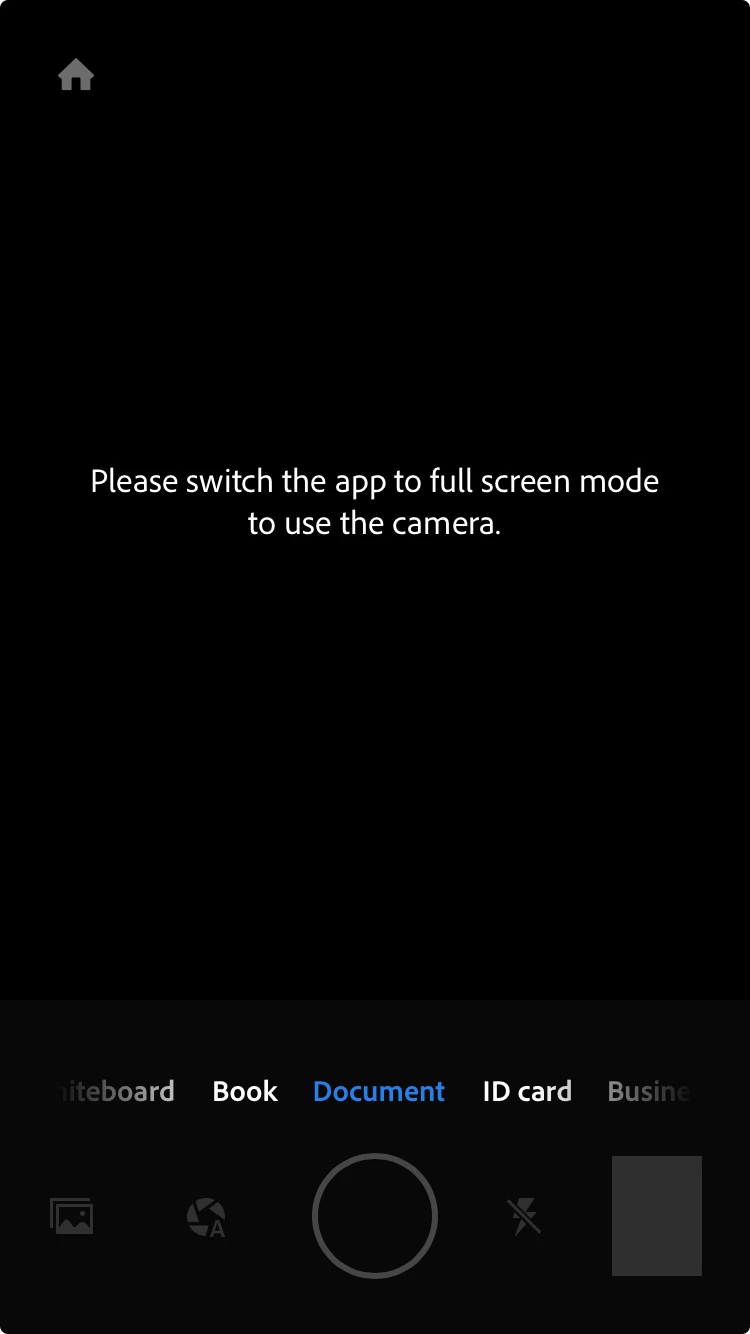
Please switch the app to full screen mode to use the camera
  • September 21, 2023
  • 3 replies
  • 24950 views

 this is an iPhone and my app can't open up my camera

Correct answer S_S

@Y32641215s0nl Thanks for sharing the screenshots.


While I forward this to the team, please try the below steps once:

Go to Settings -> Display & Brightness. Then go to the bottom to the Display Zoom. Change the View to Default.


Once done, try using the app again.


-Souvik

3 replies

S_S
Community Manager
Community Manager
September 30, 2023

Hi @32428721,


Hope you are doing well. Sorry for your experience with Adobe Scan.


I tried using the app with the latest version, and the app worked just fine.


Would you mind sharing a few more pieces of information for further investigation:

1. The app version of Adobe Scan for further investigation;

2. The phone model and iOS version;


Also, please go to the device's settings-> Adobe Scan-> Permissions-> enable permissions for the app to use the camera, background app refresh, and photos.


Look forward to hearing from you.


-Souvik

New Participant
October 1, 2023

Check attached , have uninstalled and re-installed the app as well but still the same issue 

New Participant
October 3, 2023

Heyy, can you please help me with the same. What zoom did you apply and where? How did the issue of fullscreen get resolved? Please share tips. 
looking forward to hear from you😊


Go to Settings -> Display & Brightness. Then go to the bottom to the Display Zoom. Change the view . First select  Larger text then click on done , again go to same option and select default then click Done 

kglad
Community Expert
Community Expert
September 21, 2023

in the future, to find the best place to post your message, use the list here, https://community.adobe.com/

p.s. i don't think the adobe website, and forums in particular, are easy to navigate, so don't spend a lot of time searching that forum list. do your best and we'll move the post if it helps you get responses.


<"moved from using the community">
kglad
Community Expert
Community Expert
September 21, 2023

what app?

September 21, 2023

Hi kglad, is Adobe Scan.