


New Participant
July 24, 2020
Answered

Cannot add text to a text box with text in it (Adobe XD)

  • July 24, 2020
  • 1 reply
  • 740 views

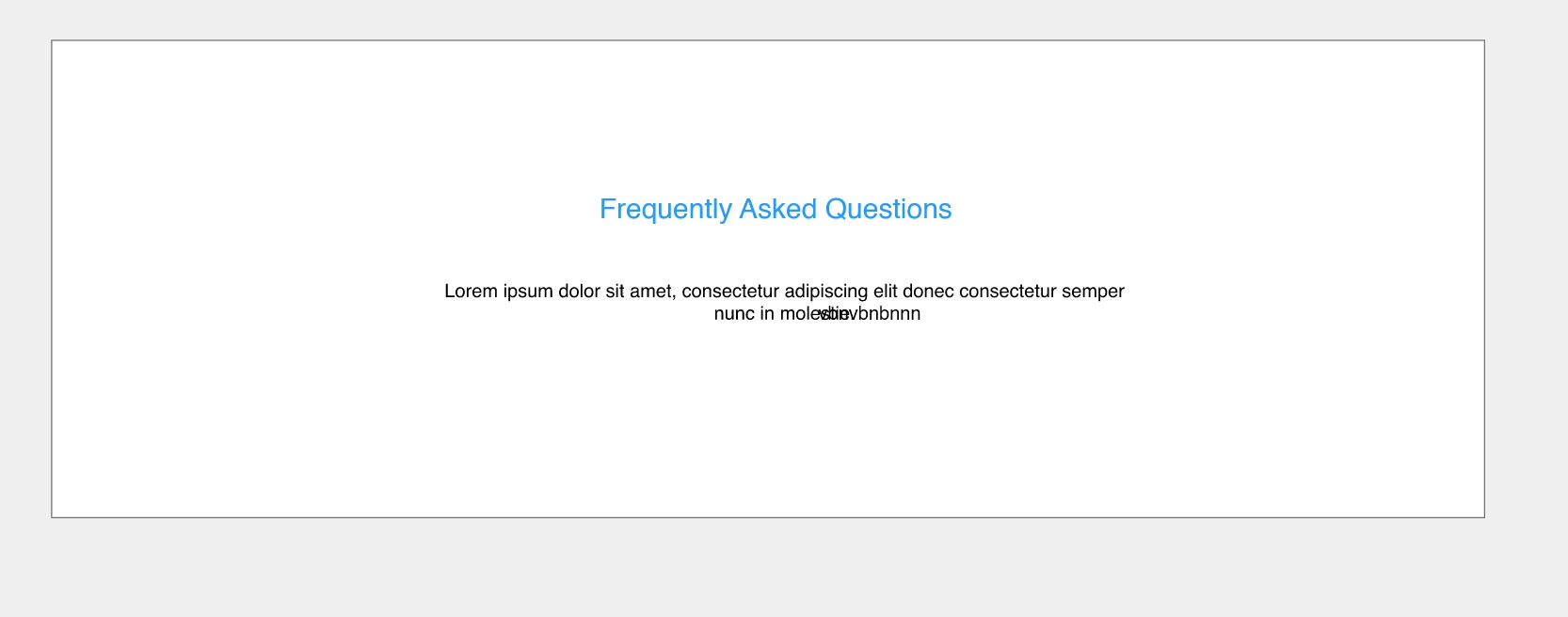
I can't add text to a text box that has text in it. Everytime I click as close as I can to an existing line of text within the text box to add more text to that spot, it creates a whole separate line of text (outside of the text box). Why cant I just add text to a text box? It keeps adding new lines of text no matter where I click. Please help, thanks. Heres a picture to illustrate what Im talking about:
    This topic has been closed for replies.
    Correct answer Shwetha Diwanji

    Hi Lauren,


    Thank you for using Adobe XD. I am not able to reproduce your issue at my end. Can you please confirm if you are following these steps at your end? Thanks.

    1. Double click to enter text edit mode to start appending new text to it
    2. If the text box is inside a component, then double-click the component first to enter its edit mode and then

                  a) Add new text line inside the text box

                  b) Double-click again to enter edit mode of pre-typed text and start appending new text to it.

    3.  Selecting the exact text/text box from layers panel directly and double-clicking on canvas to enter edit mode.


    Let me know if it helps.


    Please share a screen recording if you are still facing the issue.


    Regards,

    Shwetha Diwanji

    1 reply

    Shwetha Diwanji
    Community Manager
    Shwetha DiwanjiCommunity ManagerCorrect answer
    Community Manager
    July 24, 2020

    Hi Lauren,


    Thank you for using Adobe XD. I am not able to reproduce your issue at my end. Can you please confirm if you are following these steps at your end? Thanks.

    1. Double click to enter text edit mode to start appending new text to it
    2. If the text box is inside a component, then double-click the component first to enter its edit mode and then

                  a) Add new text line inside the text box

                  b) Double-click again to enter edit mode of pre-typed text and start appending new text to it.

    3.  Selecting the exact text/text box from layers panel directly and double-clicking on canvas to enter edit mode.


    Let me know if it helps.


    Please share a screen recording if you are still facing the issue.


    Regards,

    Shwetha Diwanji