


Participant
April 6, 2023
Answered

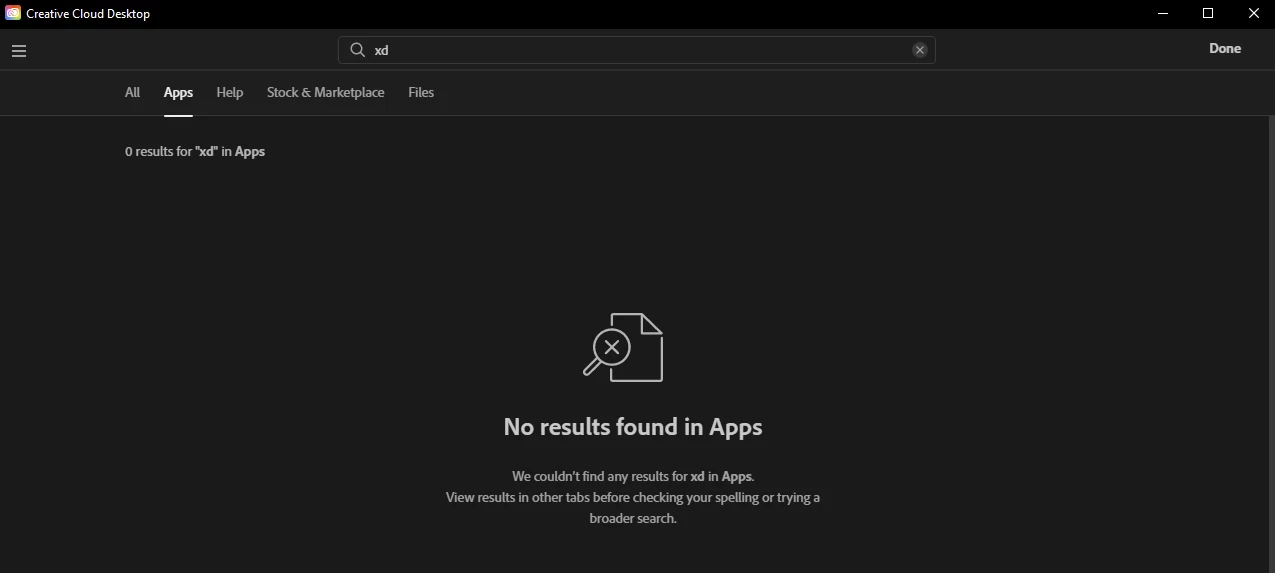
Cannot find a download link or the app in CC for Adobe XD

  • April 6, 2023
  • 107 replies
  • 219579 views

Hi there, anyone else having issues just locating the app download button? I'm trying to transition from Sketch to this and I've been trying for hours at this point with no luck. I even downloaded the Windows Desktop app for CC, and am unable to find it there. Thanks for any help.


    Correct answer creative explorer

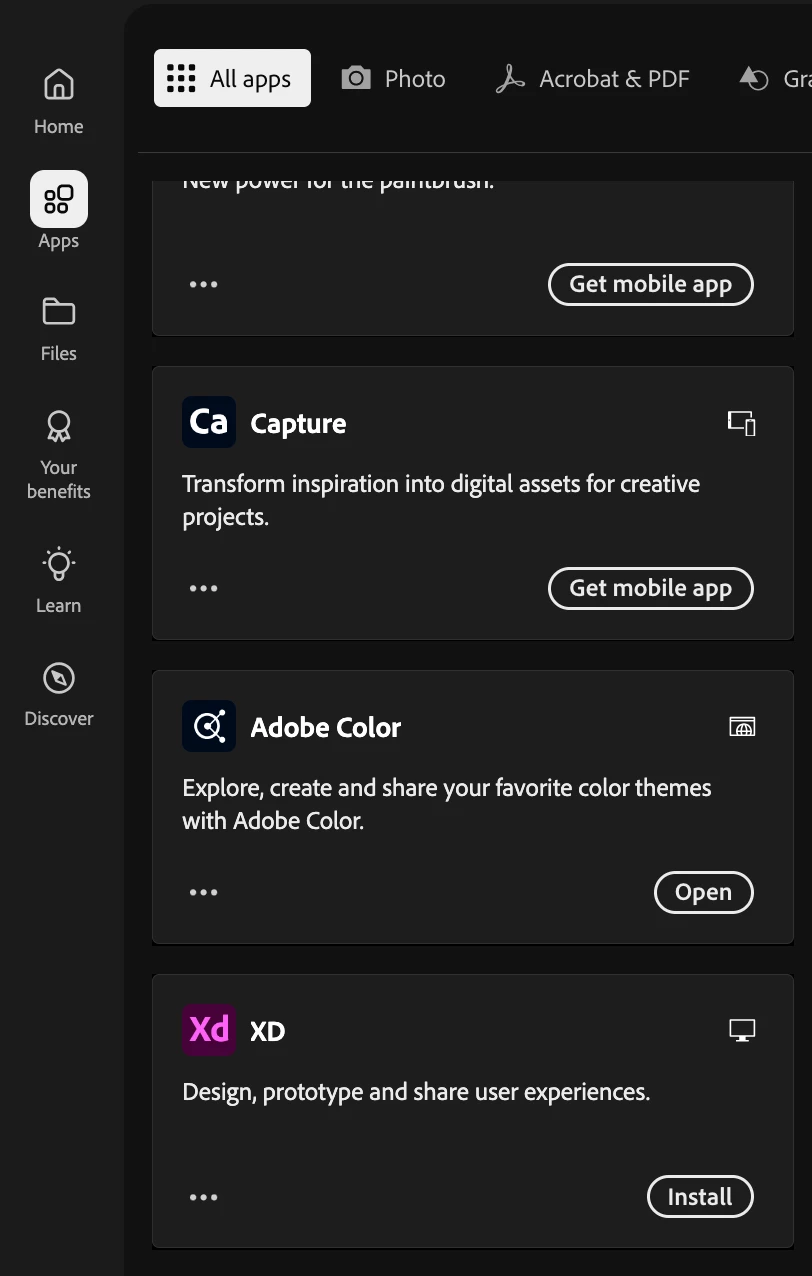
    @Adept_Sunbeam5E44 unfortunately, you need to have purchased the whole CC subscription to get it. Even though you may have upgraded your plan (not knowing if this is all of the apps), you do need to wait for the waiting period. I know sounds insane, but, I do know it takes at least 24 hours (worse case scenario, 48 hours) for XD to shop up in your applications. https://www.adobe.com/apps/all/all-platforms

    Scroll all the way down until you see Xd, but youhave to wait at least 24 hours to show up. 


    107 replies

    Participant
    April 25, 2023

    I, too have the CC enterprise all apps plan, but there is now where either in the CC desktop app or at https://creativecloud.adobe.com/apps/all/desktop/
    How can I get the installation file? That is the whole reason we purchased CC all apps for our team.

    Please help! and Thanks!!

    Kim

    Participant
    April 21, 2023

    Hi all, I am also having this issue. I have a student account through my school. It shows that the app is included in my plan but I can't see or download it.

    Participant
    April 19, 2023

    I am trying to install Adobe XD as well for work but not seeing it as an option on Adobe CC. Can someone please help resolve this? Thanks

    Participant
    April 19, 2023

    Hi,


    Having the same issue. This is a business account. I have access to everything else, but do not see XD.

    HARSHIKA_VERMA
    Community Manager
    Community Manager
    April 19, 2023

    Hi All,


    We understand the frustration you might be experiencing due to Adobe XD not appearing in your Creative Cloud Desktop app. If you have a valid XD subscription and are unable to find XD in the Creative Cloud Desktop app, please make sure that you are logged in with the correct account that has access to XD.

    For those who are new users, if you've logged in with the right account and still don't see XD, we kindly ask for your patience. Sometimes, it might take around 24-48 hours for XD to become visible in the Creative Cloud desktop application.


    Please check this FAQ article for more info.


    However, if the issue persists and you still cannot see XD, we encourage you to directly contact our support team for assistance. You can do this by visiting our contact us page: https://helpx.adobe.com/support/xd.html. Our dedicated support team will be more than happy to assist you with resolving this issue.


    Thanks,

    Harshika

    Participant
    April 19, 2023

    Hi @HARSHIKA_VERMA ,


    I can't seem to access the support team? Please can you help my account directly so that I can use XD?


    Thanks,

    Luke

    HARSHIKA_VERMA
    Community Manager
    Community Manager
    April 19, 2023

    Hi @Luke29345442ngt2,


    Could you please try accessing this page: https://helpx.adobe.com/support/xd.html and see if that works?


    Thanks,

    Harshika

    Known Participant
    April 19, 2023

    So do I, here 100+ students not able to work with XD if they didn't download it before. Thank you Adobe

    Participant
    April 17, 2023

    Hi, I'm having the same issue with installing Adobe XD. I have a team/business account where the plan is covered but I don't see XD being available on CC app. 

    Rishabh_Tiwari
    Community Manager
    Community Manager
    April 18, 2023

    Hi @Lucyyu ,


    Sorry for the delay in response. I see you have an teams subscription, so please ensure you're signed in with the enterprise account. To check that, please sign out from the CC desktop app and sign back in. On signing in, you'll get two options for Account type, Personal & Organizational. Please select the organizational account and check if you can access XD under the all apps section.


    Thanks

    Rishabh

    Participant
    April 19, 2023

    Hi, I'm having same problem. XD doesn't appear in my CC apps list. This is very frustrating. My enterprise licence is recently renewed. We uninstalled and reinstalled CC and XD disappeared from list. Such a disgrace for Adobe for causing this trouble. I'm still waiting for the solution and all my work is on hold. 

    Could someone from Adobe help please?

    Thanks

    Prakash

    April 16, 2023

    Salem aaykom,

    I install the CC application on my desktop in order to use the adobe xd app. After creating an account and open it, i didn't found adobe xd in the list of app availables in the application. Any idea please?

    Joseph Labrecque
    Community Expert
    Community Expert
    April 16, 2023

    Wow - I'm not seeing it either. Even when I search for it or vist the UI and UX category!

    Joseph Labrecque
    Community Expert
    Community Expert
    April 16, 2023

    Poof! 


    Participant
    April 14, 2023

    Same problem here, I have merged "personal" and business accounts and even though other team members can see it in the list, I cannot

    Known Participant
    April 14, 2023

    Hey Guys !
    I did it!


    I have a Team Profile account, but I don't see Xd there either.


    I signed up for my personal CC All app plan with a different account and installed Xd.


    And when I log in again with Team ID, it works!


    Good luck!

    Participant
    April 14, 2023

    i've done the same, xD works even when i log out and log in with the account of the correct user, but in his CC app list xD is still missing, so, no update... this is not a solution, but a workaround. I need official Adobe reply to address this thing, ASAP!