

New Participant
August 15, 2019
Answered

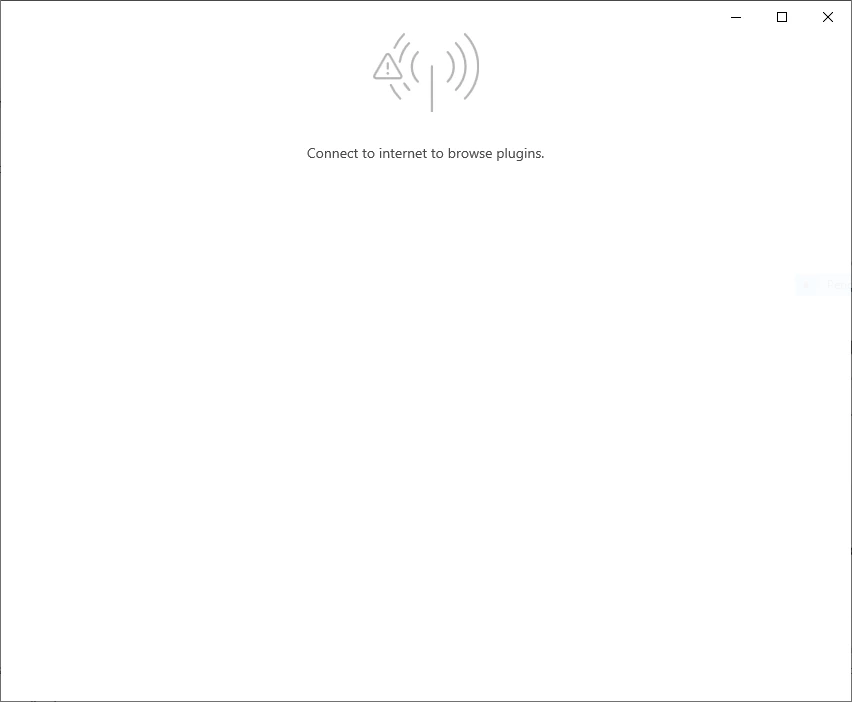
Connect to internet to browse plugins in XD.

  • August 15, 2019
  • 7 replies
  • 61048 views

Herhangi bir eklenti yüklemeye çalıştığımda bu uyarı penceresini görüyorum. Bu sorunu nasıl çözebilirim?

Windows 10
 

<The Title was renamed by moderator>

This topic has been closed for replies.
Correct answer mobeenahmed121

All you need to open your adobe xd there you see a button called HELP opent it . the you see sign in so sign in to adobe cloud then close your xd and shutdown your system and Reopen adobe xd and click on plugin button then it will run easily thanks me later   

7 replies

New Participant
March 4, 2022

how to fix the error Plz Help me

New Participant
November 24, 2020

this works fine. Thank you!


Neeraj Jangra
New Participant
October 14, 2020

thank you, this worked for me...

New Participant
June 15, 2020

To solve This issue I have ComeUp with manual Plugins just for you guys.
People who have problems with application not connecting to internet even tho the above steps are performed and Arrive at hopless situation..........
I got a few plugins for u guys.
->XD to FLutter.
->Web To HTML

->icons
->Wireframe.

Here is the download link to download and install plugins manually.
I hope ADOBE lookups into this issue and allows users to download Plugins manually.....instead of A link opening Adobe XD and arriving at same issue.

***LINK***
https://dailyuploads.net/4tcycpfnowic

**********

New Participant
April 2, 2021

The link does not work


New Participant
March 11, 2020

how i connect it with internet ? while my laptop is already connected with wifi. tell me the exact problems how can i install plugins?

i face the issue that you are showing in above picture. 


HARSHIKA_VERMA
Community Manager
Community Manager
April 2, 2020

Hi Nadeem,


I am sorry for the delay in response. Would you mind telling me if you are still having issues installing plugins or the issue has been resolved?


I will try my best to help.


Thanks,

Harshika

Shwetha Diwanji
Community Manager
Community Manager
December 4, 2019

Hi p42s,


Thank you for reaching out to us. To install any plugin/add-ons to use in XD, user must be connected to internet. However, you can manage your previously installed plugins offline. Request you to try installing desired plugins after connecting to internet. Let us know if you still face this issue.


Hope this helps.


P42sAuthor
New Participant
December 4, 2019

Merhaba,

İnternet bağlantım var zaten.

HARSHIKA_VERMA
Community Manager
Community Manager
December 4, 2019

Hi there,


We are sorry to hear you are facing trouble accessing plugins in Adobe XD. In addition to what Shwetha has suggested, we would like to know a few more details like-


  • Are you working on an enterprise enviornment?
  • What is the OS & XD version of your machine? 
  • How you are connected to the internet through wire or WiFi?


Please try the solution mentioned in this article: https://helpx.adobe.com/in/xd/kb/issues-installing-xd-plugins.html

 and let us know if that helps.


Thanks,

Harshika


New Participant
October 12, 2019

Hello
Unfortunately, I can't install the plugin on adobe xd and it gives me the following error. Please help fix this issue

New Participant
August 15, 2019

hi. I install the adobe XD. but i can't use the plugins. The software gives the following error. How can i fix it?

Ares Hovhannesyan
Community Expert
August 15, 2019

It indicates that something went wrong with internet connection or may be Adobe Xd can't access to your internet. Anyway re installing Adobe  Xd can be helpful.