


New Participant
September 24, 2019
Question

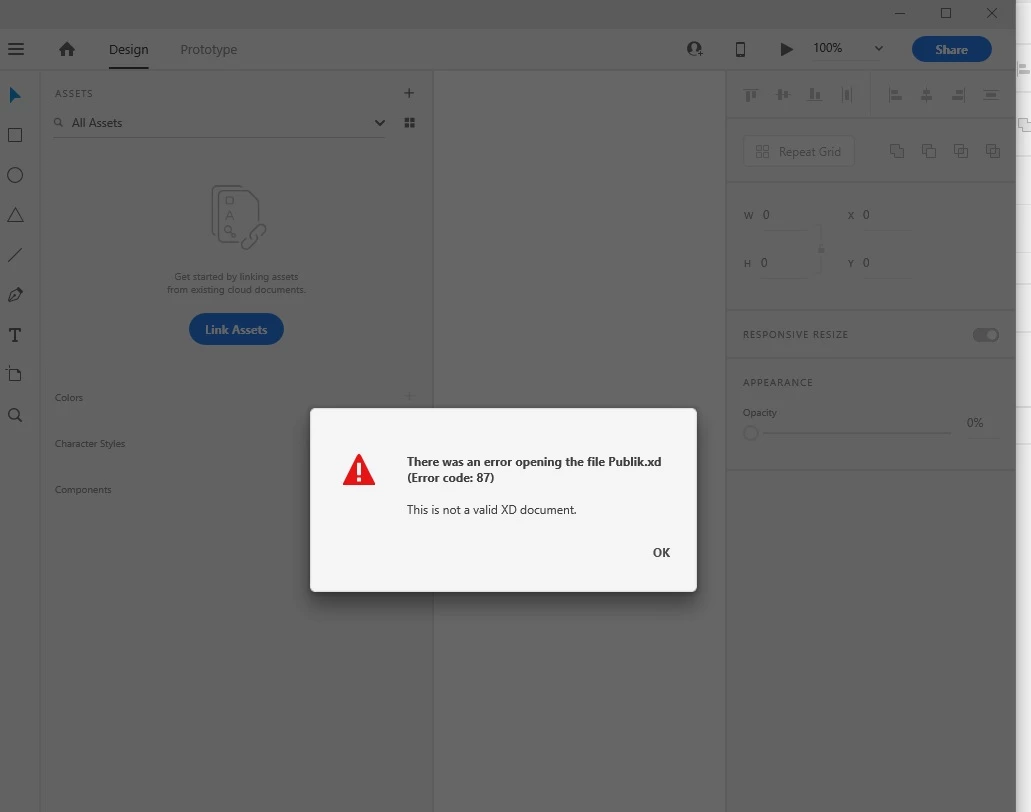
[Crash/Load]-Cannot open file"Error 87 this is not a valid XD document".

  • September 24, 2019
  • 3 replies
  • 8276 views

Could you please, advise how may I open it or if possible your Team to provide me a backup file. Please, find the screenshot below:
 

<The Title was renamed by moderator>

3 replies

New Participant
May 3, 2020

Hello,


Can you please help me. I have an urgent project and my file is not opening. I keep getting the error as attached. I tried installing XD and then uninstalling. Didn't work. I also tried sending it to friends / or opening it on another device with another adobe account. also did not work


please help!

thank you

New Participant
May 3, 2020

Here is the link to the files:

https://drive.google.com/drive/folders/1chTnZIoXg2OFc5kmqdnRPlcVawDOo4_y?usp=sharing


I hope you can help me. My deadline is tomorrow! 

StudioMein
New Participant
April 20, 2023

Hirenac62688793

Could you solve it? how ? I have the same problem!!

Any wil will be heaven!

Best!

M


New Participant
September 24, 2019

After update and restart received another error:

It seems that syncing has stopped at 3,52%.

Preran
Community Manager
Community Manager
September 24, 2019
Can you try opening the file from https://assets.adobe.com/cloud-documents# ?
italosan
Community Expert
September 24, 2019

Hi, try updating the Creative Cloud app and syncing enabled.

New Participant
September 24, 2019
I updated it and restart the computer.