


StudioJob
New Participant
April 1, 2020
Question

[Design]- How to scale Components

  • April 1, 2020
  • 3 replies
  • 8718 views

Hi - new to XD so need a little help!
I have 5 x  icons on an artboard in seperate blocks and need for them all to scale together, but as they are all different, I have made them all seperate components. I realsise this is wrong because if I scale one component none of the others change. Is there a way of linking the components together! There's an example attached. Any help appreciated!
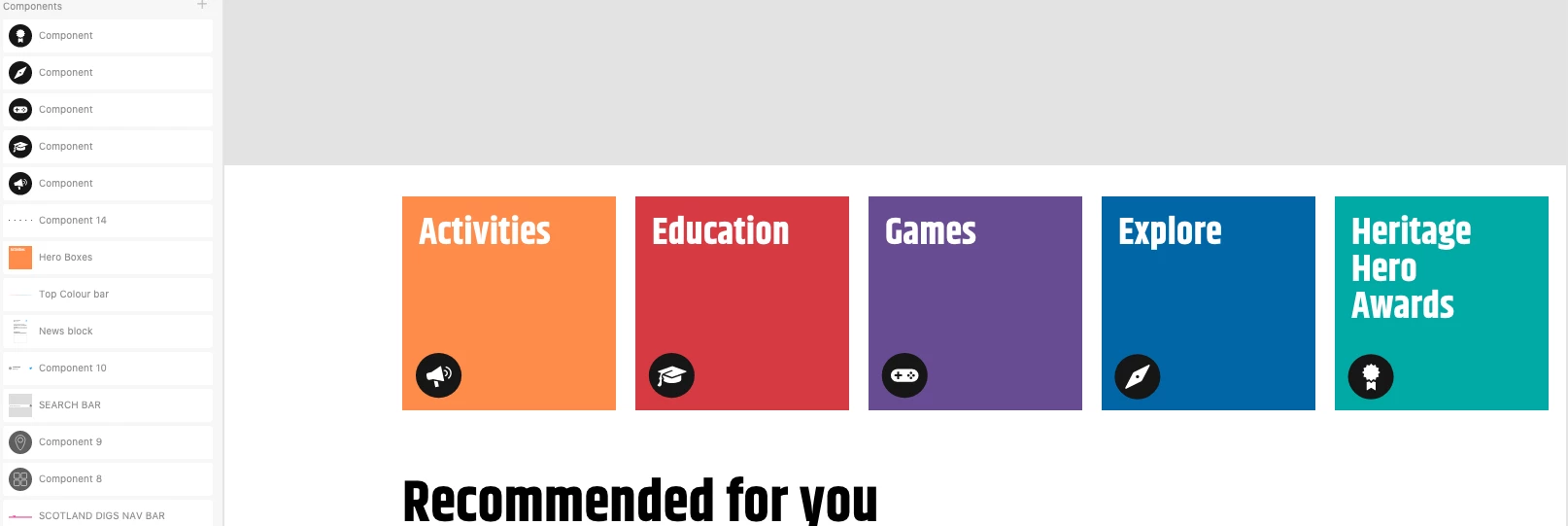


{Renamed By MOD}

This topic has been closed for replies.

3 replies

0v0v
New Participant
October 30, 2020

So basicly we need Illustrator like function "Transform each"?

Dan Rodney
Community Expert
April 4, 2020

I'm not 100% sure exactly how you want them to scale, but I think you want them to scale all together proportionally. If that's the case, group them first (important), then hold Shift as you resize them and all the components should scale. 


If that's not want you want, maybe you can be more specific of how you want them to change?

— Adobe Certified Expert & Instructor at Noble Desktop | Web Developer, Designer, InDesign Scriptor
Participating Frequently
October 30, 2020

Dan, but it doesn't... And whats the purpose of grouping a component? A component is already a group. This is really the worst! It should be a basic thing to scale proportionally!

Rishabh_Tiwari
Community Manager
Community Manager
April 1, 2020

Hi there,


Thanks for reaching out. Could you please try to group the components and turn off responsive resize and then scale and let us know how it goes.


Regards

Rishabh

StudioJob
StudioJobAuthor
New Participant
April 2, 2020

Hi - thanks for the reply.

I've tried a couple of ways.

1. The top Component with all the icons will scale but each component is not in a fixed position when scaling (which I need)

2. If I group the individual Components and scale the same things happens, if I select on component from the group it scales on its own.

3. 2nd screen grab is what I need to happen.

Help!

HARSHIKA_VERMA
Community Manager
Community Manager
April 4, 2020

Thank you for sharing the additional information. Would you mind sharing the file with me over a private message for  investigation purpose?


I will check at my end and will get back to you on this.


Thanks,

Harshika