


Participant
March 20, 2020
Answered

[Design]- Switching from a library to an other

  • March 20, 2020
  • 2 replies
  • 1064 views

Hello,

I front a situation that twist my mind and I can't figure any simple solution.

I'm working on a design system that is meant to be used for a main brand and several sub-brands. The main brand and the sub-brands share the same components, icons and typos. But the colors are different : each sub-brand got its own palette.

I have a library file for the components (let's name it " comp.xd ") ; another libray file for the main brand's color palette (brand.xd for example) and a library file for each sub-brand's color palette (sub-brand1.xd, sub-brand2.xd, etc.). To get all the components usable in the brand style, the " comp.xd " is link to the " brand.xd "

Here is my problem : If I want to use the same component but with the sub-brand1 style, how can I swith (easyly) from a the brand.xd lib to the sub-brand1.xd ?

For now I have as many component files as color lib files (brand+sub-brand). Wich means that when I have to add a new component, I must copy a version of it in each component file and re-compose it with the good colors... That's a real pain.

Any suggestion is welcome.

Thanks and keep the UI good vibes 🙂

Alec


{Renamed By MOD}
This topic has been closed for replies.
Correct answer Peter Villevoye

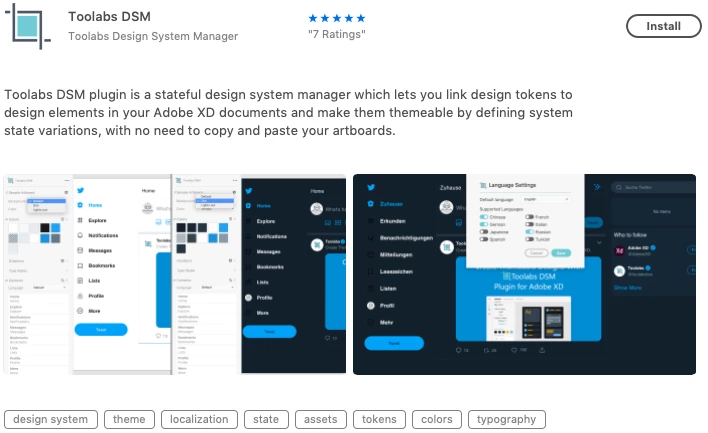
Following your idea, I've searched for a plug-in that manage the trick. I may have found something :

https://www.toolabs.com/xdplugin/

I'm gonna try it. I'll let you know if it does the job.


AAARRRGHH...

I just HATE it when Search features  
J U S T   C A N ' T   S E A R C H  !!!

They prefer to use the term "theme".

And "design system".

No Component. Not even as a tag.

No one knows. No one finds it.

It's like a secret...

But hurray, you've found the solution 🙂


2 replies

Peter Villevoye
Community Expert
Community Expert
March 20, 2020

Phew !! That's quite a puzzle to reconstruct from your narrative...

Am I getting it right, as described by the raw illustration below ?


You want to find an easier way to distribute (new) components to sub comps, in compliance with the color (brand) scheme for that sub ?

And may I question some aspects ? Are you using separate color (brand) files, not to let the bulk import of assets through the + menu populate your receiving file with both all originating components as well as colors, to keep the Assets panel clean ?


The level of structure and automation you're looking for is probably far-fetched, but let's see how far we can get 🙂


a l e cAuthor
Participant
March 22, 2020

Hi,

First, congrats for trying to understand my poor english (as a typical french I'm bad with foreign languages).

From your analyse, I undersatnd that my purpose was unclear. So here's a scheme to illustrate my situation :

Today I've got 5 differents files with the same components in different colors. So each time I modify a component or add a new one, I must do it five times.

So I'm looking for a new organisation where there will be one unique Components file where I could switch from a library to another.

And a detail in XD of this wannabe solution :


In this illustration, I've got my main file (File A components) and 2 libs (Files B and C).

On the left, the components of File A are composed using the colors from the file B (Brand) : header uses Primary dark as background, and the button uses primary default.

On the right, the same components are using the colors from file C (Sub-brand)

I can't figure how to get to this.

Hope it's more clear and that a solution exist !

Thanks again for your time and patience.

Alec

Peter Villevoye
Community Expert
Community Expert
March 23, 2020

Hi Alec, don't worry about the language. It was the complexity that made me scratch my head a little... 😉

I understand what you want, but as I mentioned earlier (and what I was afraid of): "the level of structure and automation you're looking for is probably far-fetched".


There's no elegant or efficient way to batch-edit or redefine components or even colors. Not built-in, and not in a sneaky way. Like deleting (or rather temporarily hiding) the base document, in order to invoke the Relink option, and then swap e.g. the colors by pointing to another file with the exact same assets names, but totally different settings. XD prohibited that action by stating that there were no matching assets. Too bad, it could have been a nice trick and a viable work-around. (I guess assets have an internal name or ID which must match.)


In these aspects, XD is not as sophisticated as workhorse applications like InDesign or the CSS strategy in HTML. Maybe because it doesn't want to facilitate or focus on workflow routines for heavy production, but more on ideas and creative features. Whi knows – that's up to Adobe. But a simple Redefine (based on) option would be nice.

Rishabh_Tiwari
Community Manager
Community Manager
March 20, 2020

Hi Alec,


Thanks for reaching out. It appears that you are following the ideal workflow to achieve the desired outcome however I'd like to open this thread to our experts on this community for suggestions.


Regards

Rishabh