Participating Frequently
September 27, 2018
Answered

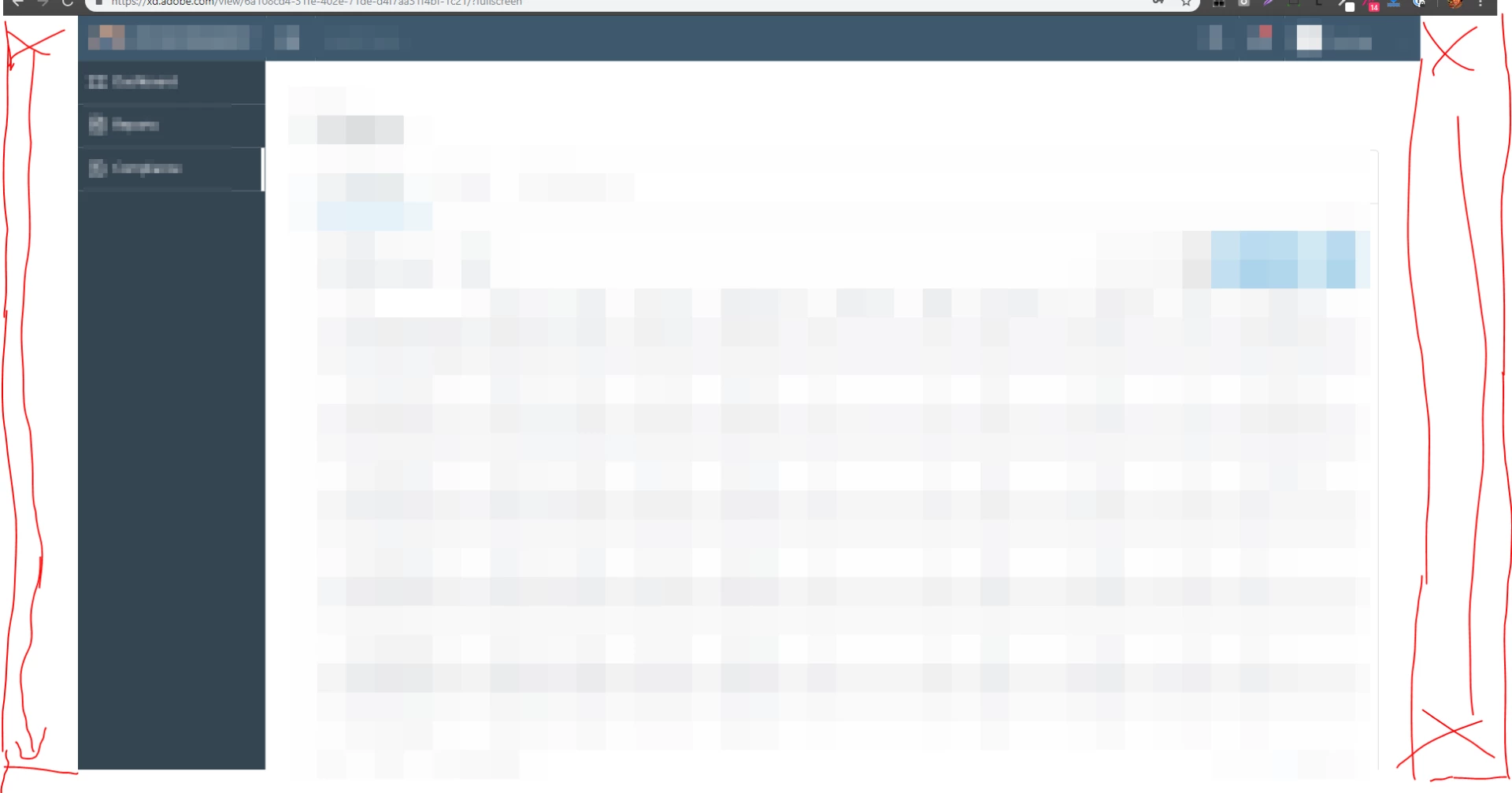
Desktop preview is not displaying a full screen

  • September 27, 2018
  • 3 replies
  • 29208 views

Hi Adobe XD supp team,

The prototype i use have a width of 1920p and height is above 1080p


Problem is: The link is not displaying the width correctly. Even though i already set it to "Open in Full Screen" in publish public prototype, see screenshot:

    This topic has been closed for replies.
    Correct answer KevinGregull

    I had the same issue and found out what it was, though there is not a perfect solution for me yet. Please correct me if I am wrong.


    The Problem occurs when you have a scrolling Artboard. You have to specify a "Viewport Height", which is (when you first activate Scrolling) usually set at 1080 for a regular 1920x1080 Artboard. When you view this Artboard in the web, Adobe XD sees, that your Artboard does not fit on screen because it is heigher than your browser window. This is true because you have to account for your OSes Taskbar and the browser top (Address Bar, Bookmarks, etc.). Thats why Adobe scales the preview down, thus giving you white bars on the left and right.


    A solution to this is to query your Browsers actual viewport height. You could do this via the JavaScript console by typing

    "window.innerHeight". Assuming you have Chrome with a Bookmark bar, this will result in a value of "937px". If you set the "Viewport Height" to exactly this value, it will display without bars and will fit the browser viewport perfectly.


    Of course display varies for people that do not have an active Bookmark bar or different Browsers, so here is a Feature Request for you Adobe. Let us simply input "0" for Viewport Height, and ignore scaling according to height, if this is set.


    Hope this does help someone, to at least preview their prototype fullscreen.

    3 replies

    KevinGregullCorrect answer
    New Participant
    December 6, 2019

    I had the same issue and found out what it was, though there is not a perfect solution for me yet. Please correct me if I am wrong.


    The Problem occurs when you have a scrolling Artboard. You have to specify a "Viewport Height", which is (when you first activate Scrolling) usually set at 1080 for a regular 1920x1080 Artboard. When you view this Artboard in the web, Adobe XD sees, that your Artboard does not fit on screen because it is heigher than your browser window. This is true because you have to account for your OSes Taskbar and the browser top (Address Bar, Bookmarks, etc.). Thats why Adobe scales the preview down, thus giving you white bars on the left and right.


    A solution to this is to query your Browsers actual viewport height. You could do this via the JavaScript console by typing

    "window.innerHeight". Assuming you have Chrome with a Bookmark bar, this will result in a value of "937px". If you set the "Viewport Height" to exactly this value, it will display without bars and will fit the browser viewport perfectly.


    Of course display varies for people that do not have an active Bookmark bar or different Browsers, so here is a Feature Request for you Adobe. Let us simply input "0" for Viewport Height, and ignore scaling according to height, if this is set.


    Hope this does help someone, to at least preview their prototype fullscreen.

    Jadna Saibert
    New Participant
    September 28, 2018

    I had a similar problem in a specific file.

    Atul_Saini
    Community Manager
    Community Manager
    September 28, 2018

    Hi Edwinr,

    Sorry for the inconvenience that it has caused to you and thanks for sharing the screenshot with us.

    As per the description, the prototype has got a white border on sides in fullscreen mode. Could you please share the exact dimensions of the artboard. I would also like to know if you have tried this in any other browser?  I would also like to know if the prototype is zoomed at 100% while you are viewing it.

    Thanks,

    Atul_Saini

    Participating Frequently
    September 28, 2018

    Hi Atul_Saini,

    I tested all main browsers: Chrome, IE11, FF. Microsoft Edge. All have the same result

    I am using a 1920x1080p display for my artboards because my computer display is in 1920x1080.

    Please fix i need to present something today. Thank you!

    Atul_Saini
    Community Manager
    Community Manager
    September 28, 2018

    Thanks for testing and sharing the results Edwinr. Would it be possible for you to share the link of the prototype or sample prototype so that we may test it here at our end?