


New Participant
March 4, 2021
Answered

Dock not closing old projects

  • March 4, 2021
  • 1 reply
  • 425 views

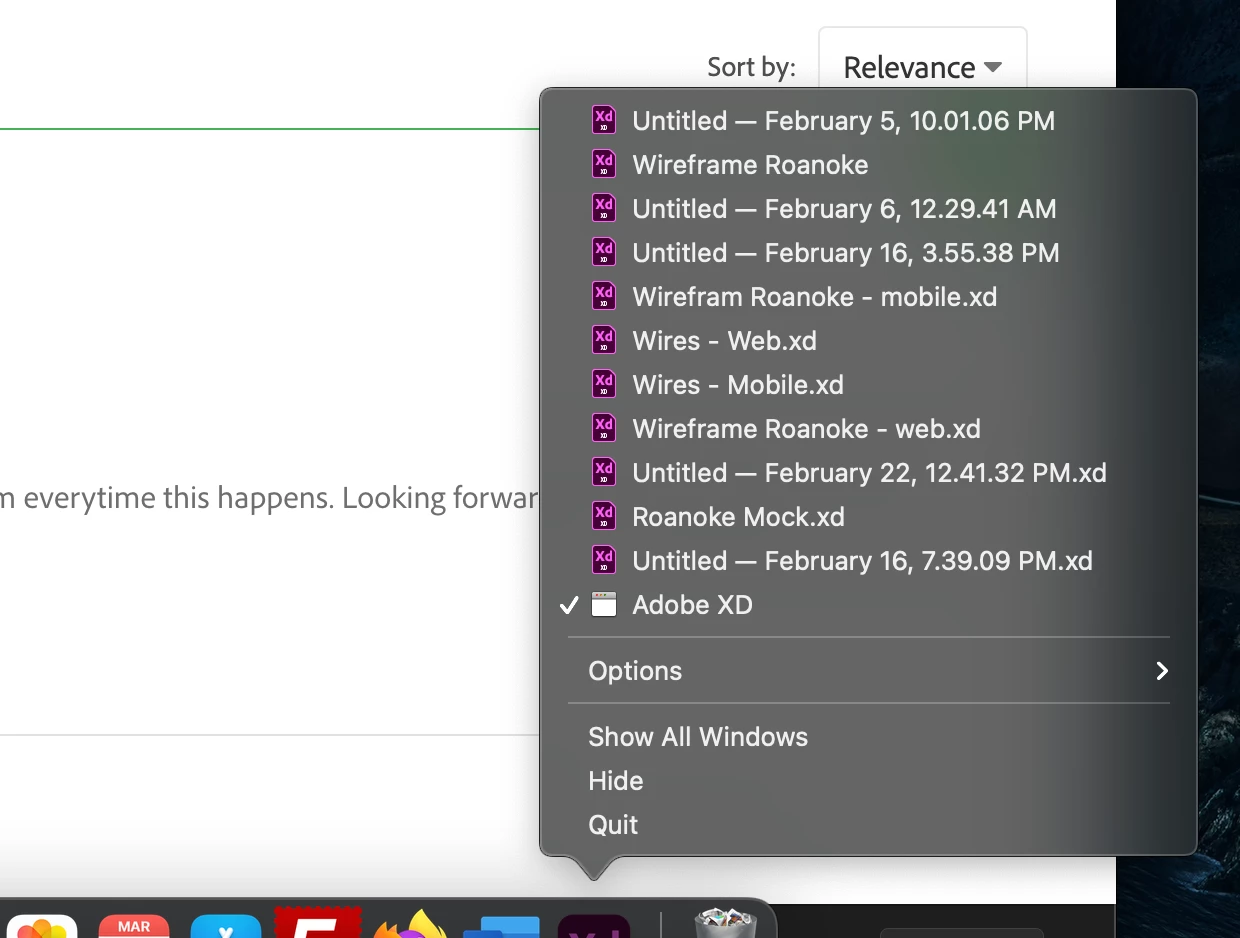
I have been working on a bunch of different projects. Some I've opened up a new artboard and abandoned and not saved. I'm working on a batch of new projects but anytime I long click on my dock icon (Mac Book Pro 2020) I see a list of old projects. I'm trying to clear them out of there, but nothing works. I've tried clicking on a project and mannually quitting through the menu bar, I've forced quit CC and XD and restarted my machine, Nothing works. I can't keep creating multiple files to switch between easily because I have to stop and try to find it in the list. Even projects I am done with, and have "closed" still keep showing up.

I've included a screenshot of what I'm talking about.


How do I get rid of these?? The only thing that has worked is PERMANENTLY deleting a file. What gives? This is frustrating to say the least.
    This topic has been closed for replies.
    Correct answer Rajasekhar_Reddy

    Hi there,


    Thanks for writing us, Could you try following steps below to get rid of the issue .

    1. Launch XD

    2. Click on file menu and go to open recent and select "clear menu" option. 


    You may see active xd windows open in dock but restart of XD will clear that.


    If issue still persists even after performing above steps please share us the versions of XD and OS you are currently using.


    Regards,

    Rajasekhar. 


    1 reply

    Rajasekhar_ReddyCommunity ManagerCorrect answer
    Community Manager
    March 4, 2021

    Hi there,


    Thanks for writing us, Could you try following steps below to get rid of the issue .

    1. Launch XD

    2. Click on file menu and go to open recent and select "clear menu" option. 


    You may see active xd windows open in dock but restart of XD will clear that.


    If issue still persists even after performing above steps please share us the versions of XD and OS you are currently using.


    Regards,

    Rajasekhar. 


    BlakeWAAuthor
    New Participant
    March 5, 2021

    Thank you so much! I don't know why that was so confusing for me. Thanks for the help!