


Participant
January 14, 2021
Answered

How to create subpages in preview mode?

  • January 14, 2021
  • 1 reply
  • 1031 views

Hi. Is there an option to publish the preview in subpages or folders for a better overview, as it comes in figma?

For example:


  • preview ABC / Basic elements / subpages
  • preview ABC / Components / subpages
  • preview ABC / Design / subpages


Now you have all pages in ONE dashboard. It causes long loading times and bad overview for developers.


Thank you for your response.
Susann
This topic has been closed for replies.
Correct answer monterxz

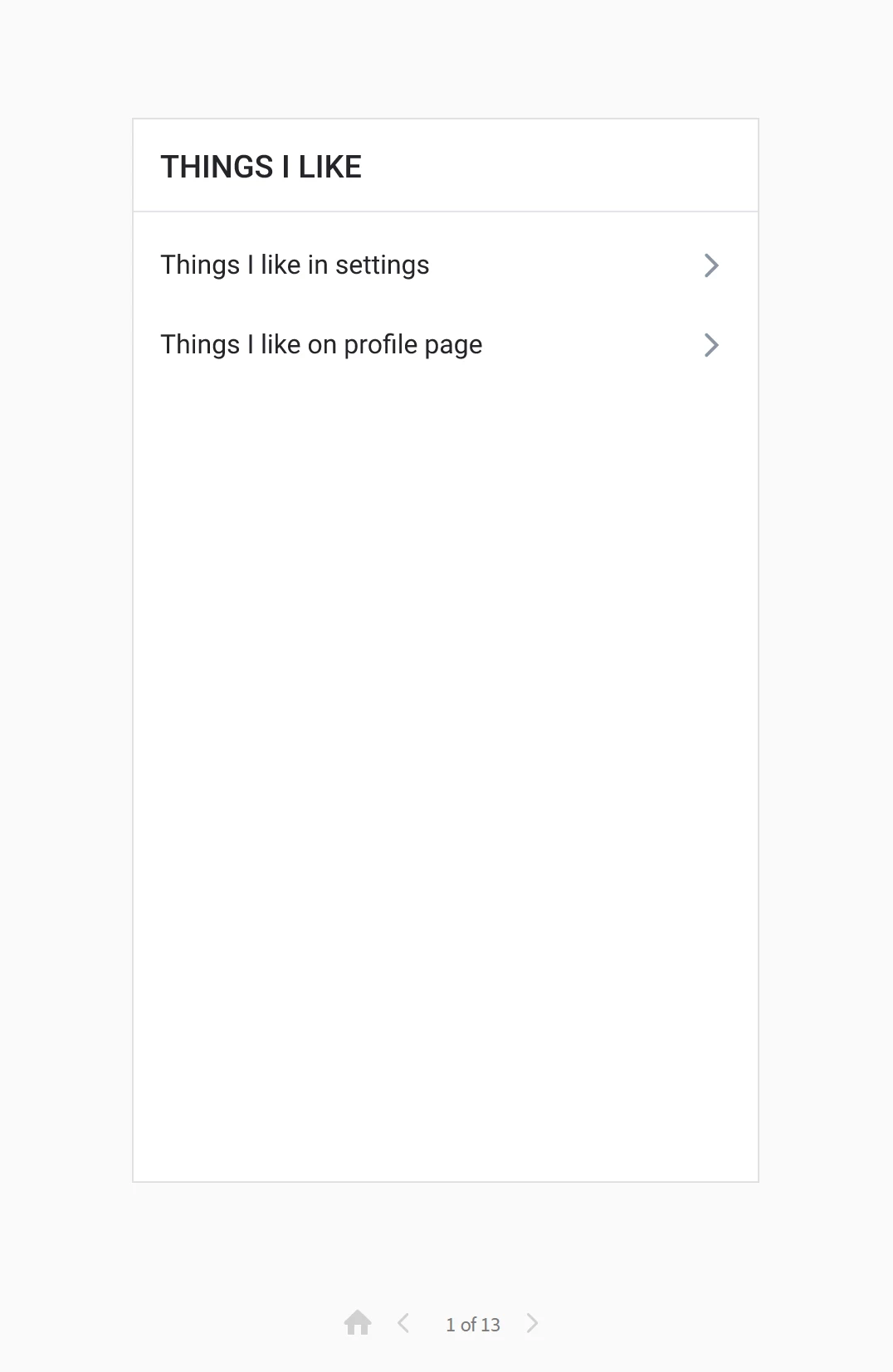
I'm always creating an artboard for "table of contents" where I just make a list of buttons which transition to desired part of my design. Something like this:

Couldn't find a better way to do this, but it helps developers to see different parts of a design with only one link.


1 reply

HARSHIKA_VERMA
Community Manager
Community Manager
January 15, 2021

Hi Susann,


Thank you for reaching out and using Adobe XD. If I understand you correctly,  I would suggest you check this article on creating multiple flows in XD which might serve your purpose: https://helpx.adobe.com/xd/user-guide.html/xd/help/create-prototypes.ug.html


Multiple Flows lets you create and share multiple versions of a design from the same document, or in the same file and leverage the same set of artboards across many prototypes or design specs. Each flow retains its own set of wires and shares details so you can make changes and re-publish without having to undo and redo all of your settings each time.


Let me know if I misunderstood your question.


Thanks,

Harshika

Participant
January 18, 2021

Hi Harshika
Thanks for your response. 

So is it right I can just public one flow per one link?
I couldn't find yet the possibility to publish several flows at the same time, to have one preview link at the end.

Thanks Susann


Participant
January 19, 2021

I'm always creating an artboard for "table of contents" where I just make a list of buttons which transition to desired part of my design. Something like this:

Couldn't find a better way to do this, but it helps developers to see different parts of a design with only one link.


Hi Monterxz,

Thank you so much for your feedback. It helps a lot.

Yes, I was thinking of a solution with artboards too. So now I have several artboards of the individual design with different page types or vizualisation (especially for the customer) and then I have large artboards with 1 - Basic elements  / 2 - Atoms / 3 - components...  So the developers know the single pieces and don't have to search in the page types. They like to have an overview like this.