

Answered
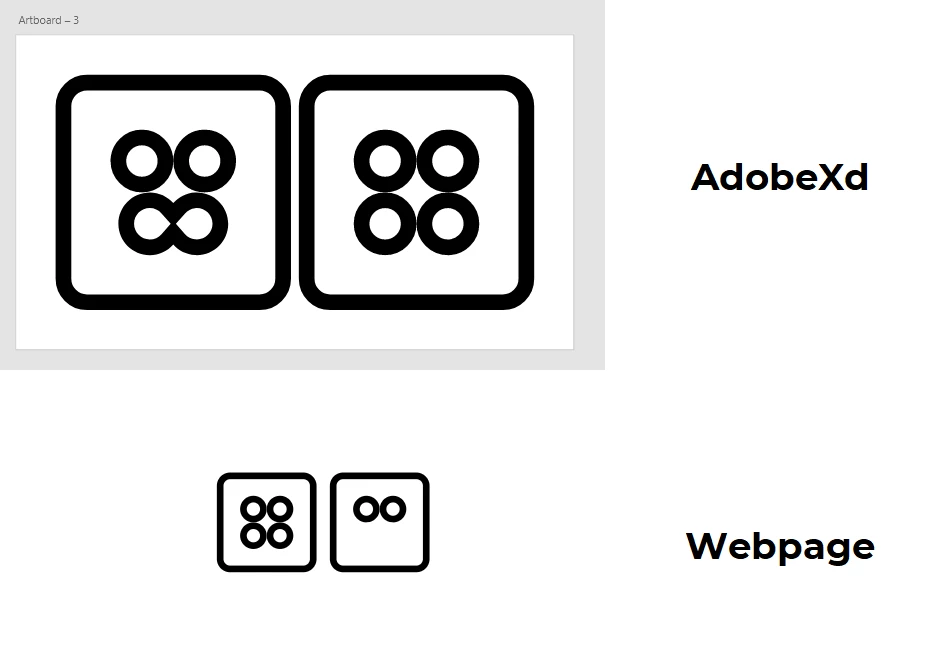
[Import & Export]-Joined svg paths are not displayed on the webpage.
Hello,
When I tried pixel perfect icons, I noticed that, when I use on svg path > "join", "subtract"... it doesn't display on webpage

Hello,
When I tried pixel perfect icons, I noticed that, when I use on svg path > "join", "subtract"... it doesn't display on webpage
You could try and install Inkscape (it's free) or use Illustrator (if you have it) and thenopen these SVGs and check out the outline view. It may be as simple as a wrong fill rule being applied.
If you can't find the problem, upload the SVGs so someone can check them for you.
Already have an account? Login
Enter your E-mail address. We'll send you an e-mail with instructions to reset your password.
 AdChoices