



arpanag
Inspiring
November 27, 2019
Answered

linking object/elements on same artboard or within artboard

  • November 27, 2019
  • 1 reply
  • 1705 views

Hi,

I have been struggling to link elemets in same artboard. e.g: on graph if I want to show tooltip on click of coordinates.

creating arboard everytime for each elements linking is very tedious. if this feature in not there in XD, adobe need to think from usability perspective. other tools, like Axure and Sketch gives these features. 

can anyone help me here how to do this linking within artboard?
 

This topic has been closed for replies.
Correct answer hammer0909

Thanks a ton Chad,

if you can mail me the step, it would definitely help me and my other colleagues for future projects.


Cheers!


Here's a link to the Adobe help that describes how states work within components. You can find plenty of other tutrorials as well. https://helpx.adobe.com/xd/help/create-component-states.html

1 reply

hammer0909
Community Expert
November 27, 2019

I don't completely understand what you're trying to do however you may want to try using Components. With a Component, you can create multiple states that reside on the same artboard but have different appearances depending on which object you tap.

arpanag
arpanagAuthor
Inspiring
November 27, 2019

Hi Chad,

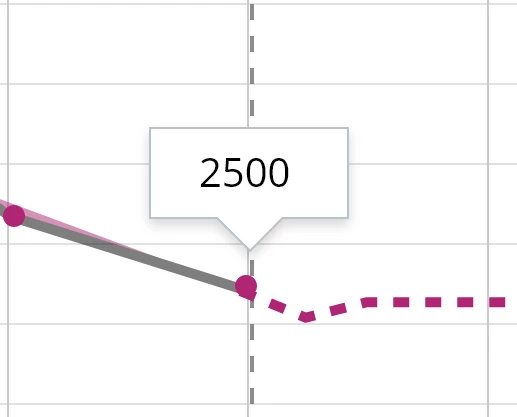
what I am trying to do is linking the dot on the graph to the tooptip above it in the same artboard.

do you have solution for this?

arpanag
arpanagAuthor
Inspiring
November 27, 2019

Oh, so when you tap on the dot, the tooltip appears? Like this? I'm happy to share the file with you if you'd like.


https://adobe.ly/2qQ7blU


cheers! exactly, there you go. 

Solution please 😞