Hey Christian 🙂
Get ready for a truck load... and a wheelbarrow.
Let's start with the latter. For many functional elements of a user interface, operating systems have standard designs, like the one you mentioned in the iOS. To get them, all you need to do is to look under the File > Get UI Kits... menu and pick the one you need. You (and your wheelbarrow) will be brought to the webpage of e.g. Apple, Android, or Windows, to dowload their templates. There are even more Adobe curated kits available under the More UI Kits... menu, a bit further down.
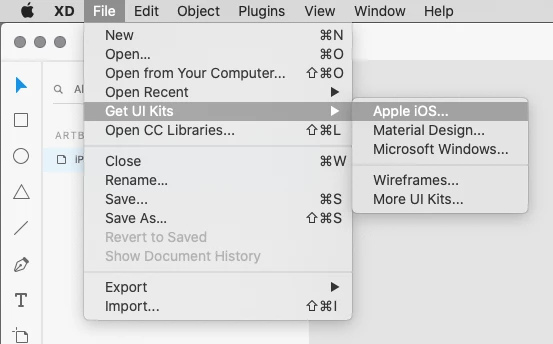
For much more designs, and less 'official', you can find a zillion examples of them on portfolio and repository platforms like Behance, and many others. Under the same menu we used for the official kits, you can also choose for Wireframes, which will take you (and your truck) to a landing page on Behance, where there's a bit of fun. The real buckload of stuff can be found by searching here, like for "xd" (or "ui" in general). Much stuff is freely avaiable for download. Take your shovel and start digging !
https://www.behance.net/search?search=xd
Now two last tips.
You were looking for a "picker" and ended up with mostly calendar pickers. Try Googling "picker -calendar -date ui" (note the minus) that might help to leave out calendar and date pickers, and restrict a bit more to user interface designs (ignoring all other pickers).
And the final tip:
What you call a country picker, others might define as a region dial or nationality popup, or whatever else comes to mind. The jargon for digital UX and UI design is still very young and fresh. So whenever some one mentions a popup, stepper, or picker, I always ask them: "what do you mean", or "how does that look like, in your opinion ?"
So try searching for other keywords as well.




 AdChoices