


Participating Frequently
July 10, 2020
Answered

Overlay and priority of Layers

  • July 10, 2020
  • 2 replies
  • 696 views

Hello all,

I have a question about Overlay and priority of Layers. Please read the description of my problem :

  • I have a NavBar in "Fix position when scrolling". This NavBar is placed on top of all the other elements because it is the navigation bar, this is normal.
  • When I click on one of the NavBar items, it opens a Menu that appears and Overlay. Thanks to your help, it works well.


The problem is that this menu in overlay appears over the NavBar, suddenly we can no longer click on the elements of the NavBar. Please see pics (NavBar + Overlay over the NavBar).

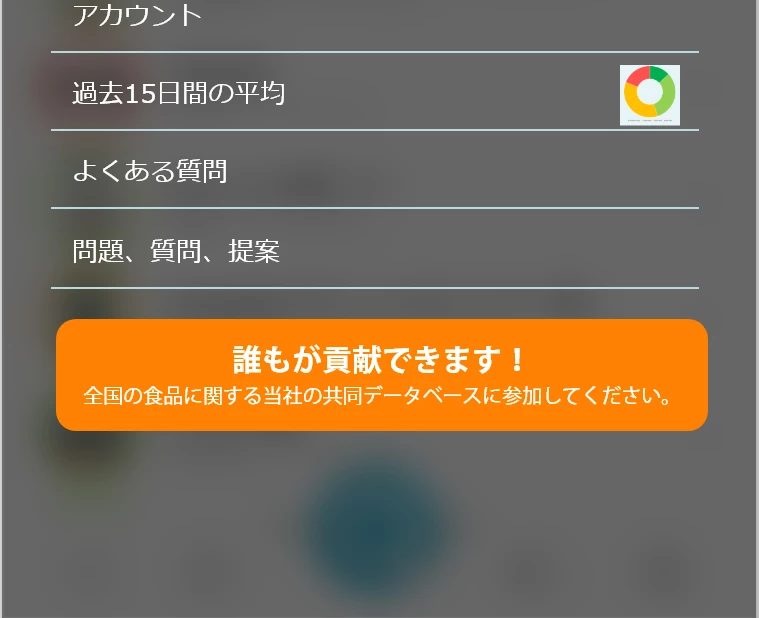


How to make the Menu appear in Overlay while keeping the NavBar over it?

Many thanks ^^

    This topic has been closed for replies.
    Correct answer Shwetha Diwanji

    Hi miltonis,


    As of now when both overlay and base artboard have interactions - base artboard interactions are disabled. Only overlay hotspots are respected. You will have to click outside overlay bounds to come back to your base artboard (in your case, NavBar).

    You can give these alternate solutions a try:

    1. To use overlays for flyout menus and still have the bottom NavBar enabled, you can refer to this video: https://letsxd.com/videos/flyout-menu
    2. To use overlays from a different artboard over a source artboard while keeping the NavBar still visible, you can position the overlay placer (green bounding box with arrows on source artboard) slightly above the NavBar so when you click on your menu item from the bar, the overlay slides and places itself above the NavBar. You can then click on any of the menus on the NavBar and dismiss the overlay, thus transitioning to new target artboards accordingly.


    Let me know if it helps.


    Regards,

    Shwetha Diwanji 

    2 replies

    Participating Frequently
    July 18, 2020

    Thank you.

    That helps me !

    HARSHIKA_VERMA
    Community Manager
    Community Manager
    July 20, 2020

    Nice to hear that the above-provided solutions helped you. Please feel free to reach out to us in the future for any query related to XD.


    We are here to help.


    Thanks, Shwetha for your contribution on this post.


    Thanks,

    Harshika

    Shwetha Diwanji
    Community Manager
    Shwetha DiwanjiCommunity ManagerCorrect answer
    Community Manager
    July 10, 2020

    Hi miltonis,


    As of now when both overlay and base artboard have interactions - base artboard interactions are disabled. Only overlay hotspots are respected. You will have to click outside overlay bounds to come back to your base artboard (in your case, NavBar).

    You can give these alternate solutions a try:

    1. To use overlays for flyout menus and still have the bottom NavBar enabled, you can refer to this video: https://letsxd.com/videos/flyout-menu
    2. To use overlays from a different artboard over a source artboard while keeping the NavBar still visible, you can position the overlay placer (green bounding box with arrows on source artboard) slightly above the NavBar so when you click on your menu item from the bar, the overlay slides and places itself above the NavBar. You can then click on any of the menus on the NavBar and dismiss the overlay, thus transitioning to new target artboards accordingly.


    Let me know if it helps.


    Regards,

    Shwetha Diwanji