


Participant
October 21, 2020
Answered

Point Text Option Not Visible In Inspection Panel
  • October 21, 2020
  • 2 replies
  • 3422 views

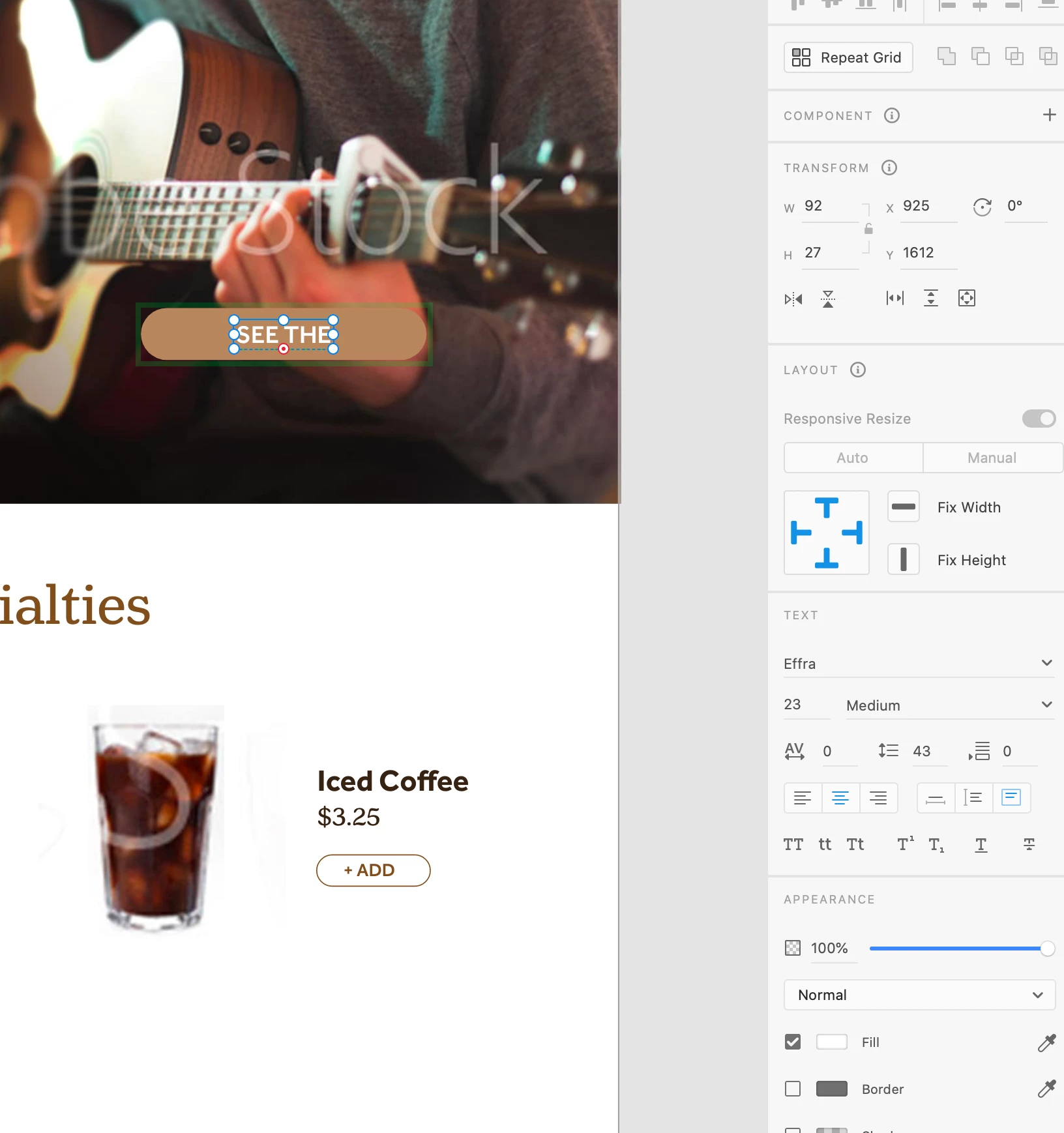
I'm a first time XD user doing part I of the prototyping workshop as part of the Adobe MAX conference. The session instructor has the "point text" and "area text" buttons in the text section of the inspection panel, but I only see "auto width," "auto height," and "fixed size." Any ideas as to how to get the point text buttons to show?

This topic has been closed for replies.
Correct answer HARSHIKA_VERMA

Hi Cassndra,


Thank you for reaching out. Yes the team has just changed the wording around this. Auto width is what point text was, and fixed width and height was what area text was.


Hope it helps.


Thanks,

Harshika

2 replies

Participant
May 28, 2021

I have this same issue on a Windows machine. Autowidth does nothing. Is there another way to get the Area Text feature to work (aka point ext aka autowidth). Stop changing the names of things, please. It makes it very confusing when trying to follow tutorials created by Adobe.

HARSHIKA_VERMA
Community Manager
Community Manager
May 28, 2021

Hi there,


We are sorry for the confusion and sorry to hear you're unable to use the Autowidth option. I am unable to reproduce the issue at my end on a windows machine. Please make sure you're on the current version of XD (40.1.22). 


I would also suggest going through this article: https://helpx.adobe.com/xd/user-guide.html/xd/help/drawing-text-tools.ug.html which has detail information on the text resize option.


Hope it helps.


Thanks,

Harshika

HARSHIKA_VERMA
Community Manager
HARSHIKA_VERMACommunity ManagerCorrect answer
Community Manager
October 21, 2020

Hi Cassndra,


Thank you for reaching out. Yes the team has just changed the wording around this. Auto width is what point text was, and fixed width and height was what area text was.


Hope it helps.


Thanks,

Harshika