


Participant
February 15, 2023
Answered

Problems with scroll with mouse on XD 2023

  • February 15, 2023
  • 1 reply
  • 1454 views

When I select a textbox or a shape in adobe XD and I try to change a feature of them on the right panel like, color change for example, and I need to scroll for it (for example add a drop shadow effect to a square) the scrolls goes backwards to a fixed position.

Visual Example.
1.- I select a text, the right panel appears with the options to change the features of the text
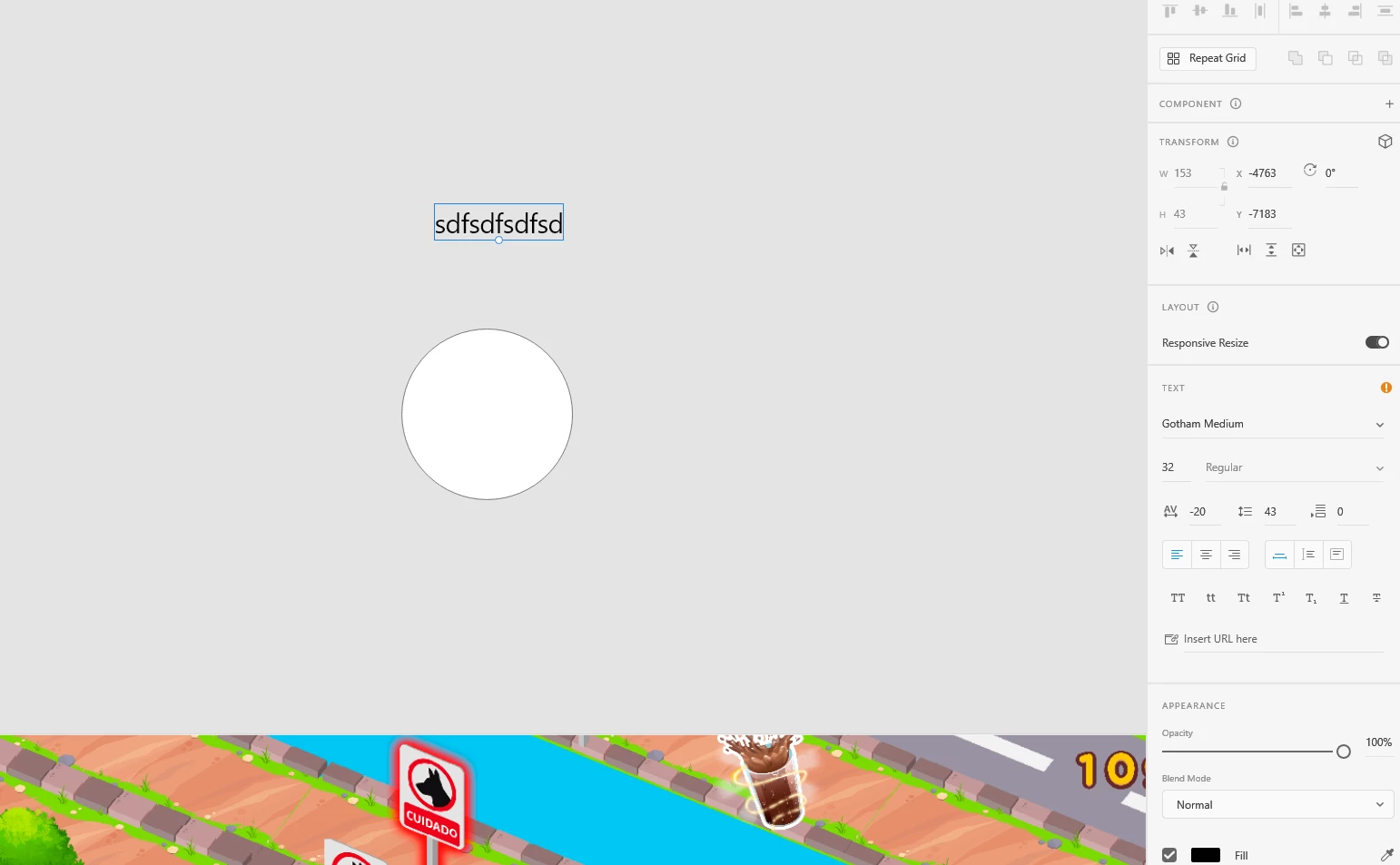


2.- I scroll down to see the options below including fill, border etc.
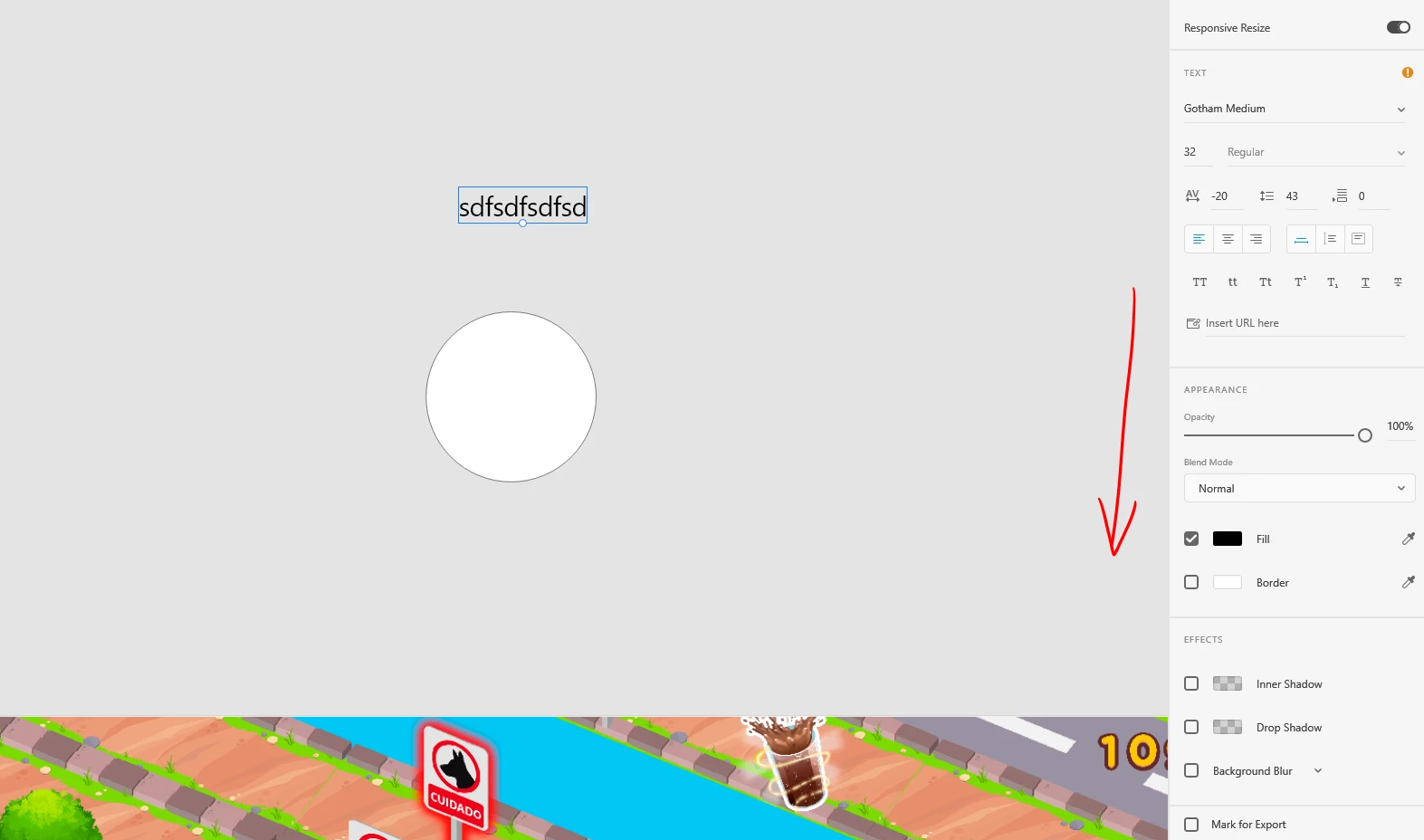


2.- In this example I select fill in order to change text color
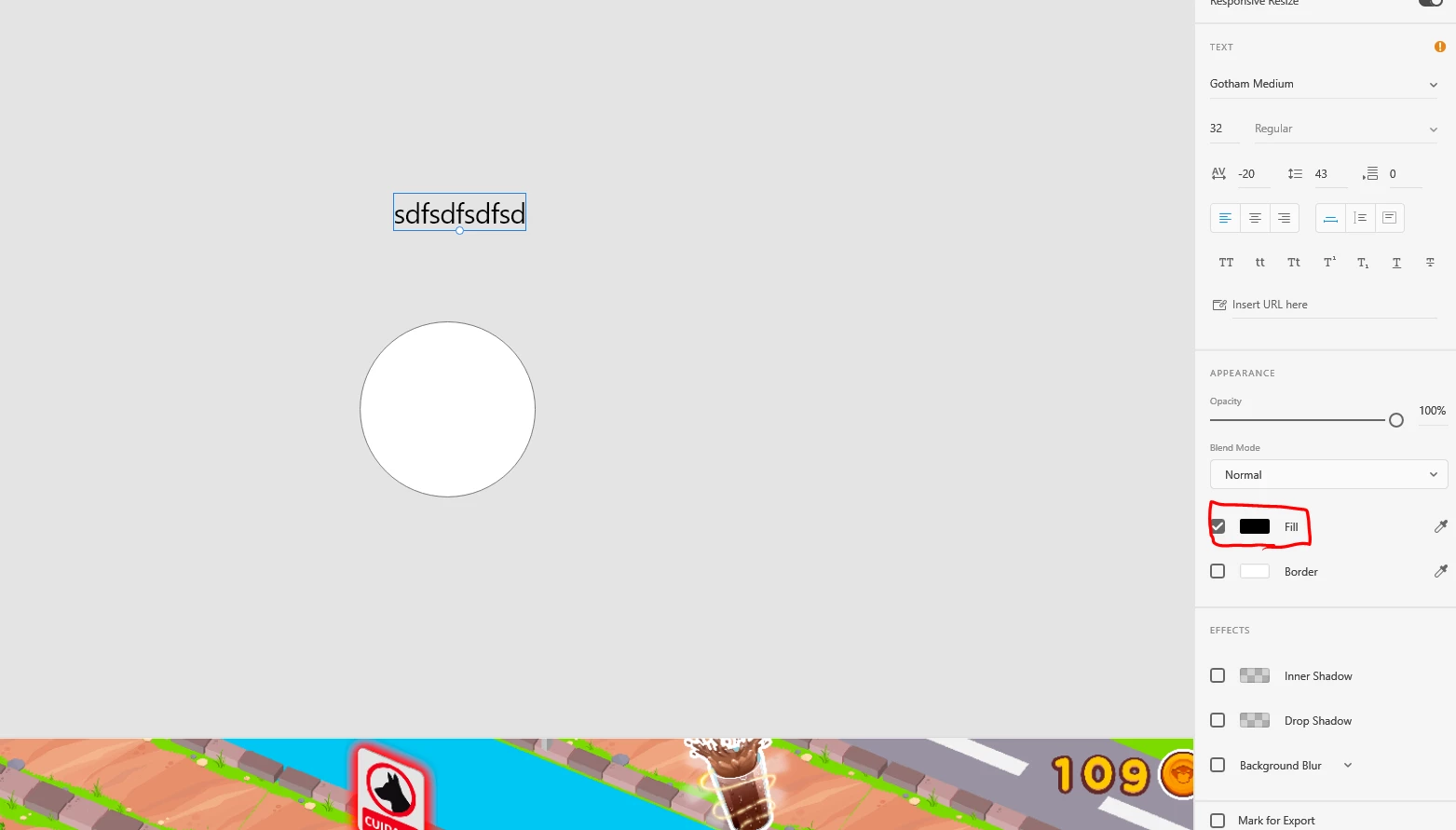
 

4.- As I click on fill, the panel scrolls back to starting position and for note, the change color prompt never opened when I clicked "fill"
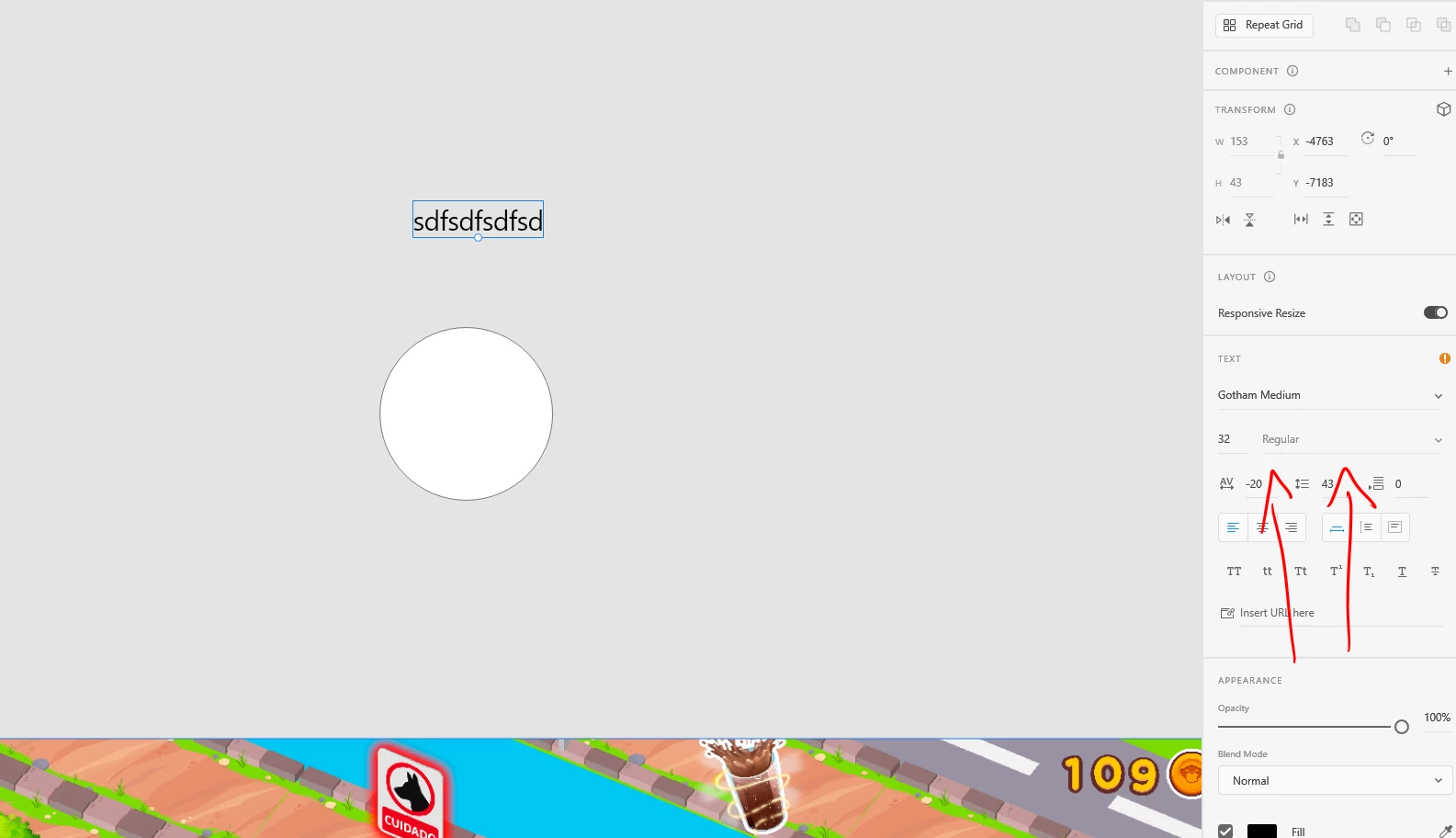


And this happens also with shapes, and all interactuable objects in XD and with all options on the right panel which are below and need to be accesed by scrolling. Like: Drop Shadow, Inner Shadow, fill for text, stroke for test, etc.

I tried a lot of things to solve this:

  • Uninstalled XD
  • Installed older versions available of XD
  • Uninstalled Creative Suite, hence my XD and Photoshop
  • Installed older versions of creative suite

Thans for reading guys, please, help me to solve the problem since I need XD to work.
Jules

    This topic has been closed for replies.
    Correct answer Jules Delz

    Awesome! Glad to hear your problem is resolved. Could you please share the solution that helped you resolve the issue?


    It might help any customer experiencing a similar issue in the future.


    Thanks,

    Harshika


    ill be glad,

    1.- press Alt+Control+Mayus on windows while XD is launching.
    2.- most likely, XD will be stuck after the first 15 to 20 seconds doing this, so the program will need to be restarted
    3.- the default settings of adobe XD are applied with this and the problem should be solved


    1 reply

    AkinGn
    Community Expert
    Community Expert
    February 15, 2023

    Hi @Jules Delz, I understand, I've never experienced that issue myself (before & after updating today, the version is 56.1.12.1 and I'm on macOS Monterey 12.6.1) Also have you created a simple test file with one artboard and one rectangle etc object to see if it's a file related issue or happening in all files (couldn't be sure since I couldn't see any info about it)
    I suggest you to share your system details maybe it could be more helpful for some other expert/designer to suggest a solution. 


    Participant
    February 15, 2023

    Thanks @AkinGn. will do, I will left them here and in the base post:

    OS: Windows 10 Version 22H2 (OS build 19045.2486)
    Adobe XD version: 56.1.12.1
    I use a Windows PC with an AMD proccesor and 16GB RAM, my main disk is a SSD and secondary is a normal Drive, I use my main to save my XD files and cloud.


    HARSHIKA_VERMA
    Community Manager
    Community Manager
    February 27, 2023

    Please consider this case closed as another member of adobe support helped me already, thanks.


    Awesome! Glad to hear your problem is resolved. Could you please share the solution that helped you resolve the issue?


    It might help any customer experiencing a similar issue in the future.


    Thanks,

    Harshika