


[Prototype]-How to wire multiple actions within an artboard in Adobe XD?
In prototype mode, I have a 5-card carousel that I need to be able to drag left and right (with exception of card 1 and 5 since those are the ends). I'm seeing two issues: 1) it seems as though I can only have one card/object with only one drag interaction. When I try to add another interaction, the drag option is unavailable. 2) The videos and examples of galleries or carousels that I've seen have only two artboards that simply go back and forth. I have 5 artboards with cards where if I am on card 2, I'd like to move either forward to card 3 or go back to card 2. Similarly if I'm on card 3, I'd like to drag back to card 2 or drag and move forward to card 4. Same with card 4, how do you create an option to move left/right/back/forth with the drag options to either cards 3 or 5? In prototyping, how many artboards do I need to create in order for the user to drag within the middle of the carousel for either direction? Please advise and provide explicit instructions. How do I accomplish these effects?
If I were to wish for a feature, it would be to use the same interaction (i.e. drag) more than once on a single object. I think this would allow me to cycle through the cards as I need. 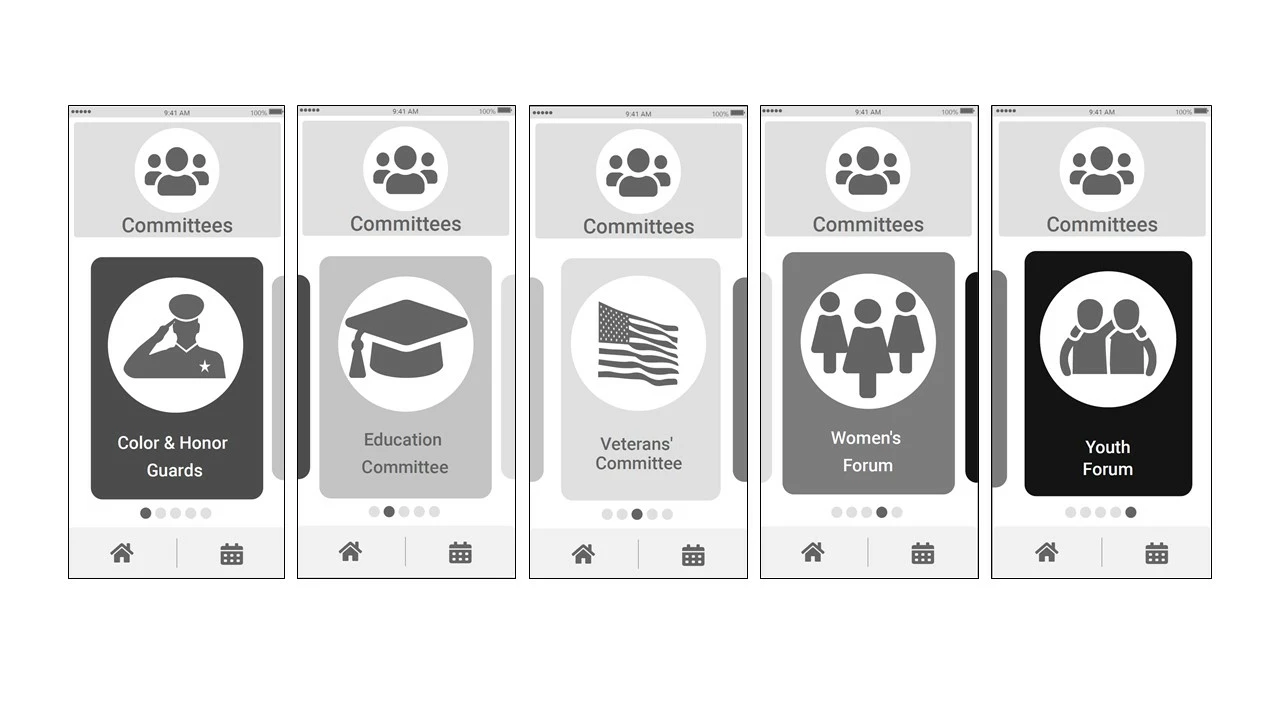 <The Title was renamed by moderator>
 AdChoices