

New Participant
December 14, 2016
Answered

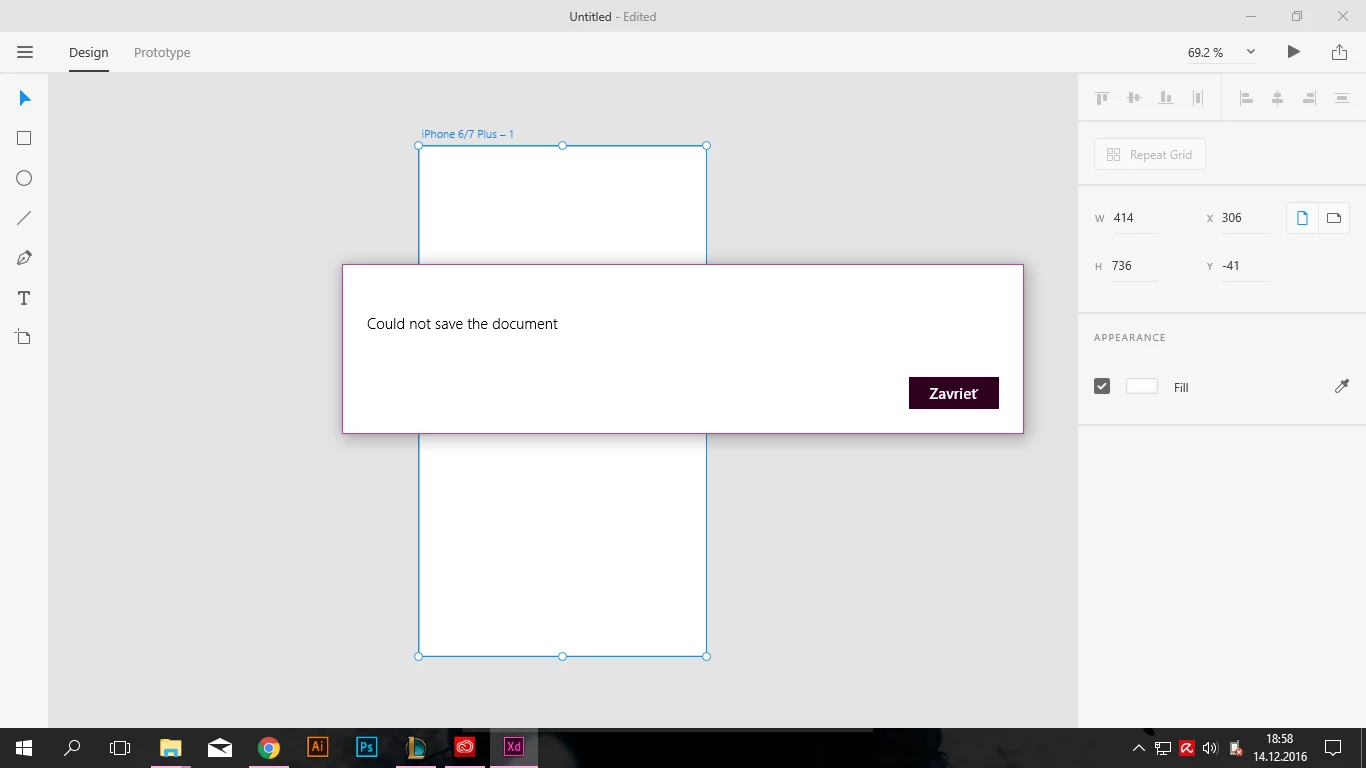
"Could not save the document" problem

  • December 14, 2016
  • 18 replies
  • 11900 views

Hey there! I can't save any documents in adobe experience design beta. Everytime i try to it writes "Could not save the document" Any solution? Any fix adobe?

    This topic has been closed for replies.
    Correct answer Preran

    If you are continuing to face this issue, join us on this discussion https://community.adobe.com/t5/Adobe-XD/Adobe-XD-Error-49-for-Cloud-files/td-p/10507855

    18 replies

    Preran
    Community Manager
    PreranCommunity ManagerCorrect answer
    Community Manager
    September 20, 2019

    If you are continuing to face this issue, join us on this discussion https://community.adobe.com/t5/Adobe-XD/Adobe-XD-Error-49-for-Cloud-files/td-p/10507855

    notseansallings
    New Participant
    March 21, 2017

    A workaround I found is,

    Select All

    Copy

    Force Quit XD

    Open XD

    Paste

    Save

    Good Luck!

    AtuarraM
    New Participant
    March 20, 2017

    When is the fix coming out (Hopefully in the next update)? I am still unable to save. I am using Windows 10 OS

    Community Manager
    March 20, 2017

    could you email me directly with more information? Questions and my email address few posts above.

    thanks,

    -irina

    monica_kash
    New Participant
    March 12, 2017

    Solution:

    • Copy your Xd work
    • Go to: File > Open > UI Kit > Apple iOS
    • Past your work there
    • Delete all Apple iOS artwork
    • Create an Artboard
    • Save as (whatever name you want)
    • Done
    oliverb18787152
    New Participant
    March 8, 2017

    Hi, I am having the same issue using Adobe Xd. I have a deadline coming up in the next couple of days!!

    Please help

    Ollie

    Colin Holgate
    Inspiring
    March 8, 2017

    Did you install the update from yesterday?

    Alex Dares To
    Known Participant
    March 8, 2017

    Hey Colin,
    there hasn't been any update the last few days. At least not for me. (Windows 10)
    Just had a look - still nothing unfortunately.

    Alex Dares To
    Known Participant
    March 2, 2017

    Hi,

    are there any updates?
    Because it is still not working...

    Of course it's a beta version and a lot of things will have issues. But the SAVING of any even minor changes??

    Please let us at least know what's going on and when we can roughly expect it to be working again.

    Also are there any alternatives or hacks to saving new changes for the moment?

    Best,
    Alex

    elainecc
    Community Manager
    Community Manager
    March 3, 2017

    Hi, Alex-

    Just to clarify, were you ever able to save? This particular thread is if you have an international character in your user on Windows.

    Thanks,

    -Elaine

    Alex Dares To
    Known Participant
    March 3, 2017

    Hi Elaine,

    Yes, I were able to save. My username is just simple characters. Nothing special. It just stopped working around beginning of January.

    Best,

    Alex

    Friday, 03 March 2017, 10:20p.m. +00:00 from elainecc forums_noreply@adobe.com<mailto:forums_noreply@adobe.com>:

    "Could not save the document" problem

    created by elainecc<https://forums.adobe.com/people/elainecc> in Adobe Experience Design CC (Beta) - View the full discussion<https://forums.adobe.com/message/9370022#9370022>

    mirzab4720230
    New Participant
    February 23, 2017

    Dear All,

    I am also experienced the same issue, I am not able to save the file also not able to open any file.

    I do following steps to make my prototype same again!

    Unfortunately! You must have to quit the Adobe XD is to solve this issue. But before exit follow these steps.
    1) First of all you will have to save all images on your local/cloud drive (For. Eg. JPG, PNG etc..)
    2) Copy the whole Artboard and whole prototype by selected and press Ctrl+C in Windows, Cmd+C for Mac.

    3) Close your Adobe XD

    4) Now Reopen the Adobe XD5) Paste the Artboards / Artwork of prototype.

    6) Replace the images (Its shows black for missing images)
    7) Create linking

    Thanks All,

    ankits31656874
    New Participant
    February 13, 2017

    This is ridiculous. Its been more than 2 months now and no solution to such a basic feature. How Adobe expects us to use it when basic feature like save is not working.

    Participating Frequently
    February 13, 2017

    I agree. I am wondering how they want to catch up a macos version by this turtle speed. I know it could be a dificult to make a fix, but you know, it's a basic feature other Adobe software dealing with and in XD it's a problem Funny.

    elainecc
    Community Manager
    Community Manager
    February 14, 2017

    Hey, guys-

    It seems like there are a couple of separate issues on this thread, and I want to know that we've read all of them.

    1. We're still working on the international character issue, and it looks like there's a light at the end of the tunnel, but nothing to share quite yet. While it may seem like it's a simple fix, it's unfortunately not.
    2. Some features take longer than others to deliver. We're constantly working on not only this month's, but the next two months' releases at the same time. We're working to bring you the features as soon as possible... and there are definitely more than two features in this next release. (So stay tuned!)
    3. If you don't have an international character in your name, please do post a separate forum post so that we can help you triage what's going on with your build.

    Thanks,

    -Elaine

    New Participant
    February 13, 2017

    Hi Elaine,  When will a fix be released for this issue?  Will all work done be lost?

    Alex Dares To
    Known Participant
    February 6, 2017

    Any news on this? Just lost 5 hours of work because when I clicked "Save" it just went to "Could not save..." and shut down the program!
    And it's not the first time this happens!!
    Any ideas, tips or advice? XD is completely useless at the moment for that.

    Participating Frequently
    February 6, 2017

    You can see how important are windows users for Adobe...They solve 2 months so elementary save feature. I have no words. When error appears i thought the will fix it in hours, or at least few days.

    neekolaus
    New Participant
    February 7, 2017

    One thing that worked for me was to Save As a different file, and keep rotating between two files for saving. Does that work for you? Definitely not ideal, but better than not saving at all.

    I'm hoping this gets resolved too, but it's worth pointing out that bugs aren't always easy to fix, and this is a beta after all. I'm very happy that Adobe is stepping in to fill a gap which Sketch doesn't seem willing to fill.

    I am not an Adobe employee btw.