April 12, 2020
Answered

"Tab" Trigger appears to be randomly missing from some objects in prototype mode in XD.

  • April 12, 2020
  • 2 replies
  • 1401 views

Hi, I'm a student and trying to prototype in XD for the first time. I am having a perplexing issue that I haven't found anything about in regular googling or help videos. 


When I am prototyping and trying to connect artboards, most of the time, the "tap" trigger is there and available to select as an option, but for some objects, it appears to be missing. I don't know what to do to get it back. 
 

This topic has been closed for replies.
Correct answer HARSHIKA_VERMA

Hi Annar,


Welcome to the Adobe XD community!.


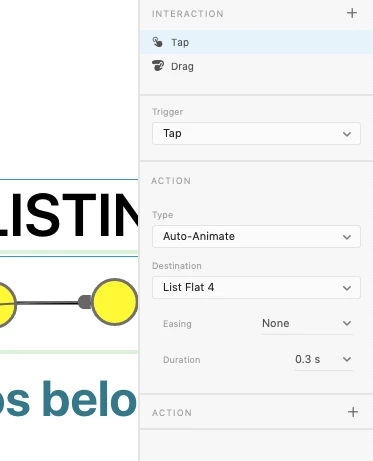
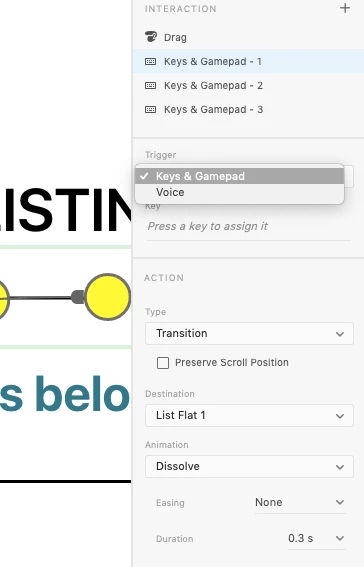
Thank you for reaching out and using Adobe XD. Would you mind confirming if the "Tap" trigger is already used on those objects on which the trigger is not visible? 
You can apply Tap, Drag, Hover, and Time triggers only once, and Voice, and Keys & Gamepad many times on an object. Please see this article for more info: https://helpx.adobe.com/in/xd/help/create-prototypes.html


Let me know if that helps.


Thanks,

Harshika

2 replies

New Participant
March 29, 2021

Has nobody figured this out yet? This is very frustrating to say the least. I went and deleted the tap option on a button, and now I can't get the option back without recreating the entire button!!! This must be a bug. Adobe, please fix this.

HARSHIKA_VERMA
Community Manager
HARSHIKA_VERMACommunity ManagerCorrect answer
Community Manager
April 13, 2020

Hi Annar,


Welcome to the Adobe XD community!.


Thank you for reaching out and using Adobe XD. Would you mind confirming if the "Tap" trigger is already used on those objects on which the trigger is not visible? 
You can apply Tap, Drag, Hover, and Time triggers only once, and Voice, and Keys & Gamepad many times on an object. Please see this article for more info: https://helpx.adobe.com/in/xd/help/create-prototypes.html


Let me know if that helps.


Thanks,

Harshika