


Question
Show/Hide Option for Components (Not in layer panel)
Suppose I designed a dashboard. And it has filter or more options. To design that I have to duplicate this artboard which is not friendly I think. To be more clear, imagine more option has Edit, Share & Delete. For these I have to create another artboard to get a working prototype. But having too many of artboards like this in the project is a #PainPoint
My solution:
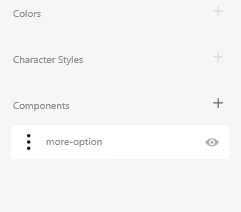
Imagine I converted the more option icon which is a three vertical dots into a component. And this component has the ability to show/hide the child objects. Technically everything happening in the layer panel but we can switch to show or hide from the component section
.
 AdChoices