New Participant
October 21, 2020
Question

Stacks not working in Preview mode

  • October 21, 2020
  • 2 replies
  • 3655 views

I'm not sure if this is a limitation of stacks, but they don't seem to be responsive in preview mode.


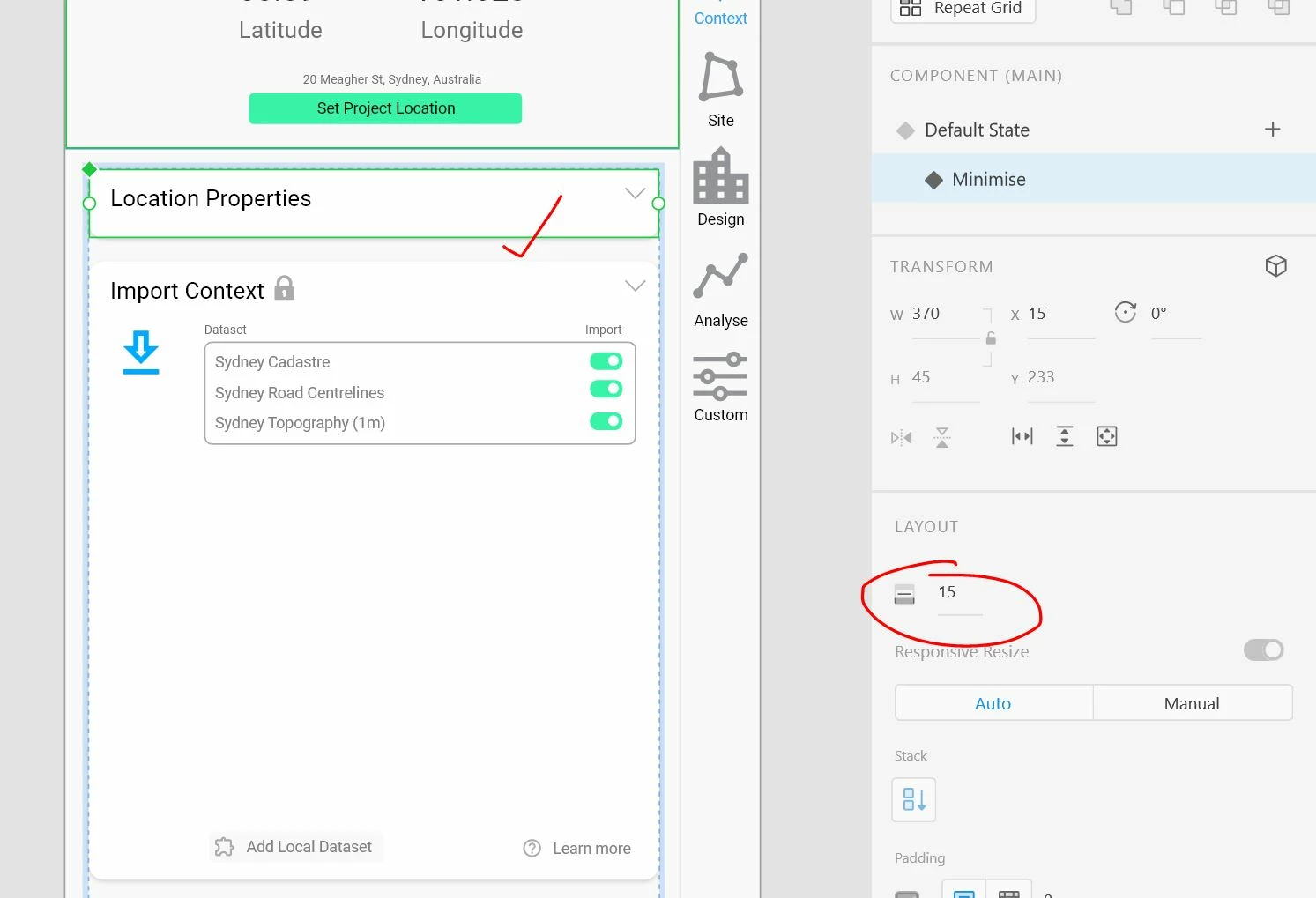
In Design, I have come 'card' components which have been grouped into a Stack. The components have a default state (expanded), and also a minimised (collapsed) state. Toggling between the two states in Design mode works fine. 
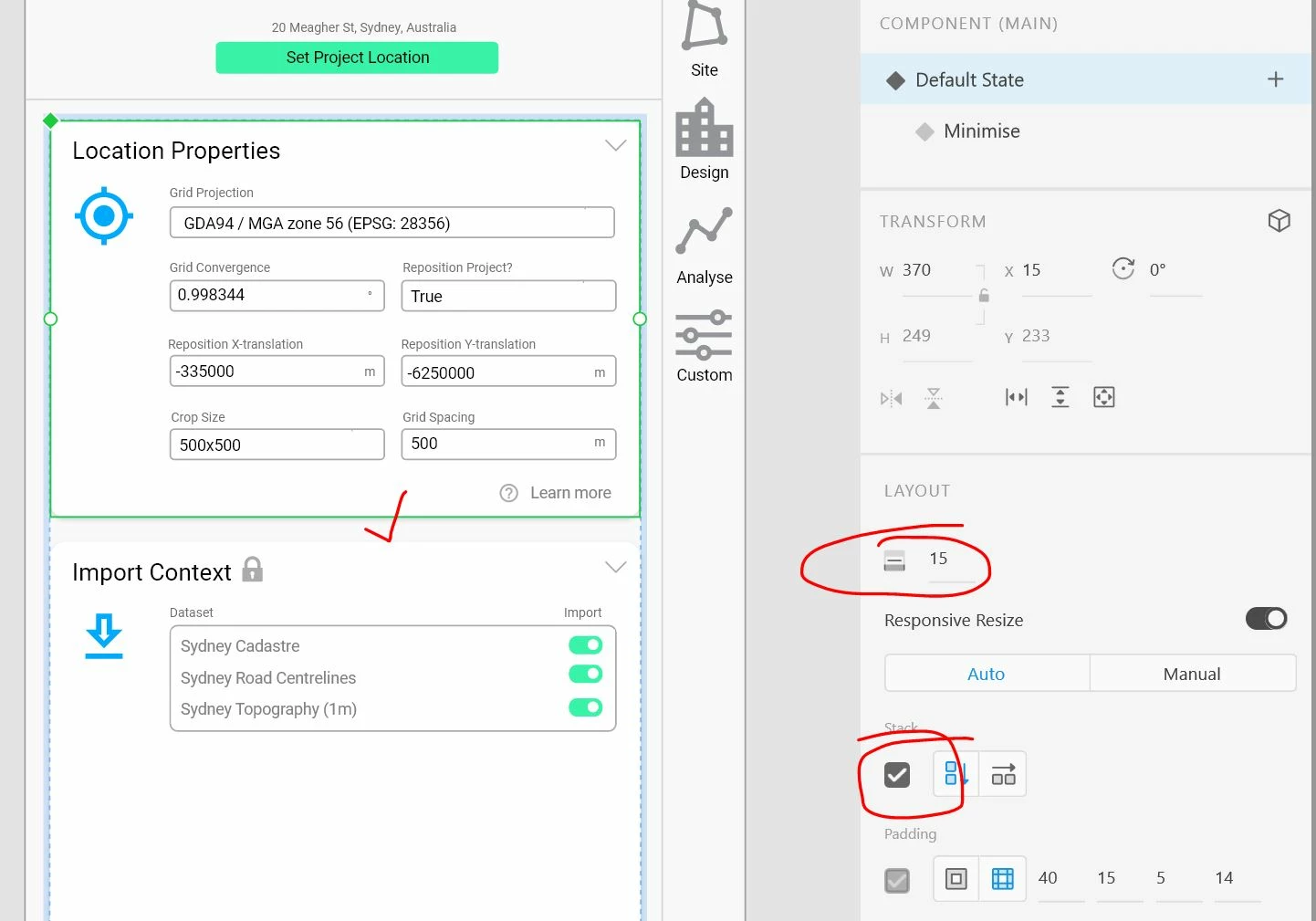


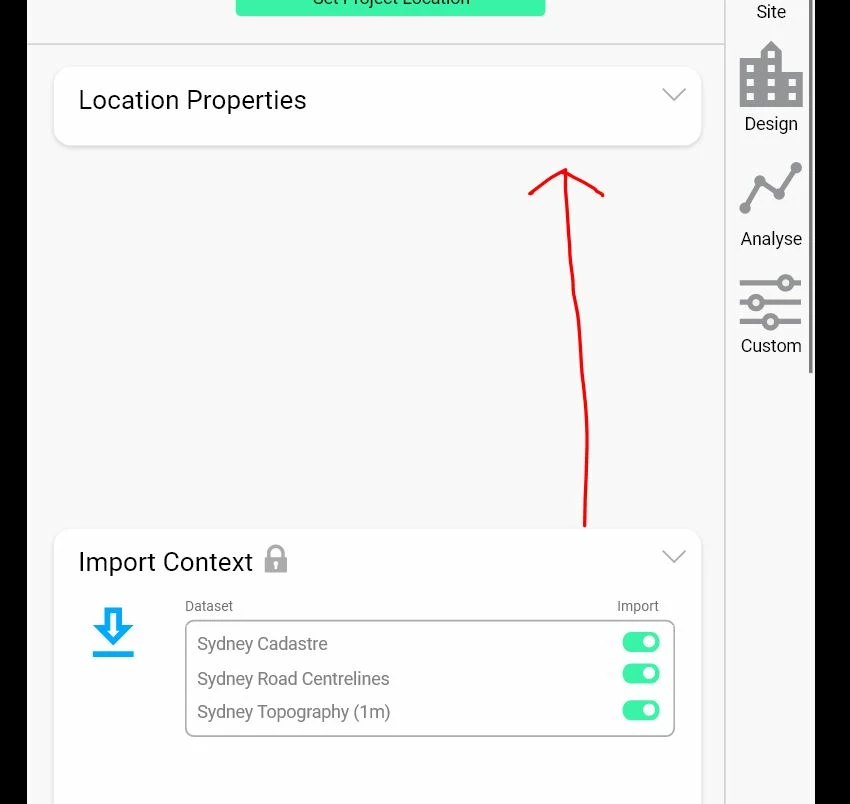
But in preview mode, they aren't responsive.
 

Any ideas on how to fix this?


This topic has been closed for replies.

2 replies

New Participant
March 23, 2022

Pretty stupid that stacks only works for design. If I have collapsible sections I have to create components for each state. USELESS

Spas K.
Community Expert
March 24, 2022

Wouldn't say stacks are completely useless, but it's annoying that we can't use them in prototyping. Problem is the prototypes in Xd are pretty much static animated images rendered according to what we set up in design. There are no dynamic relationships between them, like in the program.

New Participant
August 26, 2022

Well, it is useless so to say. Having to create components just to move the stacks in preview mode is lame. It's really sad that XD's real features updates are slower than a snail... oh wait! slower than a sloth. I am strongly thinking of switching to a better alternative! I am tired to making useless artboards and components, just to show a small change in the same screen. In summary, Prototyping in Adobe XD is pretty lame and at this rate, I wonder if XD would ever become a go-to tool for prototyping.

Atul_Saini
Community Manager
Community Manager
October 21, 2020

Hi Paul, 


Thank you for reaching out, Stacks is more of a design mode property than prototyping. If you wish to create such a dropdown impression, you would have to create it by adjusting components states.


Here are some limitations which you should consider to have a better understanding (https://helpx.adobe.com/xd/user-guide.html/xd/help/create-dynamic-designs-with-stacks.ug.html).


Thanks,

Atul_Saini


New Participant
October 21, 2020

Hi Atul


So Stacks are not meant to function in Prototype? Can you elaborate on what you mean by "create it by adjusting components states"?


I have already created different states as shown in the image. What I can't get to work is for components to move based on the trigger of another component, i.e. when one component switches to the 'minimise' state, the components below move up. How can I achieve this without having endless canvases will all possible combinations?

Atul_Saini
Community Manager
Community Manager
October 21, 2020

Please excuse how the design looks, Paul. Let me know if the 1st example on the prototype is what you're expecting here https://xd.adobe.com/view/f8bc4d3d-910a-4203-88e9-b7c188bdec0f-adef/ 


1st one is attained by using nested components and states and the second one is the same behavior as you are experiencing.

Perhaps, it would be great if you could submit your feedback here (https://adobexd.uservoice.com/forums/353007-adobe-xd-feature-requests). 


Thanks,

Atul_Saini