


biscuitstudio
New Participant
March 9, 2021
Answered

Strange artifacts in the app

  • March 9, 2021
  • 2 replies
  • 995 views

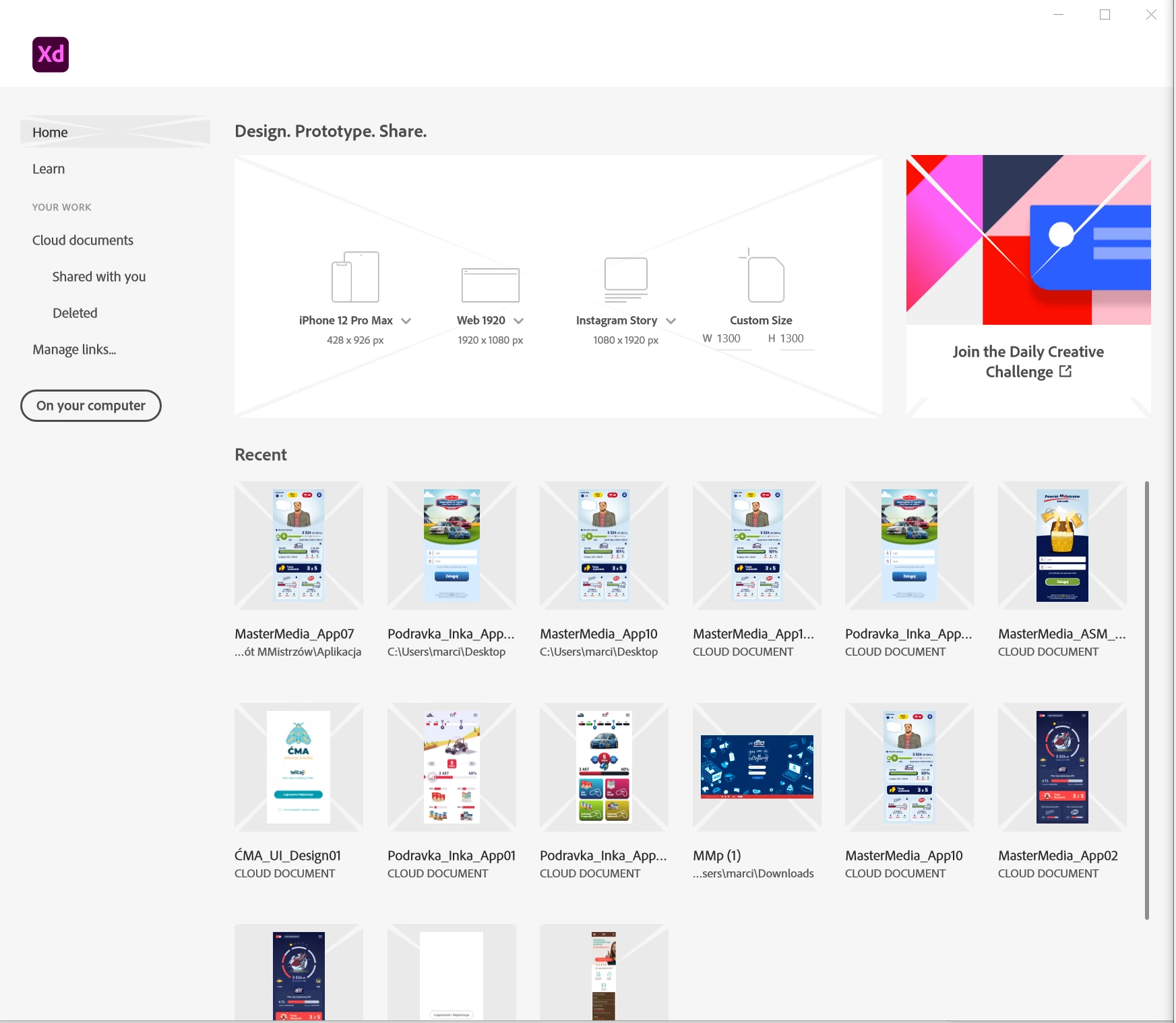
Hello. I am using the XD application. Unfortunately, sometimes such artifacts appear throughout the interface.

Is it the fault of the graphics card? Works on: Ryzen 2700X, 64GB ram, RX580, windows 10 (64bit)
 

This topic has been closed for replies.
Correct answer monterxz

This is not an issue with your hardware. Since launch Adobe XD would "replace" some of its UI assets with wrong ones if it's running for a long time. In my case dropdown arrows are usually replaced with some other icons. One time it even replaced its UI checkboxes with an image I've imported into XD to use in my design.
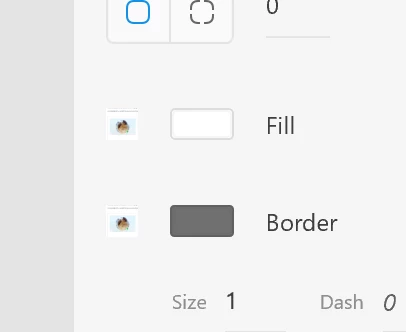
 

In such cases I don't pay attention and continue working. Restarting Adobe XD always fixes these issues.

2 replies

HARSHIKA_VERMA
Community Manager
Community Manager
March 12, 2021

Hi there,


As Moterxz suggested, this type of issue always gets fixed after restarting the machine. If you are still facing the issue, please let us know. We will definitely try to work on it.


Thanks,

Harshika

biscuitstudio
New Participant
March 17, 2021

Restarting the computer helps.

However, I noticed that this problem is not unique to Xd.
The MS Your Phone program also has such bugs.

Could it be a problem with some libraries in wndows or video card (drivers)?

HARSHIKA_VERMA
Community Manager
Community Manager
April 5, 2021

Maybe, you can definitely visit your manufacturer's site to check for the latest update to your graphic card and see if that helps.


Thanks,

Harshika

monterxz
monterxzCorrect answer
Inspiring
March 9, 2021

This is not an issue with your hardware. Since launch Adobe XD would "replace" some of its UI assets with wrong ones if it's running for a long time. In my case dropdown arrows are usually replaced with some other icons. One time it even replaced its UI checkboxes with an image I've imported into XD to use in my design.


In such cases I don't pay attention and continue working. Restarting Adobe XD always fixes these issues.
