


Participant
September 20, 2021
Question

Text being converted to symbols when exporting to PDF

  • September 20, 2021
  • 2 replies
  • 1958 views

Hi there,


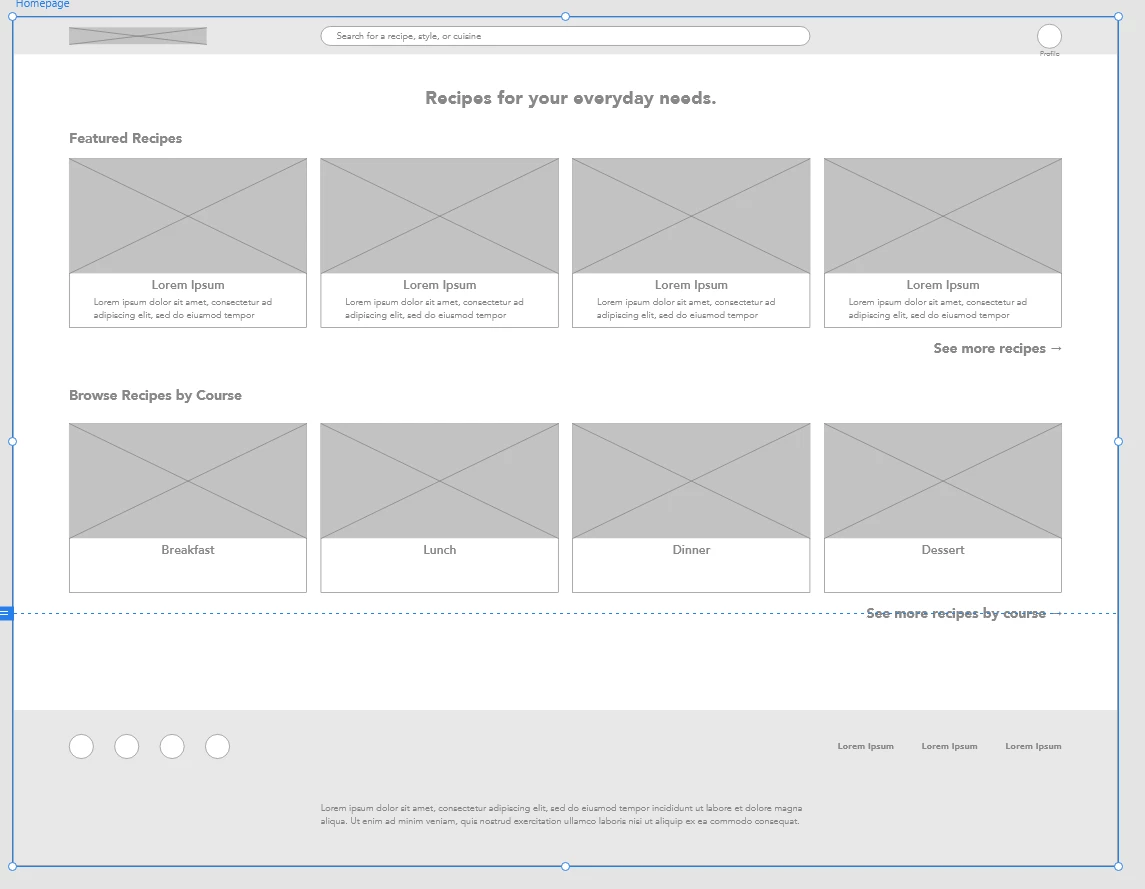
I am having an issue with XD where some of my text is being converted to symbols upon exporting the artboard to PDF, however other parts of the text are fine.


Here is what it looks like in XD:
 

And here is what it looks like after exporting to PDF in Adobe Acrobat Pro DC:
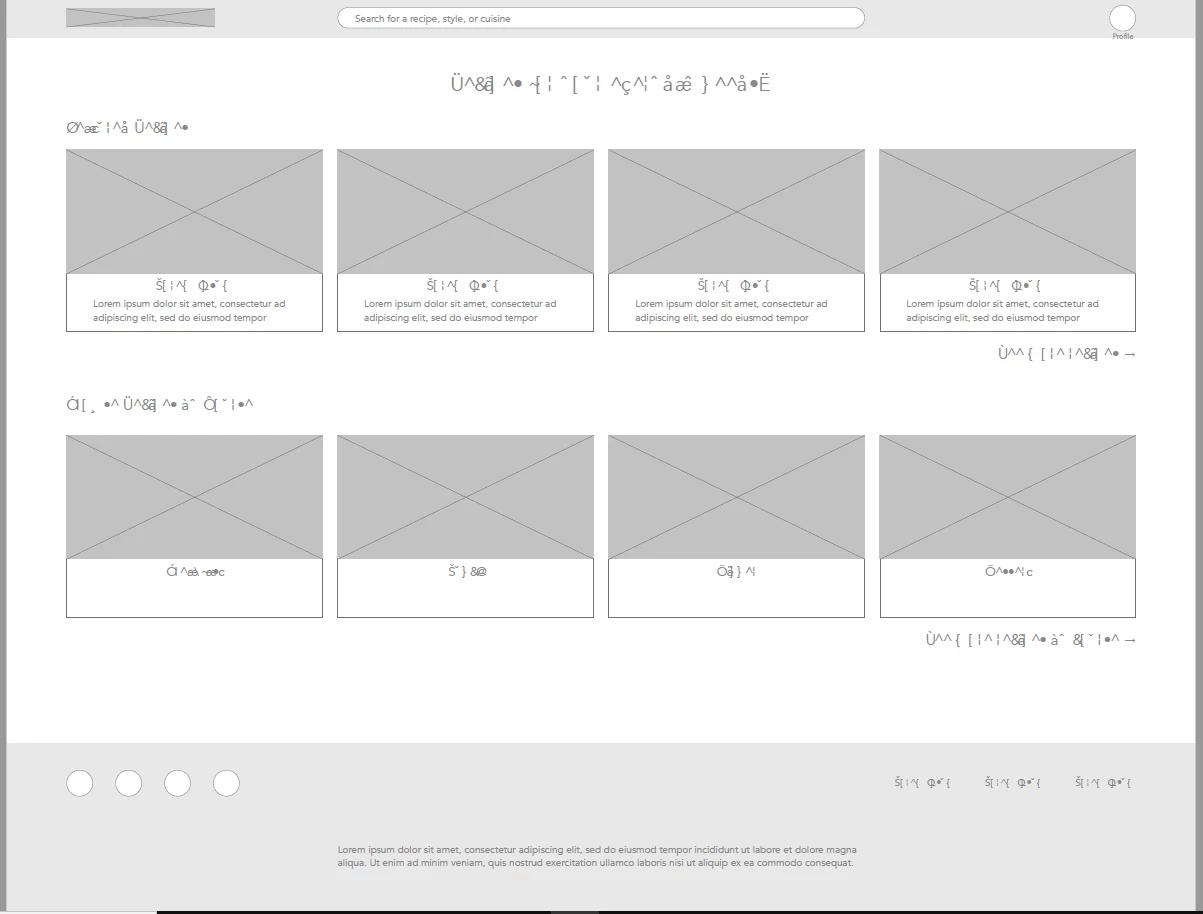
 

I thought it was an issue with Acrobat, but when opening the PDF in a browser like Chrome, the same effect happens. 


The problem seems to be with the font family. I am using Avenir Black for the text that gets corrupted, and Avenir Book for the text that is fine. These fonts are installed onto my computer, and work with other Adobe programs such as InDesign and Photoshop.


Does anyone have any suggestions or am I forced to change to a different font?


Thanks.


For reference: 

OS: Windows 10 x64

XD Ver: 43.0.12.14

Font: Avenir Black & Heavy


    This topic has been closed for replies.

    2 replies

    Participant
    March 15, 2024

    We are running into the same issue with Avenir Black. Was this ever resolved?

    Rishabh_Tiwari
    Community Manager
    Community Manager
    March 15, 2024

    Hi,


    Sorry to hear about the trouble. We'll need to reproduce this on our end, so could you please share a few more details like;


    1. The version of XD and OS.
    2. Does this happen with multiple files or a specific file?
    3. Are you opening the PDF on a native PDF previewer, Acrobat Pro DC?
    4. Please share font details.


    Thanks

    Rishabh

    Rishabh_Tiwari
    Community Manager
    Community Manager
    April 12, 2024

    Hi Rishabh,


    Thanks for the help. Here are the details:


    1. Version : 57.1.12.2 OS: Windows 10
    2. It happens when converting XD files to PDF 
    3. It happens when opening the PDF in Adobe Acrobat and microsoft edge
    4. It happens with Avenir Black. Other Avenir fonts work fine


    Thank you.

    Tried the preflight option mentioned earlier in this thread but get the error "Preflight is being installed. Please wait to use this tool," and it gets stuck loading.


    I am so sorry for the delay in getting back to you. Can you confirm if Avenir black font works if the PDF is created from any other application? 


    Thanks

    Rishabh

    HARSHIKA_VERMA
    Community Manager
    Community Manager
    October 7, 2021

    Hi Kevin,


    We are sorry for the delay in response. We would like to know if you're still experiencing the issue with XD 44.1 version.  If yes, please share the link with us so that we can check at our end.


    We will try our best to investigate.


    Thanks,

    Harshika

    Participant
    October 8, 2021

    Hi Harshika,


    Thank you for getting back to me. I tried exporting my design to PDF again this morning on XD 44.1 version and encountered the same problem. 


    This is what my design looks like when exported on Adobe Acrobat Pro DC:

    Once again, the issue seems to be only affecting certain font families. The Futura Roman font is able to be displayed correctly. I suspect that the issue may actually be coming from Adobe Acrobat, as when copying and pasting the symbols into a text box, the pasted text converts back to actual letters. When sharing the prototype on XD, there are no issues: https://xd.adobe.com/view/18dd6589-1d03-4d48-b0c0-9e04225351ce-4d8e/?fullscreen


    I appreciate your help.

    Community Expert
    October 9, 2021

    Looks like the font is not embedded in the PDF. Would you be able to DM me your problematic PDF - I'd like to test if it can be fixed via Preflight?