

vladislavs88763995
New Participant
July 17, 2017
Answered

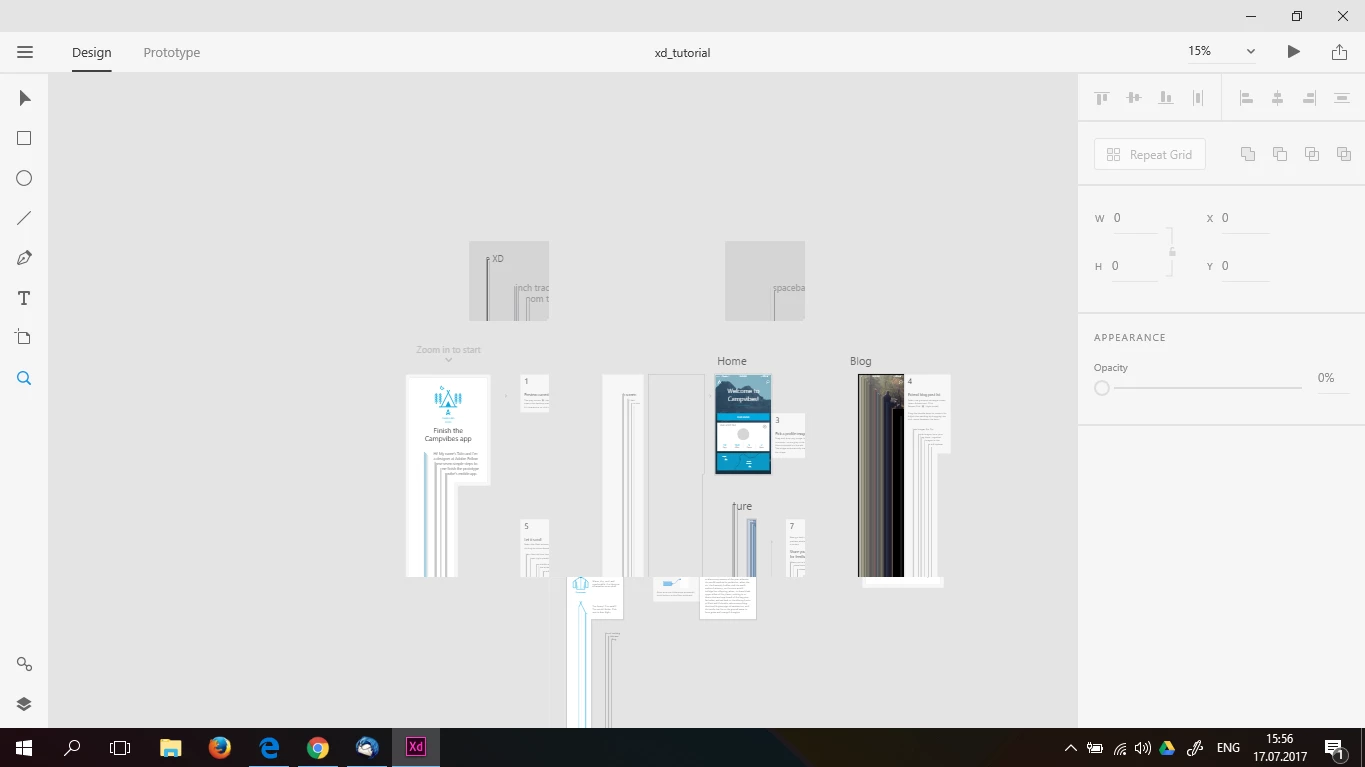
The workspace is not displayed correctly
  • July 17, 2017
  • 2 replies
  • 373 views

    This topic has been closed for replies.
    Correct answer CoreyRLucier

    No actually see the requirements, "For Intel GPU, drivers newer than version 8.15.10.2702".

    The older drivers were unfortunately quite buggy and they have ceased supporting the associated hardware with new drivers (you'll be hard pressed to find).

    We could support software fallback like Chrome does for your hardware and driver combo, however it would most likely not be worthwhile performance wise.

    2 replies

    Adobe Employee
    July 18, 2017

    Can you please tell us your driver and version number?

    (Launch “dxdiag” from the Run menu and select the “Display” tab)

    vladislavs88763995
    New Participant
    July 19, 2017

    Preran
    Community Manager
    Community Manager
    July 17, 2017

    Looks like a problem with the graphics card. Can you try updating the drivers on your computer? Also, have a look at the system requirements.

    Adobe Experience Design System requirements

    Thanks,

    Preran

    vladislavs88763995
    New Participant
    July 19, 2017

    All drivers updated, and the system requirements is correct.

    CoreyRLucierCorrect answer
    Adobe Employee
    July 19, 2017

    No actually see the requirements, "For Intel GPU, drivers newer than version 8.15.10.2702".

    The older drivers were unfortunately quite buggy and they have ceased supporting the associated hardware with new drivers (you'll be hard pressed to find).

    We could support software fallback like Chrome does for your hardware and driver combo, however it would most likely not be worthwhile performance wise.
