


danstew
Participant
March 21, 2019
Question

Unable to open document

  • March 21, 2019
  • 1 reply
  • 632 views

Hello,

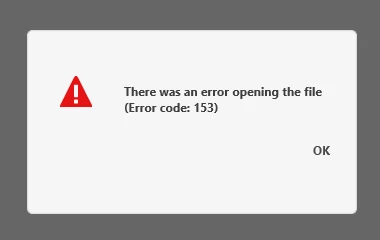
I've created a document that I was successfully opening yesterday. Now, when I try to open it, either from the desktop or from the app, I get the following message:
System and OS: PC, Windows 10 Pro V1803

File size: 1.2mb

Strangely, when I renamed the file, I was able to open it on my MacBook Pro. But no luck opening it from my PC hard drive.

FYI - the cloud isn't working for me (an Adobe tech was unable to resolve this issue), so I'm currently sharing files between my machines using Dropbox.

This topic has been closed for replies.

1 reply

Atul_Saini
Community Manager
Community Manager
March 22, 2019

Hi Danstew,

Sorry that you are unable to open a file and getting Error code: 153. Could you please share the version of Adobe XD which you are using?

Could you please share the case number which you have opened with the support team? Here are the steps you may use to find the ticket: - View Adobe Support cases.

Thanks,

Atul_Saini

danstew
danstewAuthor
Participant
March 25, 2019

Hi Atul,

My version of XD is V17.0.12.11 and Creative Cloud Sync is 4.2.0.25.

In addition to this problem, I spent an hour updating the same XD file on my PC but was unable to save my progress and was forced to close the program and lose my work. I had successfully saved the file on previous attempts in the same session during that day.

The case number with the support team is ADB-6354266-T8N1. It has now been closed, pending further input on the issue from my internal IT team.

Thanks.

Atul_Saini
Community Manager
Community Manager
March 27, 2019

Hi Danstew,

Thanks for sharing the case number, could you please share the best time and number to reach you in a private message? I'll escalate this case for you and hope that it would get resolved soon.

Thanks,

Atul_Saini