Participant
January 11, 2022
Question

Unable to see browse plugin option in XD 47 on macOS Big sur

  • January 11, 2022
  • 2 replies
  • 1564 views

Hello,

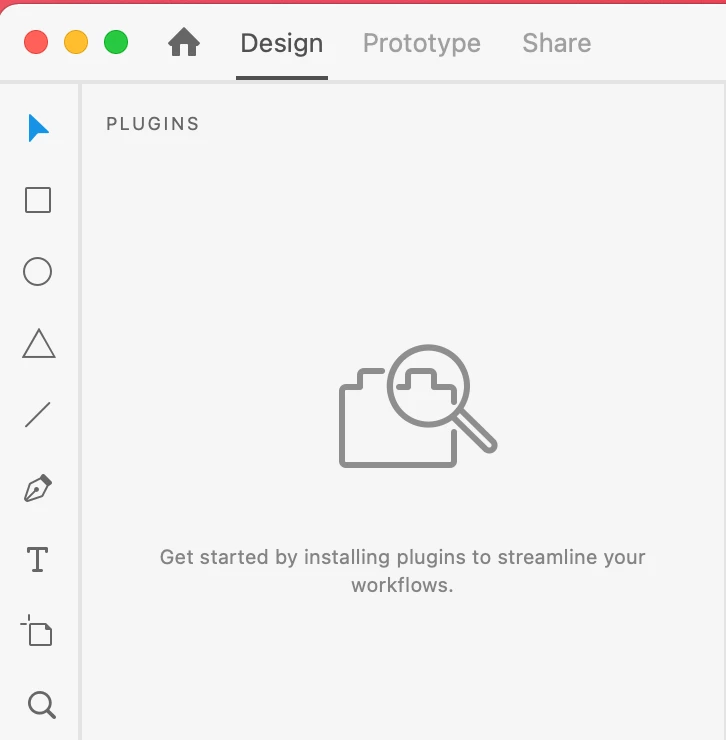
All options to install or browse plugins are no longer visible on the adobe XD interface, see inserted images. I've tried the following with no joy :

1 Signed out of Adobe cloud and uninstalled Adobe XD 
2 Restarted my machine
3 Logged back in to Creative cloud 
4 Reinstalled Adobe XD  


 I'm running is the latest version of Adobe XD version 47.0.22.9 / Cloud sync 4.21.1.1 on a MacOS Big Sur version 11.6

Anyone got any ideas ?
 

This topic has been closed for replies.

2 replies

Participant
October 24, 2023

I have the same issue. No plugin option is available. I am using MacBook pro-16, M2 chip.


Participant
October 24, 2023

When I open Marketplace in AdobeCC, this is what I saw:


HARSHIKA_VERMA
Community Manager
Community Manager
January 11, 2022

Hi 21992943hhs9,


We are sorry to hear you're unable to see the browse plugin option in XD also in the screenshot I am not able to see any "+" icon in the plugin panel to add plugin.


Could you please open Creative Cloud Desktop app and go to plugins panel and select product as XD and then try to search for the plugin and install it?


Let me know if you're able to install plugin from here and able to see in XD.


We will try our best to help.


Thanks,

Harshika


Participant
January 12, 2022

Hello Harshika,

I've tried your suggestion. However my options under the plugin panel are very limited compared to your screenshot, see below. On the left side menu I only have the "Manage plugins" option listed.


Many thanks

Mark

HARSHIKA_VERMA
Community Manager
Community Manager
January 12, 2022

Thanks for checking and sharing the screenshot. Could you please try uninstalling and reinstalling Creative Cloud desktop app using this link: https://helpx.adobe.com/creative-cloud/help/uninstall-creative-cloud-desktop-app.html? and then log backin and then launch XD from Creative Cloud desktop app.


Let me know if that helps.


Thanks,

Harshika