Leo Krokholev
Inspiring
June 25, 2019
Answered

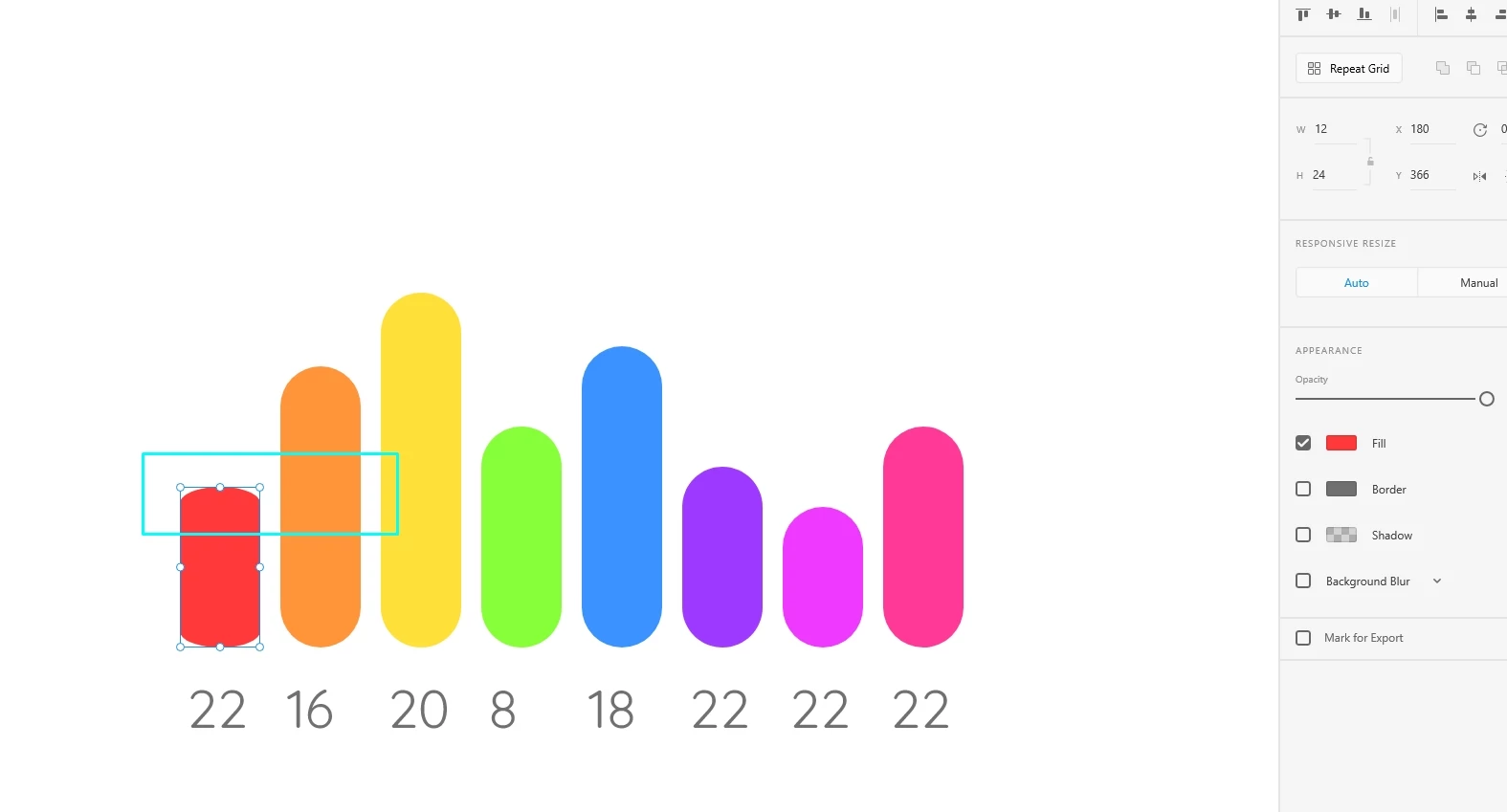
When resizing a shape with rounded edges, the rounded edges change shape. Help!

  • June 25, 2019
  • 4 replies
  • 6446 views

Why, when resizing a shape with rounded edges, do rounded edges change shape? What do I need to do to prevent this from happening and the form remains the same? Please help me.
This topic has been closed for replies.
Correct answer Kenneth Kawamoto

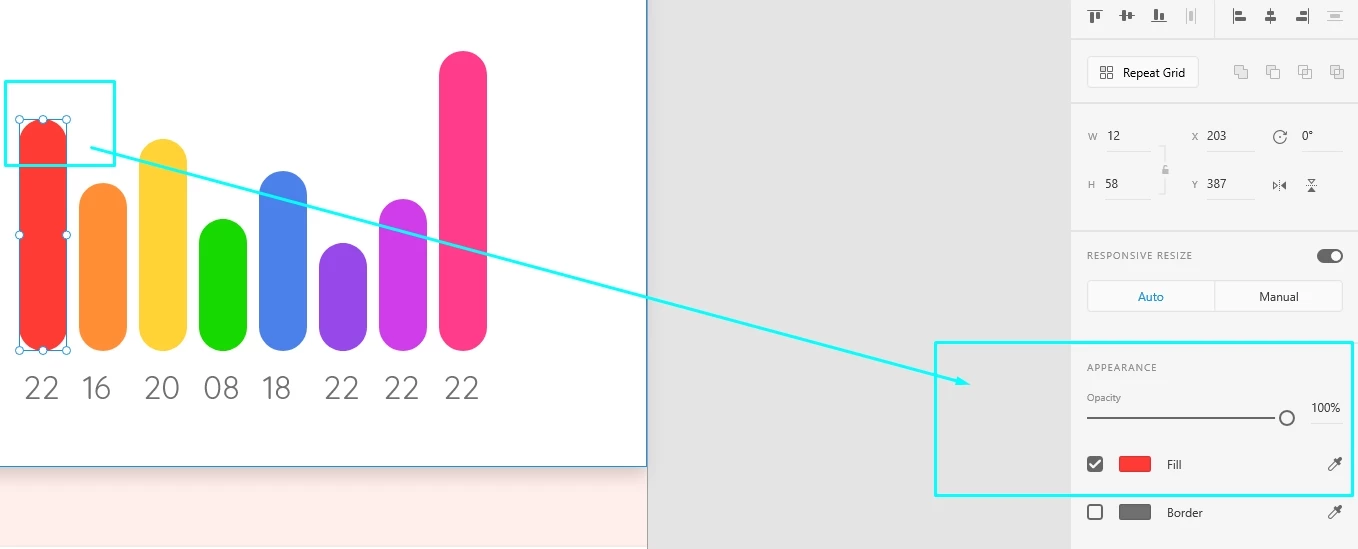
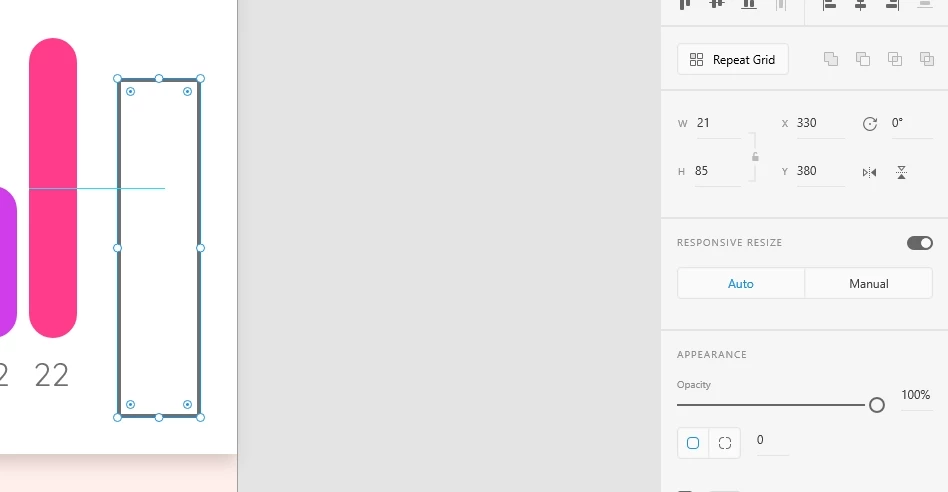
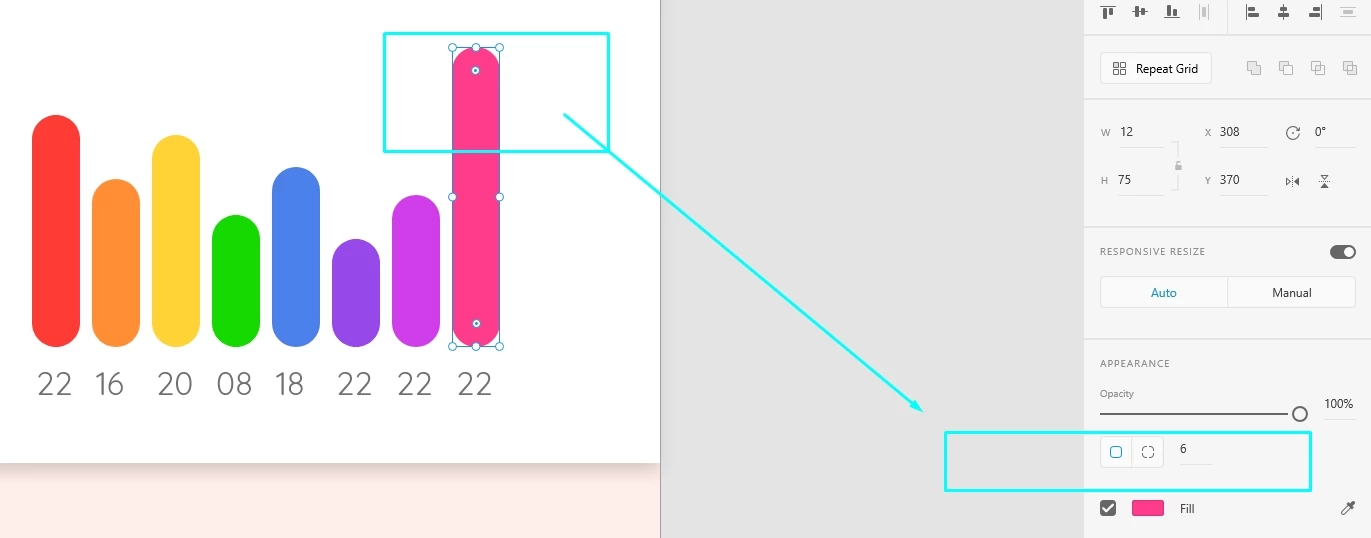
These figures were all created in the program from a simple rectangle. I didn't do anything with them to turn it into forms. Look at some normal and others as forms. And why do they turn into forms? How to avoid it? What should I do?


Normally if you double-click on a rectangle you will enter the path editing mode. If you then alter the path in any way the rectangle becomes a normal path shape but if you don't change and hit esc it should stay as rectangle

4 replies

New Participant
January 23, 2024

Turn off "Responsive Resize" in the right hand panel. That should solve it.

RonMD
Participating Frequently
March 29, 2021

,... .still have this problem now in '21


New Participant
November 5, 2021

Yes I do still have this problem, I am using a button and the rounded corners apparantly aren't scalable, just like the proportional space around the text, theoretically in every other adobe program when you scale something it works properly but not with xd?

swaroopkamana
New Participant
December 12, 2021

Yes, I also faced the same issue.

But just like atomo said in previous comment, if you change the curved object to path, then resize dont effect the rounded corner.


solution:

select the effecting_object > Object menu > path > convert to path.


now resize wont effect the shape.

atomo
New Participant
May 8, 2020

Had the same issue and it was driving me crazy.  Simply convert the object to a path. Go to Object on top menu, path, convert to path OR press COMMAND/ALT 8.

Sjaani
Inspiring
June 26, 2019

This definitely doesn't look like standard behaviour, I haven't been able to replicate it with any settings.

Have you tried multiple files and is it happening across all of them?

Do you have the latest version of XD?
Which OS are you using?

Leo Krokholev
Inspiring
June 26, 2019

Thanks for the answer! I am using the latest version of the program. Today updated. This is not my first time. Three months ago there was the same situation. When I create rounded shapes, at first they behave normally, and the next day when I need to increase or decrease the size, then such a distortion occurs.

Kenneth KawamotoCorrect answer
Braniac
June 27, 2019

These figures were all created in the program from a simple rectangle. I didn't do anything with them to turn it into forms. Look at some normal and others as forms. And why do they turn into forms? How to avoid it? What should I do?


Normally if you double-click on a rectangle you will enter the path editing mode. If you then alter the path in any way the rectangle becomes a normal path shape but if you don't change and hit esc it should stay as rectangle