Participant
January 11, 2021
Answered

Home tab broken; Can't create new document.

  • January 11, 2021
  • 13 replies
  • 15519 views

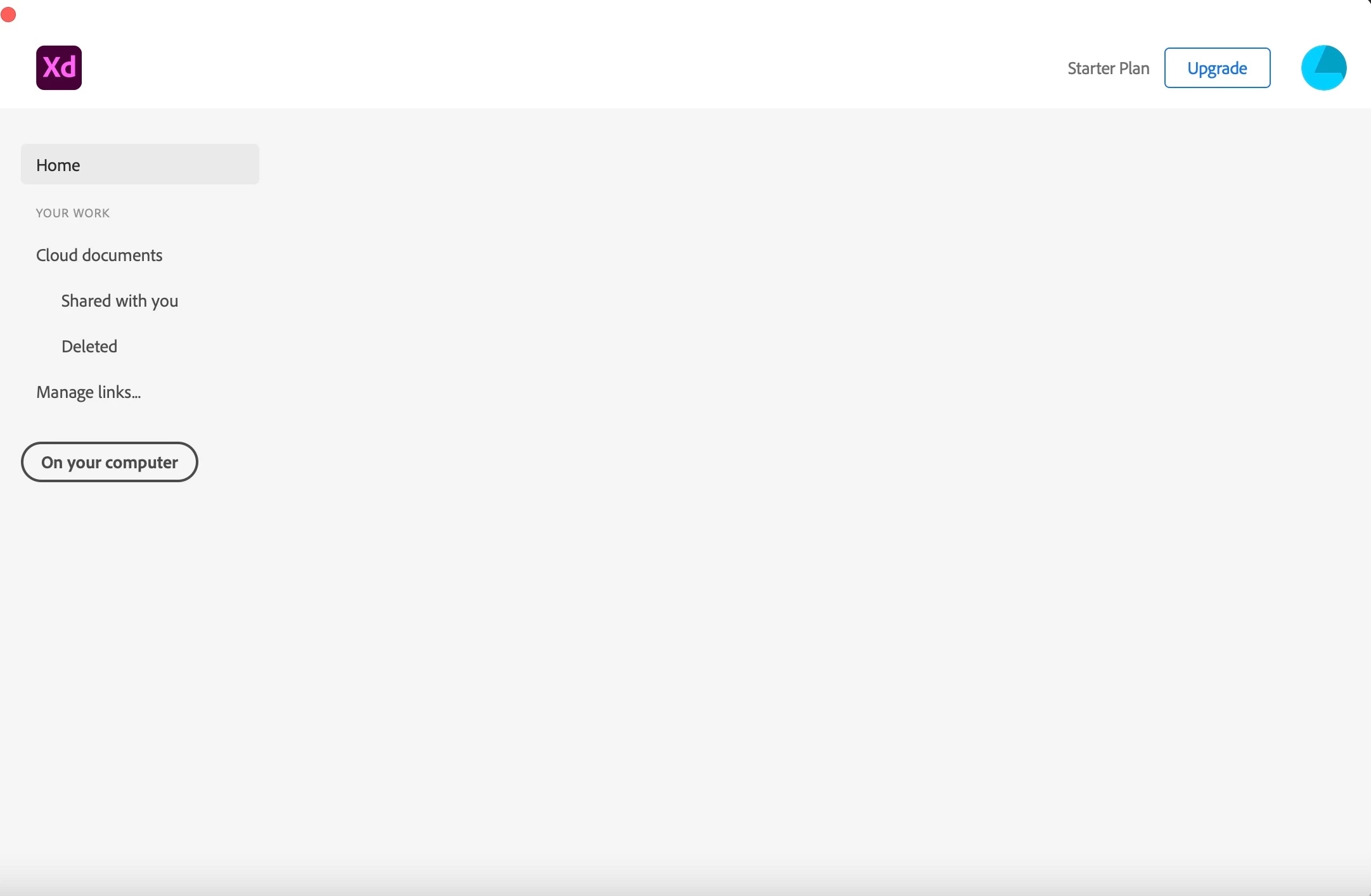
My Adobe XD home tab is empty. I can open the recent documents and the cloud tab workings. However, even when I try to use the file menu I can't add a new document. I am using mac
 

This topic has been closed for replies.
Correct answer HARSHIKA_VERMA

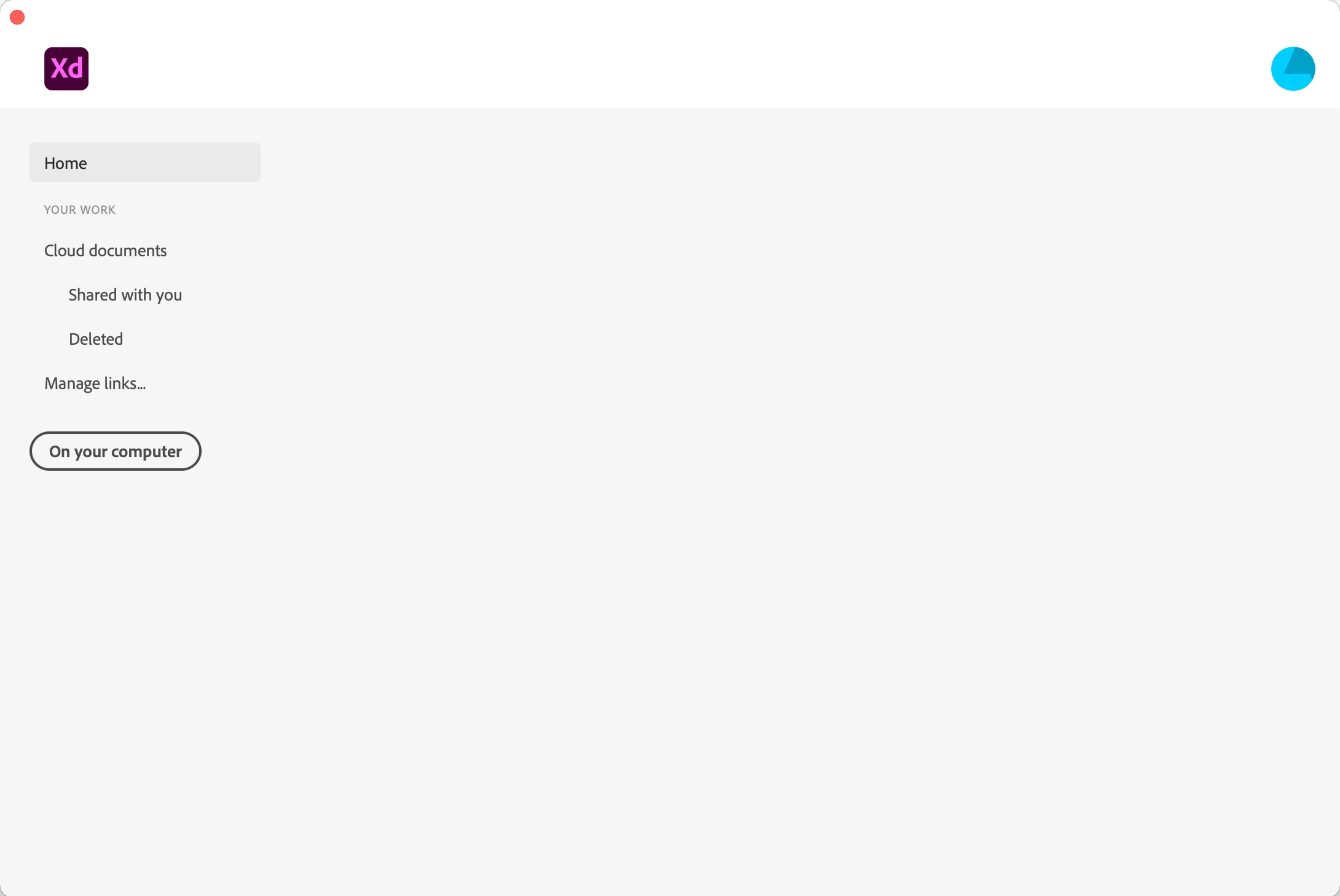
At the moment I have the same challenge, I am not able to create a new file in XD. As you can see on the screenshot there is a grey box behind the word Home. When I put my cursor above it, the little hand appears, but nothing happened. I followed all wise advice as written above and perform them all, but still I am not able to create the new file. I re-installed the Creative Cloud app, I re-installed XD, I restarted my iMac but still no possibility to create a new file. Hope someone can help me as I am in middle of a XD course.

Hi Jaden,


I am sorry to hear you ran into trouble while opening XD. For few customers, the issue got fixed after trying these solutions-

1. Formatting hard disk and reinstalling BigSur. 

2. Uninstall XD, Close Adobe tasks, Delete all XD related files, Reinstall, create a new profile then it worked.


If you still face issues after trying any of the above solutions, please share the details asked below to investigate the issue.  


  • Please generate the logs using this link: https://helpx.adobe.com/creative-cloud/kb/cc-log-collector.html 
  • Once the logs are generated, please upload them to a shared location such as Creative Cloud or Dropbox and share the URL with me over a private message. 
  • Share the OS and XD versions of your machine and approximate local date and time it happened.


We will try our best to help.


Note: Please add the URL of the post over a PM for reference.


Thanks,

Harshika


<Marking as correct only to higlight>

13 replies

Participant
May 20, 2021

Hey i faced the same situation when i tried to use the share option on an artboard, I was stuck on the moving circle no matter what I do even restarted XD and same, I uninstalled and reinstalled XD dint work. Then i restarted my M1 MBP and tada! everything went back to normal.

Participating Frequently
April 2, 2021

Bonjour, 


Lorsque je crée un nouveau document sur Adobe XD, la page d'accueil est vide. 

J'ai déjà essayer de réinstaller Adobe XD, mais le problème persiste. 

Que dois-je faire ? 

Merci pour votre aide

----------------------------------------------

When I create a new document on Adobe XD, the home page is blank.

I have already tried to reinstall Adobe XD, but the problem persists.

What should I do ?

Thanks for your help


Gwen

Rishabh_Tiwari
Community Manager
Community Manager
April 2, 2021

Hi there,


Sorry to hear about the trouble. Could you please try the suggestions shared here: https://community.adobe.com/t5/adobe-xd/home-tab-broken-can-t-create-new-document/m-p/11743075#M43371


If that doesn't help, please share system logs by following the steps shared here: https://helpx.adobe.com/creative-cloud/kb/cc-log-collector.html


Regards

Rishabh

Participating Frequently
April 3, 2021

Thanks for your help,

but it's not working.

> I tried the solutions you suggested to other users.


Gwen 

Participant
March 17, 2021

Hi


I'm using a mid 2010 mac mini running mojave and have installed adobe XD. Adobe XD opens just fine and at normal speed and works pretty well. But when I try to do a project, the artboard or canvas aren't showing. I don't know why, but it doesn't show. I tried searching for answers and someone had said to try gfxcardstatus to switch to integrated, but it shows that there isn't dual gpu in my machine. Someone pls help!


 I have attached the specs, the error along with adobe XD screenshot. Please help


HARSHIKA_VERMA
Community Manager
Community Manager
March 23, 2021

Hi Prithvi,


We are sorry for the delay in response. Would you mind sharing the version of XD you are using? Have you tried signing out of XD, Creative Cloud Desktop top, restart the machine and then sign back in?


Let us know if that helps.


Thanks,

Harshika

Participant
March 24, 2021

Hi Harshika,


I am currently using the latest version of Adobe XD that is 38.0.12.13 (starter), creative cloud sync 4.9.0.19. I had tried signing out of both Adobe XD na creative cloud and signing back in, reinstalling Adobe XD and creative cloud, but the problem doesn't seem to go. But when I boot my mac in safe mode, it seems to work fine and art boards are visible. I'd like to know the solution for this. 


Thank you,

Prithvi 


Participant
February 26, 2021

I have recently switched to a new Macbook Pro with M1 Chip. However, I have trouble opening Adobe XD. Every time I open it, I am stuck on this loading screen:

I tried right-clicking on the icon and opening recent files. Only a few files loaded and others did not. I also cannot create any new files because I would get stuck in the loading screen.


I have also tried:

- Restarting laptop

- Uninstalling and reinstalling the app


So far nothing worked for me. I have googled around but I don't see many people having this issue. Right now I have to switch back and forth between laptops and it would be a great help if there is a way to fix this.

HARSHIKA_VERMA
Community Manager
Community Manager
February 26, 2021

Hi there,


We are sorry to hear you are facing trouble with XD. We are already having a similar discussion regarding the issue here: https://community.adobe.com/t5/adobe-xd/home-tab-broken-can-t-create-new-document/td-p/11743075. I would request you to please join the discussion and also try the solutions suggested.


We will try our best to help.


Thanks,

Harshika

Participant
February 25, 2021

the home screen is blank with no options. if you click new it displays the same thing...nothing... i can open files but i cannot create new files.


i have tried multiple solutions from the forums. it has worked in the past but i wasn't using it so i deleted it and now i need it again but alas it does not work...


Community Manager
February 25, 2021

Hi,


We are very sorry to hear that you are facing this issue with XD. We are aware of this issue and our team is working on priority to fix this.

I would suggest you to follow https://community.adobe.com/t5/adobe-xd/home-tab-broken-can-t-create-new-document/td-p/11743075  this thread for further details. Some suggestions are given in that thread that might help you.

And also could you please share your OS and XD version.


Thank you,

Abhishek Das(Adobe XD Team)

Participant
February 25, 2021

thanks for the generic reply...


OS: Mac Big Sur 11.2.1

XD: was the latest build as of today (25 February 2021). i am unsure of the actual build because i got annoyed and deleted it and creative cloud.

Participant
February 24, 2021

Hi,

I am unable to create any new projects in Adobe XD. Neither Command+N or File > New work - nothing launches at all (no new XD windows or error messages). Launching XD shows a blank screen for Home, as the attached screenshot demonstrate.


XD Version: 37.1.32.2

macOS version: 10.15.6 (Catalina)


I can open other projects and work with them, but I can’t create a new project.

HARSHIKA_VERMA
Community Manager
Community Manager
February 24, 2021

Hi Lisa,


We are sorry to hear that you are unable to create a new project in XD. Would you mind sharing the information asked here: https://community.adobe.com/t5/adobe-xd/home-tab-broken-can-t-create-new-document/m-p/11782199#M44219 over a private message so that I can again log a bug for your issue and escalate it to the team?


I will try my best to help you.


Thanks,

Harshika

Participant
February 24, 2021

Hellp....

I really need to continue my work..

i have no idea, with this.. firstly i just install and update into the newest version, is that possible because im using the new processor from mac? M1? 


italosan
Community Expert
Community Expert
February 24, 2021

Hi, what version of Adobe XD are you using? Have you checked for updates for the Creative Cloud app?

The fact that it is installed on a computer with an M1 processor shouldn't cause any problems, as the software is emulated with Rosetta 2.

Participant
February 13, 2021

I have tried installing and uninstalling several times but my XD always opens to this screen.

Rishabh_Tiwari
Community Manager
Community Manager
February 15, 2021

Hi there,


We're so sorry to hear about the trouble. I found a similar discussion which you can refer to here: https://community.adobe.com/t5/adobe-xd/home-tab-broken-can-t-create-new-document/td-p/11743075 


Please try the solution suggested and in case if you are still experiencing the issue,  please share the details asked here: https://community.adobe.com/t5/adobe-xd/home-tab-broken-can-t-create-new-document/m-p/11782199#M4421... and share with me through DM, by clicking on my name.


Note: While sending DM, please add this discussion link in the subject.


Regards

Rishabh

gabrielg37609698
Participant
February 10, 2021

Hello!


I've been unable do create new files. 

I go through File > New... and nothing happens


Here's what I get when I try to create a new file

Rishabh_Tiwari
Community Manager
Community Manager
February 10, 2021

Hi Gabriel,


Sorry to hear about the trouble. Could you please try the suggestions shared here: https://community.adobe.com/t5/adobe-xd/home-tab-broken-can-t-create-new-document/m-p/11782199#M44219 and let us know if this helps or if you need any further assistance.


Regards

Rishabh

Participant
February 14, 2021

I'm having the same issue. I tried to uninstall and reinstall.


Running macOS 10.15.7

Participant
February 9, 2021

Hi! I have several problems with my Adobe XD. I've got the latest version and I tried eliminating it many times. 

When I open the software, the principal page doesn't show me anything: I can't create new files, even if I use the menu.

Moreover, I can't download any plug-in because it gives me "error" notifications.


What can I do?

Community Manager
February 9, 2021

Hi there,


Sorry to hear that you are facing issue with XD, we are aware of this  issue and team is working  on priority to fix it at earliest and the fix will be shipped in coming releases. Could you please share your OS version and XD version you are currently using so that we will add it to the bug.


Thanks for you patience.


Regards,

Rajasekhar.

Participant
February 13, 2021

Hi! I've just downloaded the Adobe Xd and have the same issue.

iOS version: macOS Catalina 10.15.7

Xd version: 36.2.32


The screenshot:
