



hellopaul4
Inspiring
May 9, 2024
Open for Voting

Allow Track Mattes to "Stack"

  • May 9, 2024
  • 11 replies
  • 1261 views

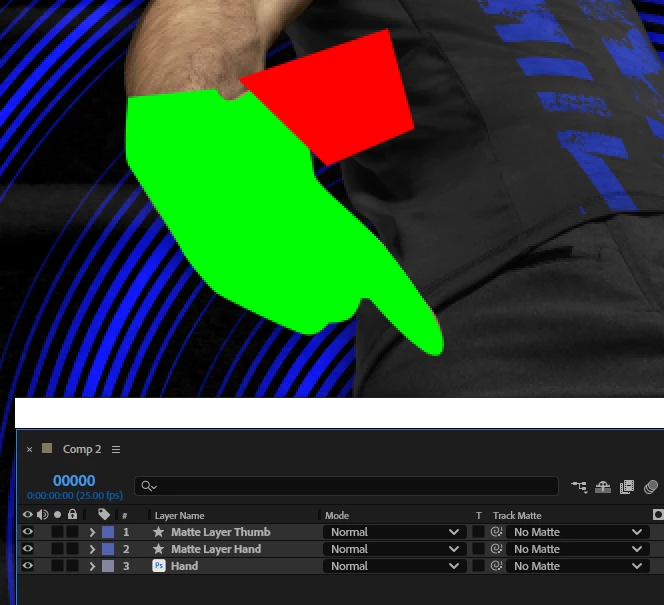
If I'm using "Matte Layer 1" as a Track Matte for "Fill Layer 3", and then apply a Track Matte to "Matte Layer 1", it has no effect. Her's an example...I want to isolate the thumb:
If I set the "Hand" layer's track matte to layer 2, I get this...all good so far:
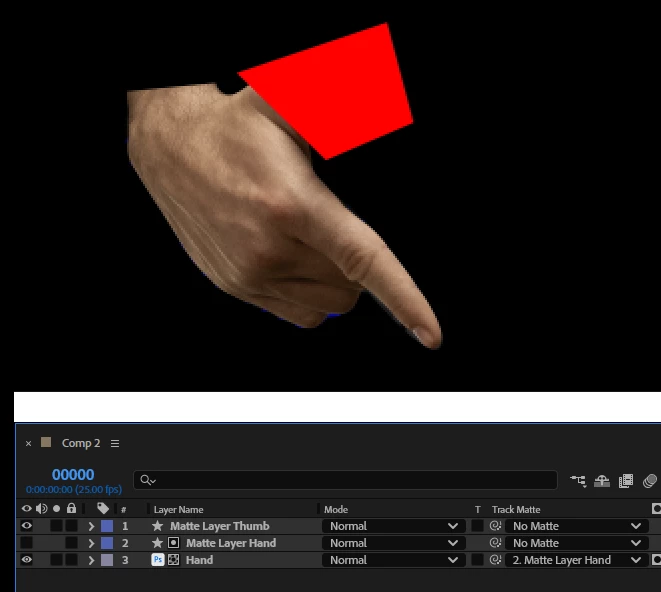
...now I want to isolate that thumb, so I set Layer 2 (the hand matte) to use Layer 1 (the rough thumb matte) as a track matte:
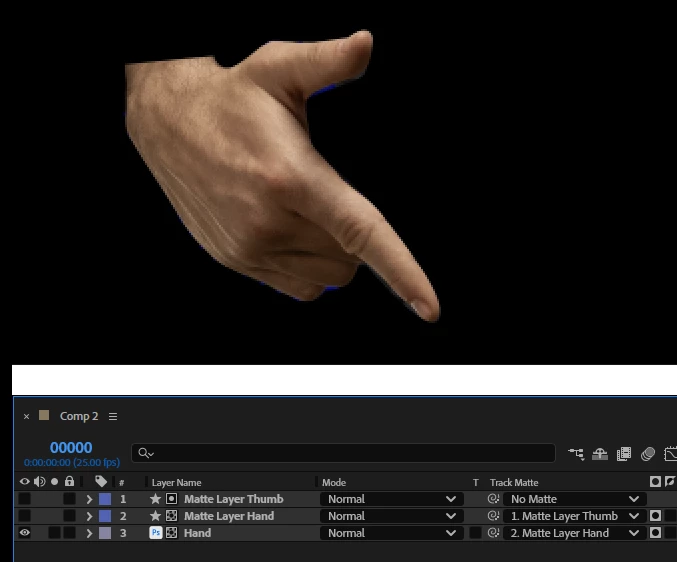
...not the desired result. Obviously I Layer 2 should use the matte of Layer 1, but it doesn't.


11 replies

Shebbe
Community Expert
Community Expert
May 10, 2024

Maybe in your case an undesired result, but I don't think this is a bug. Track matting layers only consider the referenced layer itself. Not other references further down the line. You could work around this in two ways. 


1. Using masks on the source rather than separate shape layers, with hand mask on add, then the thumb mask on intersect.

2. Putting a set matte effect on the source that references the hand layer, then track matte the thumb layer.