



Essential Properties: now in the Properties panel!
Greetings After Effects beta users! Thanks to your feedback, we’re extending the Properties panel to include support for Essential Properties. From your Creative Cloud app, update to After Effects Beta 23.3x36 or later to try it out.
Essential Properties give you a quick and simple way to edit precomp properties nondestructively. You can turn a composition's property into an Essential Property by adding it to the Essential Graphics panel.
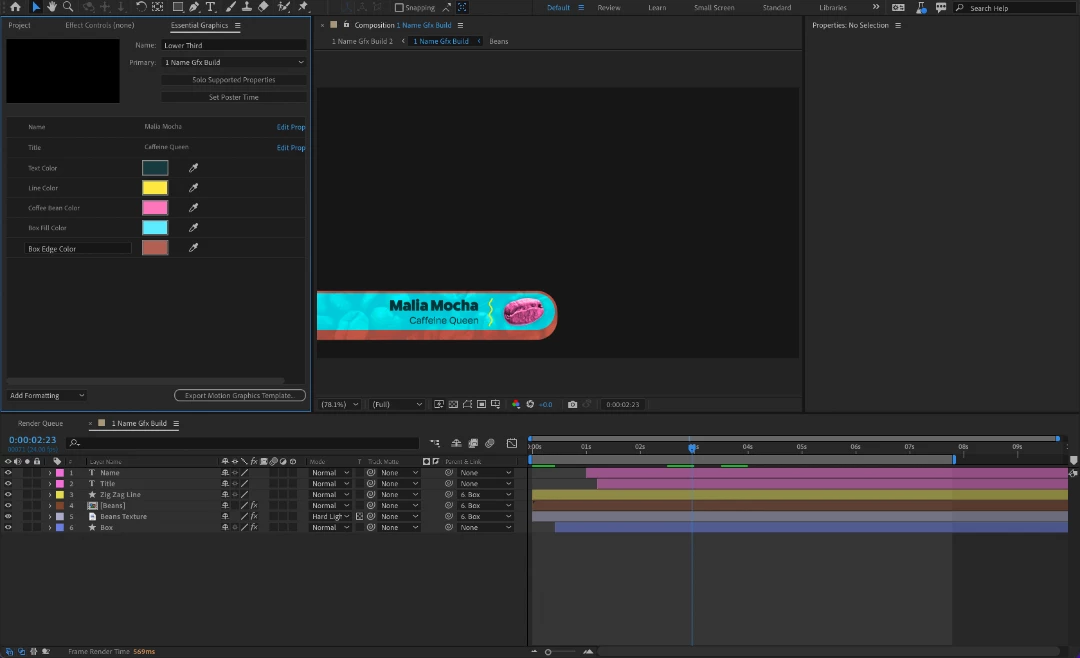
When you select the nested composition layer, properties you added to the Essential Graphics panel will be visible in both the timeline and, now, the Properties panel, making it easier than ever to create lots of different versions of a design. Source text properties also gain access to options like overriding font, sizing, and styling. You can turn these options on and off in the Essential Graphics panel by clicking Edit Properties on any source text property.
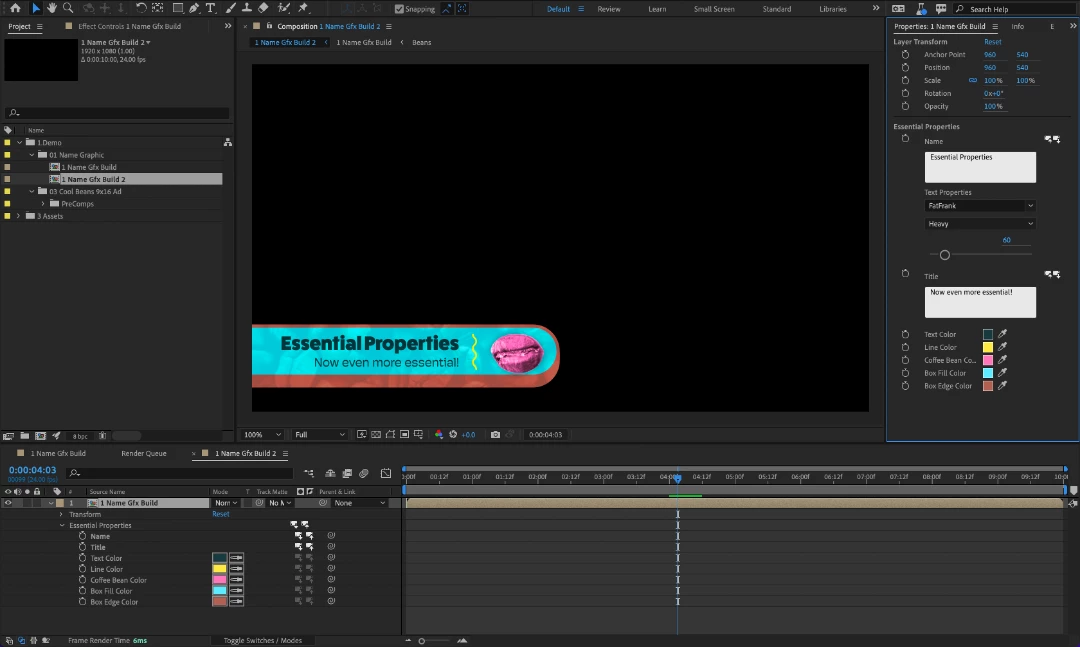
Media Replacement is not yet ready for you to test (stay tuned), but everything else should work the way you’d expect.
Give things a try with a variety of projects, especially complex compositions with Essential Properties with both keyframes and expressions. Does this workflow meet your needs? When do you reach for the Properties panel? When do you prefer to work in the Timeline? We are also very interested in ensuring the Properties panel doesn’t impact performance. If working in the Timeline gets slower for a specific project when the Properties panel is open or you run into issues with scripts, let us know.
Looking forward to your feedback!


 AdChoices