

Community Manager
June 10, 2025
Question

New Feature: Info Buttons to Learn More About Effects in the Effects & Presets Panel

  • June 10, 2025
  • 3 replies
  • 761 views

Hi everyone,

We're excited to announce a new feature in After Effects Beta version 25.4x44 that makes it easier to learn about effects!


With this new update, we've added an information icon next to supported effects in the Effects & Presets panel. Simply click this icon to access information about the effect.
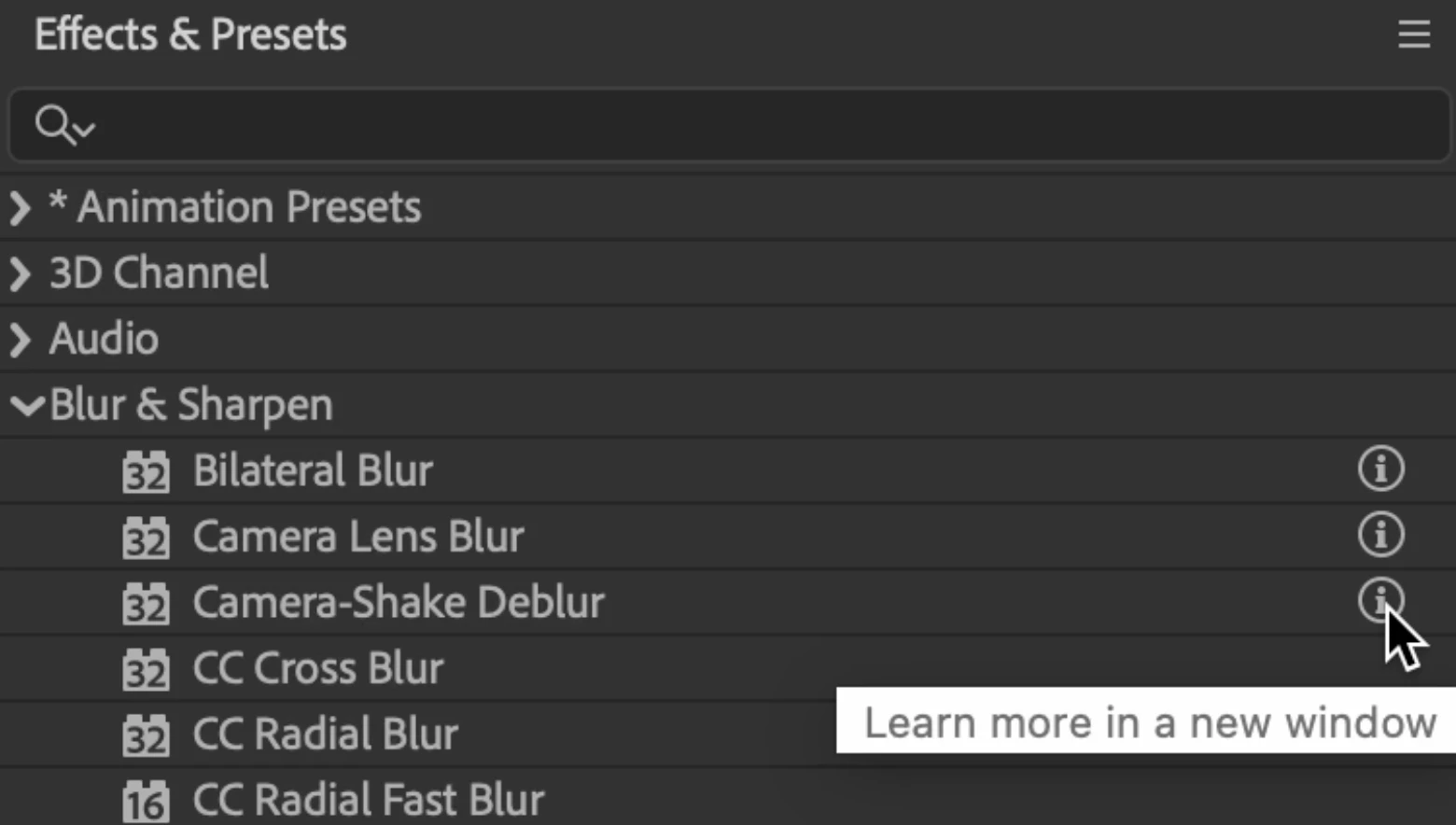
 

This information will open in your default web browser, making it easy to reference while you work. Our goal is to streamline your workflow by providing quick access to effect information that was previously hidden within the app or required online searching.


Please give this feature a try and let us know what you think. We're looking forward to your feedback!

Edit: Aug 19, 2025 — Effect Info Buttons is now officially released in After Effects 25.4

3 replies

Known Participant
July 1, 2025

@sbali5 this is great! have you considered adding a floating search menu? like the FX console (2015!), but modernized with the Spectrum design language? thanks 🙌

Inspiring
June 12, 2025

just link it to the Youtube series by "jake in motion"

He explaines all the effects

Shebbe
Community Expert
Community Expert
June 12, 2025

That would be a terrible decision. 


1. A 'youtuber' does not have any contractual affiliation/obligation/responisibility with the company. At any point in time the videos or the account could be removed for whatever reason, without Adobe having any influence over this.


2. The legitimacy and completeness of these explanation videos would be highly questionable as most of them will be based on observation rather than properly documented and in many cases mathematically based explanation.


3. Proper documentation should always be regarded 'king' over anything else. If it isn't complete it should be fixed rather than making a company rely on 'youtubers' to explain what is going on.


Adobe can always highlight user videos as form of appericiation but I don't need some random person's channel connected to the help function of the software I use.

Inspiring
June 12, 2025

I see: you are not familiar with Jake 🙂
He did the series with a lot of deep dive in the help. He has also done Text Animation presets for Adobe. They are in the Ae library.
But hey, of course is an official help page from adobe better.

Shebbe
Community Expert
Community Expert
June 11, 2025

This is a really nice addition but there is a problem with Adobe's documentation which is that all these tools are grouped into a single page without anchors. So after clicking the info button on an effect you still need to search/scroll to the actual effect to find it's explanation.


Ideally the links go directly to the specific effect in question.

sbali5Community ManagerAuthor
Community Manager
August 19, 2025

Thank you for your feedback @Shebbe!

We added anchor tags to each of the links in After Effects 24.4, you no longer have to scroll to the actual effect.