



New Vector Workflow Enhancements in After Effects Beta
Today we’re introducing three significant updates to our vector workflows in After Effects beta version 26.0x8:
- You can now import SVG files as native AE shape layers. Logos, UI mockups, and other vector assets are ready to animate – no conversion required.
- Improved Illustrator Layer Conversion: Illustrator layers now retain gradient fills, gradient strokes, and transparency when converted to native shape layers.
- New Gradient Controls: We’ve added animatable Scale and Rotation properties for gradient fills and strokes, giving you more control over vector styling and animation.
SVG Import
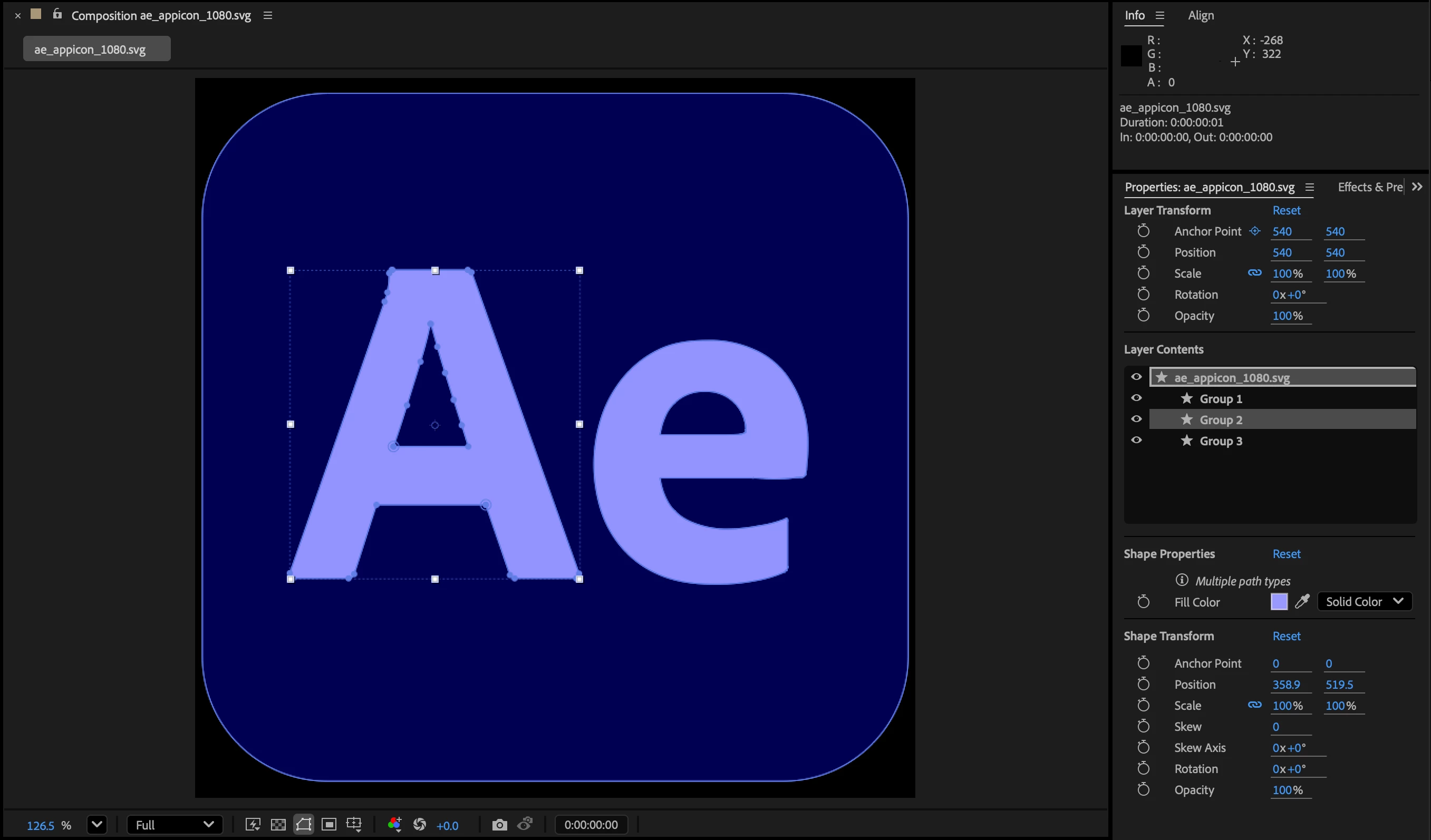
Client sends you a dozen SVG logos to use in a project? What once required a tedious, multi-app process is now fast and easy: SVGs import as compositions of ready-to-use native shape layers, no conversion required. Gradient fills, strokes, and transparency are preserved and fully editable.
There are a few limitations of SVG import:
- Because SVGs import directly as shapes, there is no reference to the original SVG in the Project panel and Collect Files will not include the SVG source. Is it important to your workflow to maintain this reference?
- SVG Text will not be imported; you’ll need to convert text to curves.
- Animated and raster SVGs are not supported.
- SVG comps currently import with a 1-frame duration.
Gradient support for converted Illustrator layers
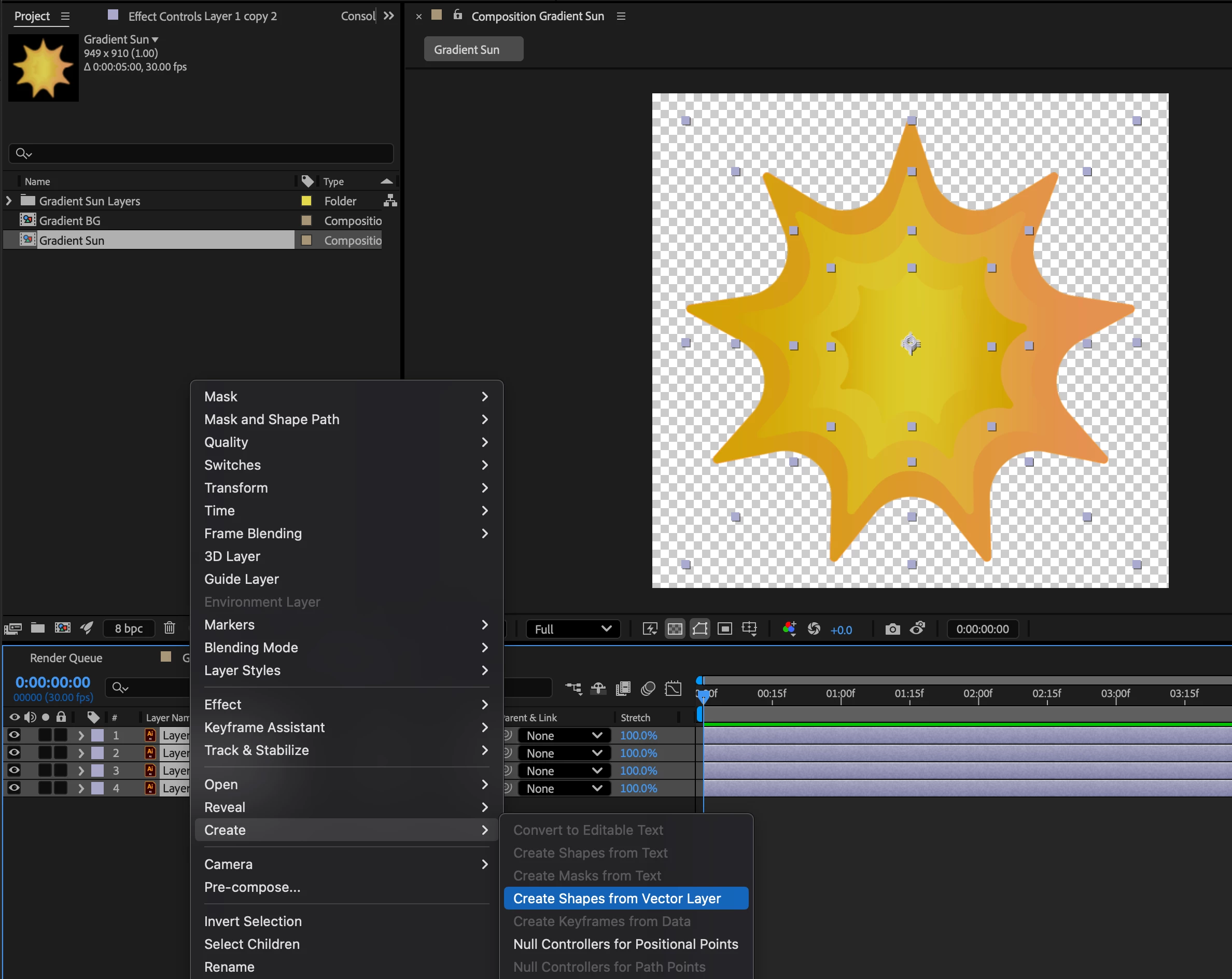
We’ve improved fidelity when converting Illustrator layers to shape layers, reducing the need for manual cleanup and rework.
Convert Illustrator layers to native shape layers by selecting them and choosing Create > Create Shapes from Vector Layer in the Layer menu or layer context menu.
Gradients will remain fully editable, and their properties can be animated in the Timeline.
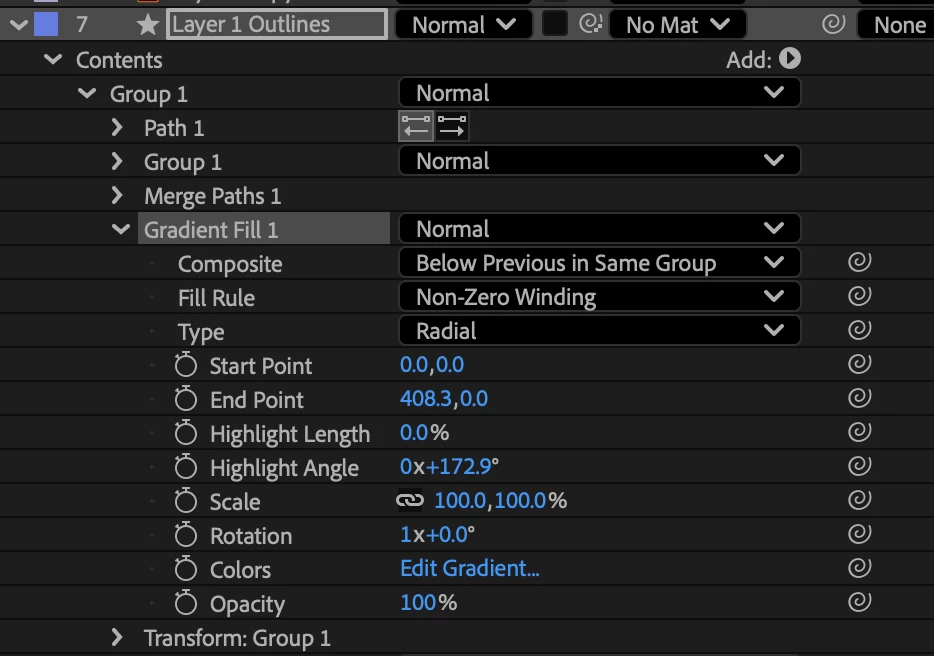
Note: Freeform gradients and blend modes from Illustrator are not retained. Blend modes can be re-applied within After Effects.
Vector Gradient Scale and Rotation
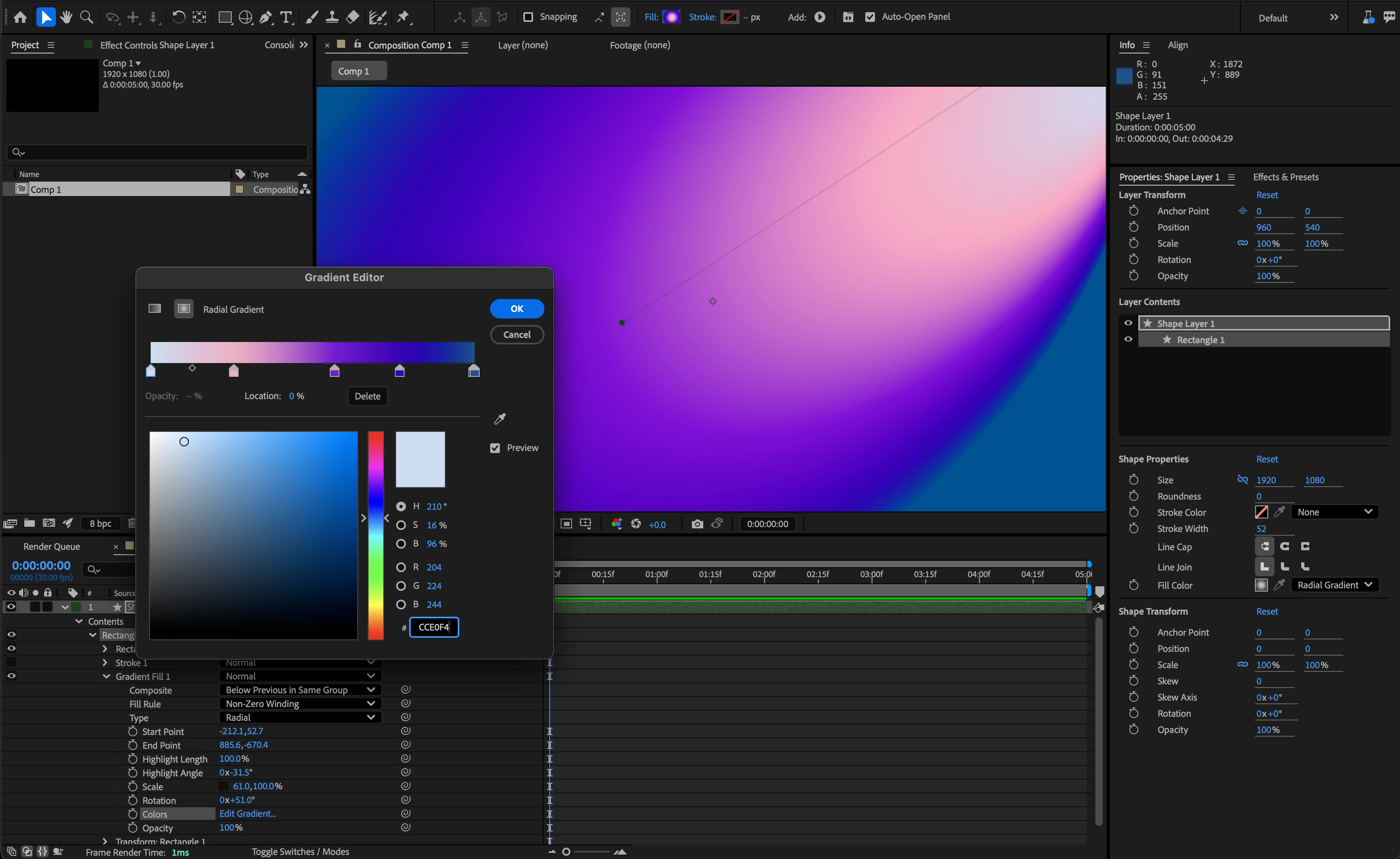
Scale and Rotation unlock new design possibilities for gradient fills and strokes. These animatable controls combine with existing gradient properties to give you deeper creative flexibility, whether you're designing dynamic vector effects or abstract backgrounds.
The new properties are available for all shape layer gradients, including both imported SVGs and converted Illustrator shapes.
Share Your Feedback
These features are still in development, and we need your input! Please test these new features with Illustrator files and SVGs of your own and let us know how they’re working for you. Your feedback helps shape the future of After Effects.
 AdChoices