



Now in Beta: Lossless Compressed Playback in After Effects Beta
We’re thrilled to introduce Lossless Compressed Playback, now available in After Effects beta (starting with version 26.0x8). This new feature takes composition playback to the next level — letting you preview longer durations while using significantly less disk space. How? After Effects now compresses cached frames without any loss in visual quality.
What’s New
With Lossless Compressed Playback, After Effects automatically stores cached frames in a compressed, lossless format on disk.
This means you can:
- Preview much longer segments of your timeline.
- Store more frames within your allocated disk cache limit.
Compression happens automatically in the background — saving disk space without changing your workflow or image quality.
Getting Started
- On by default: The feature is enabled automatically for all Beta users.
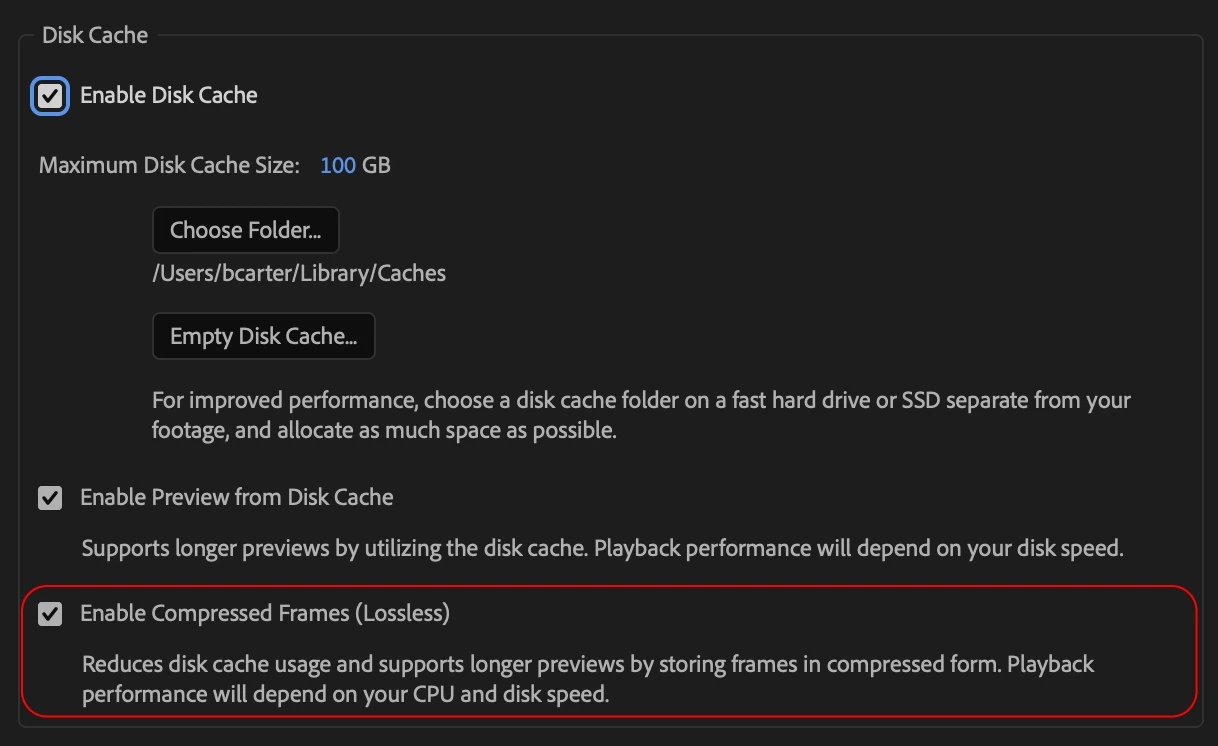
- To view or modify the setting, go to Preferences → Media & Disk Cache, and check/uncheck the box for "Enable Compressed Frames (Lossless)"
- You can disable it anytime if you prefer uncompressed previews.
Why It Matters
This update continues our journey to make After Effects playback faster, more reliable, and more scalable — for every creator, on every setup.
By compressing frames on disk, After Effects can cache more data, play back longer, and help you stay in flow without interruption.
We’d Love Your Feedback
Try Lossless Compressed Playback on your projects and tell us:
- How does your playback duration compare?
- Is disk usage noticeably reduced?
- Do you notice any slow-down in preview?
Share your observations in the comments below — your feedback helps shape the future of After Effects playback.
 AdChoices