Participant
August 31, 2020
Answered

Rotobrush not working

  • August 31, 2020
  • 2 replies
  • 1224 views

I have a clip, and select the rotobrush tool. I can draw where I need, but nothing shows up and nothing changes. Why is nothing changing?

Correct answer James Landy

A couple possiblities. 
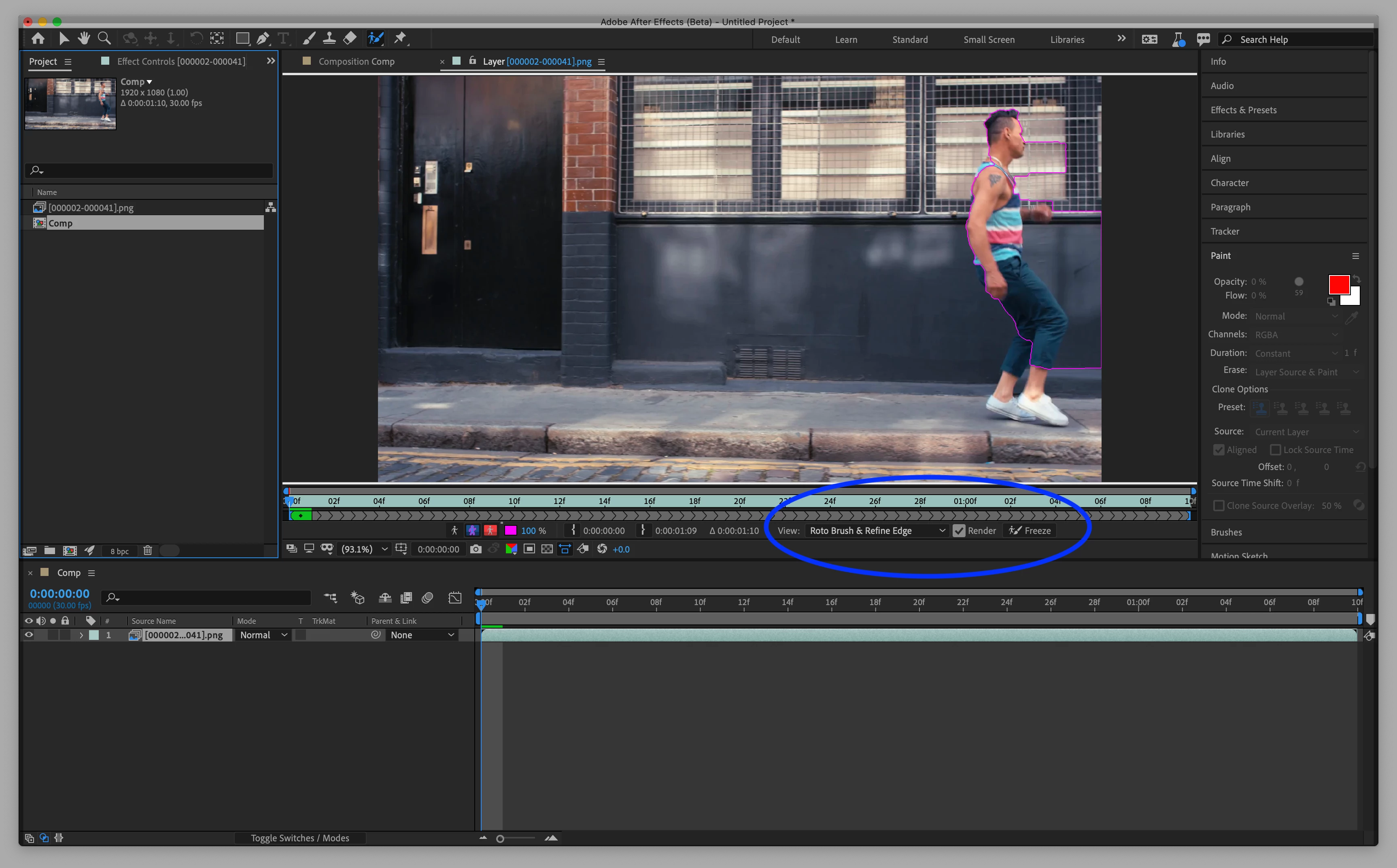
1. Check to see if you have "Roto Brush and Refine Edge" selected in the Layer panel view pop-up menu.
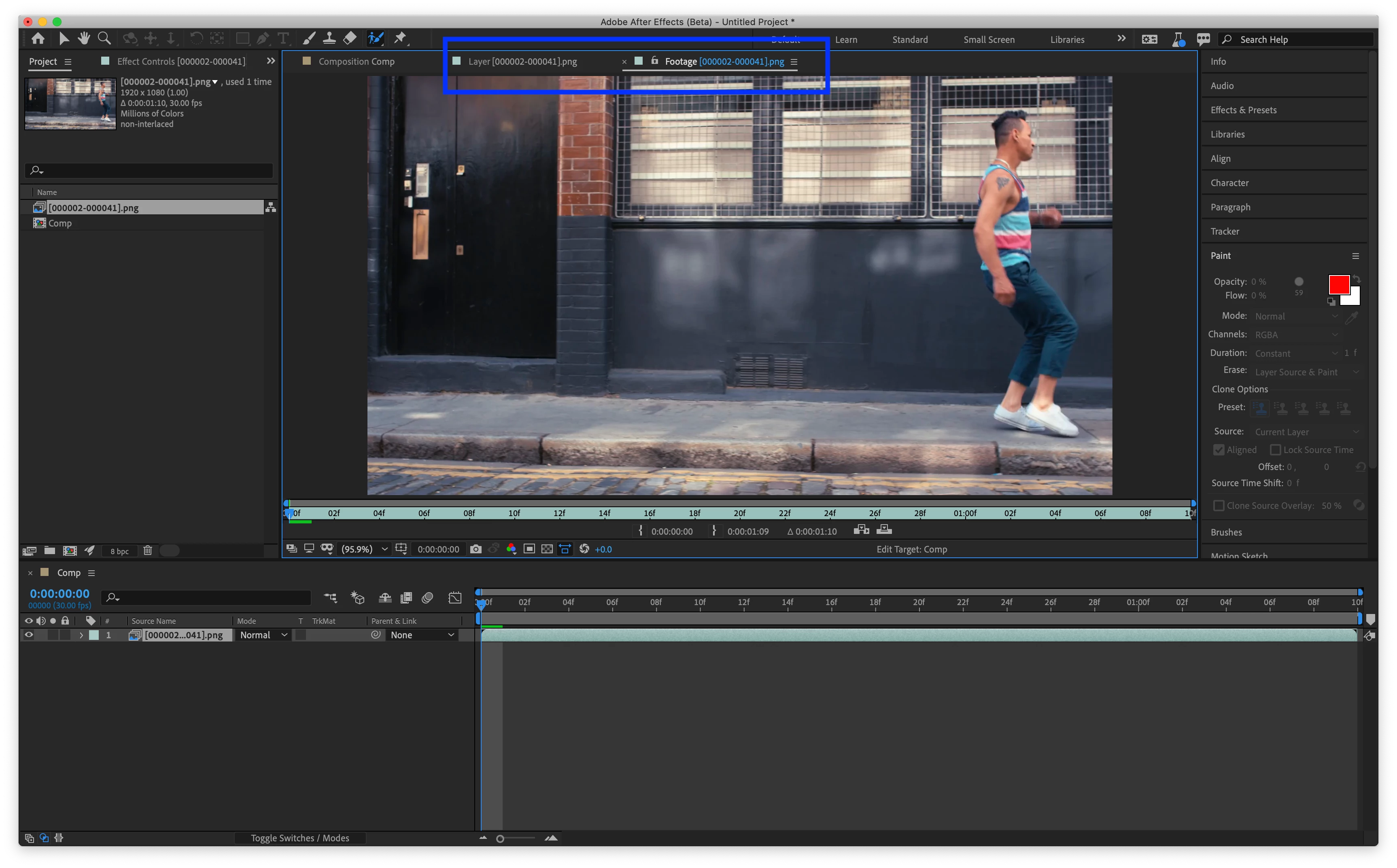
2. Make sure you are in the Layer Panel, not the Footage Panel.
See screenshots below for examples.
2 replies

Participant
September 4, 2020

Are you using it on a pre-comp by any chance? I have an issue in the last few betas (including 17.5.0) where this will happen if I try to rotobrush a pre-comp. Workarounds for me are using Rotobrush 1.0 (boooh) or prerendering the pre-comp.

Participating Frequently
June 19, 2025

Hello from the far future of 2025.
Unfortunately, Adobe hasn't solved it. It is still happening and can drive you crazy!
 
Luckily, your post was there and I found a way to get it over. But they must decidedly find out what is happening
I use the latest version of AE, 25.3.0 (Build 711), and definitely isn't the luckiest for Adobe. It already has a huge bug problem with flickering all windows inside the app by simply moving the mouse left and right! Even when you are rendering your artwork.
Thanks again for all the help, and I am looking forward to a new, clean version of AE! 

James Landy
James LandyCorrect answer
Inspiring
September 2, 2020

A couple possiblities. 
1. Check to see if you have "Roto Brush and Refine Edge" selected in the Layer panel view pop-up menu.
2. Make sure you are in the Layer Panel, not the Footage Panel.
See screenshots below for examples.