silopostworks
Participant
October 7, 2022

After Effects 22.6.0 color shifting issues within same clip

  • October 7, 2022
  • 20 replies
  • 1143 views

So this has been driving me nuts since version 22 came out.


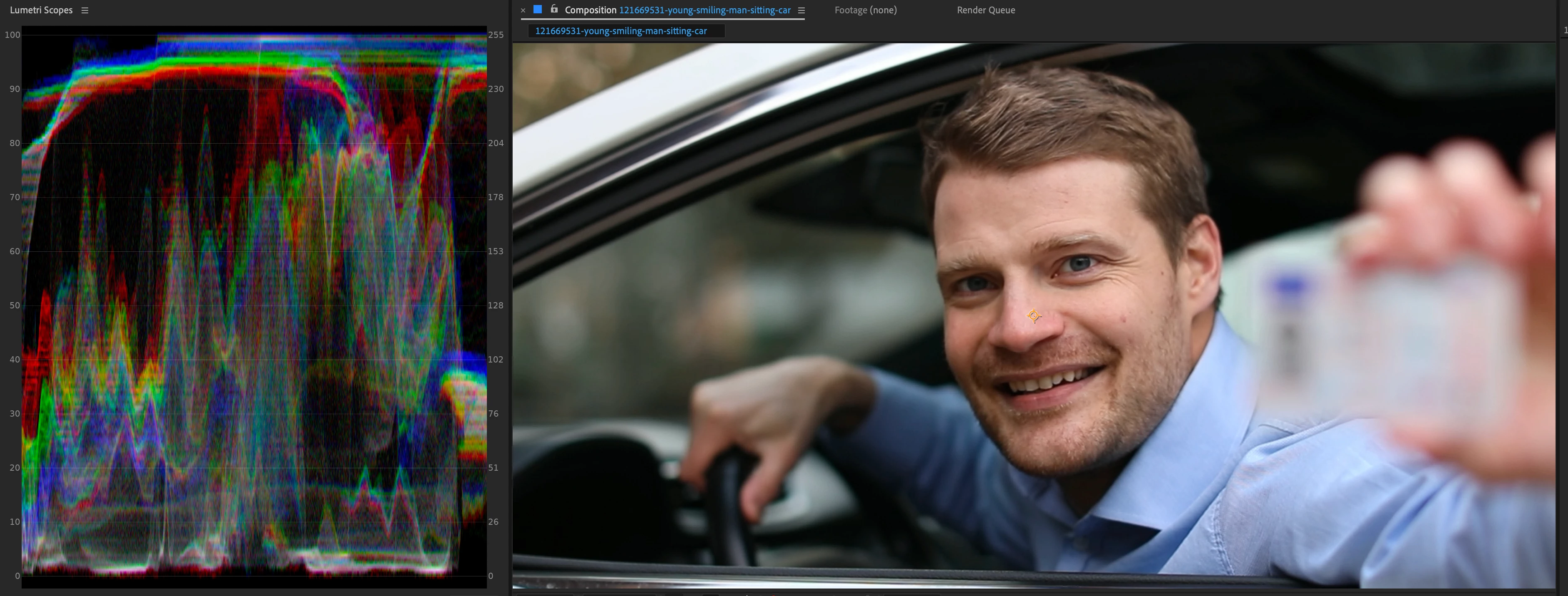
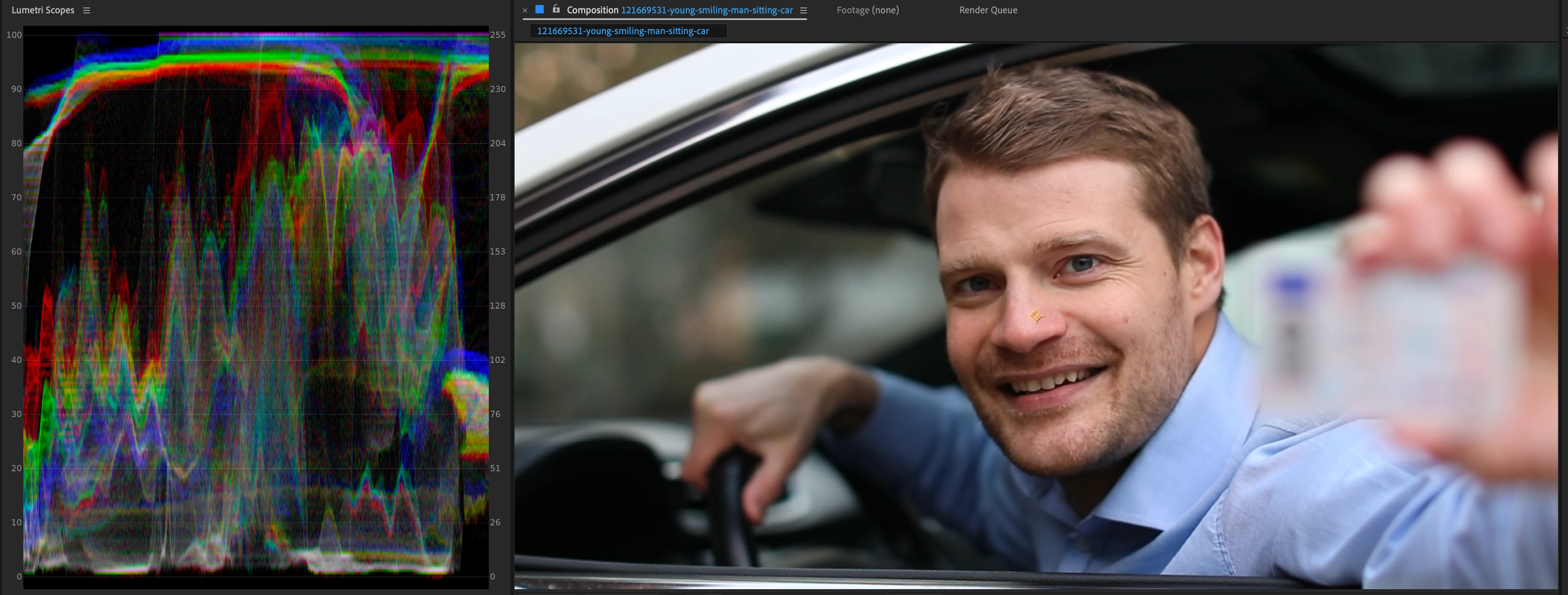
Working with ProRes 4444 files, color management turned off.  While playing back a clip the color will subtly shift for a few frames and then go back.  It will happen numerous times and seems farily random. I have posted two screenshot with the scopes turned on so you can see the difference.  It's so subtle it hard to catch (especially if you are working on LOG footage), but it's there and happens every project.


The only way to get it to behave normal is if I turn color management on.  This is a no-go for our workflow though as we've been roundtripping files in and out of AE for years and color management always leads to inconsistencies when bringing into other applications (in other words, please do not suggest we change our workflow in order to accomodate an obvious bug).


We've tried all the usual suspects...restart, clear memory and cache, turn GPU acceleration off, etc.


Sort of surprised that no one has posted about this yet as it's been happening ever since 22 came out.


Current set-up is After Effects 22.6.0.  System is:

MacBook Pro (16-inch, 2021)

Apple M1 Max

64GB
 

This topic has been closed for replies.

20 replies

jackthegiantkiller
Inspiring
September 5, 2023

Yes, I just finally updated to Ventura and updated all Adobe apps and had to disable video decoding acceleration...again...to keep some iPhone footage from glitching out at random intervals in the render. So how is that fix going in the beta builds?

Participating Frequently
August 25, 2023

This is still an issue with Version 23.6.0 (Build 62)

julianlopezcoppola
Participant
April 29, 2023

We have the same problem! please @JohnColombo17100380 we need a solution asap

Participating Frequently
March 22, 2023

This is still an issue with Version 23.2.1 (Build 3). 

Is there any news on a fix ?

doncvoila
Participant
January 6, 2023

Hi, HNY 2023 

Anynews about the fliking with ProRes medias ? 

Participating Frequently
December 2, 2022

Thanks

jackthegiantkiller
Inspiring
December 2, 2022

Awesome, thanks for the update John!

JohnColombo17100380
Community Manager
Community Manager
December 1, 2022

Hi all,

We are currently working on a fix for this issue and have reached out to Apple as well. Once there is a fix available in the Beta builds, we will update this thread.


Thanks again for reporting this issue,

- John, After Effects Engineering Team 

doncvoila
Participant
November 28, 2022

I have the same problems.
I'm working on a 64GB MacStudio M1 Ultra with AfterEffect 2023.
I tried disabling the GPU, with local or network rushes, in ProRes 422/ 4444/ 8 bit and 16 bit. I tried to enable or disable color management, nothing worked. There are random jumps in the chroma.
Here is an image of the scope that illustrates the example.

The good one, 


The bad one. You can see stripes on all the colors like if the image was compress, or with field ! of course my footage is in progressive ! 

jackthegiantkiller
Inspiring
November 17, 2022

I don't understand how the team can't be aware of this M1 color shifting ProRes issue when we have made plenty of noise and sent examples. The obvious workaround is to disable hardware acceleration (should be a clue to the team) but it would be appreciated if you could actually fix this bug? Would be nice to actually use all the power of this maxed out M1.