


Known Participant
January 23, 2025

After Effects crashes when importing or creating a 3D layer

  • January 23, 2025
  • 16 replies
  • 1922 views

I noticed that if file browser is in "List" mode, import files (even obj) is OK. But as long  as in "Icon" mode AE will crashed immediately. Anyone has the same problem? 

I've been tried AE 2023~2025 and results are the same. Is this AE's problem or Windows??
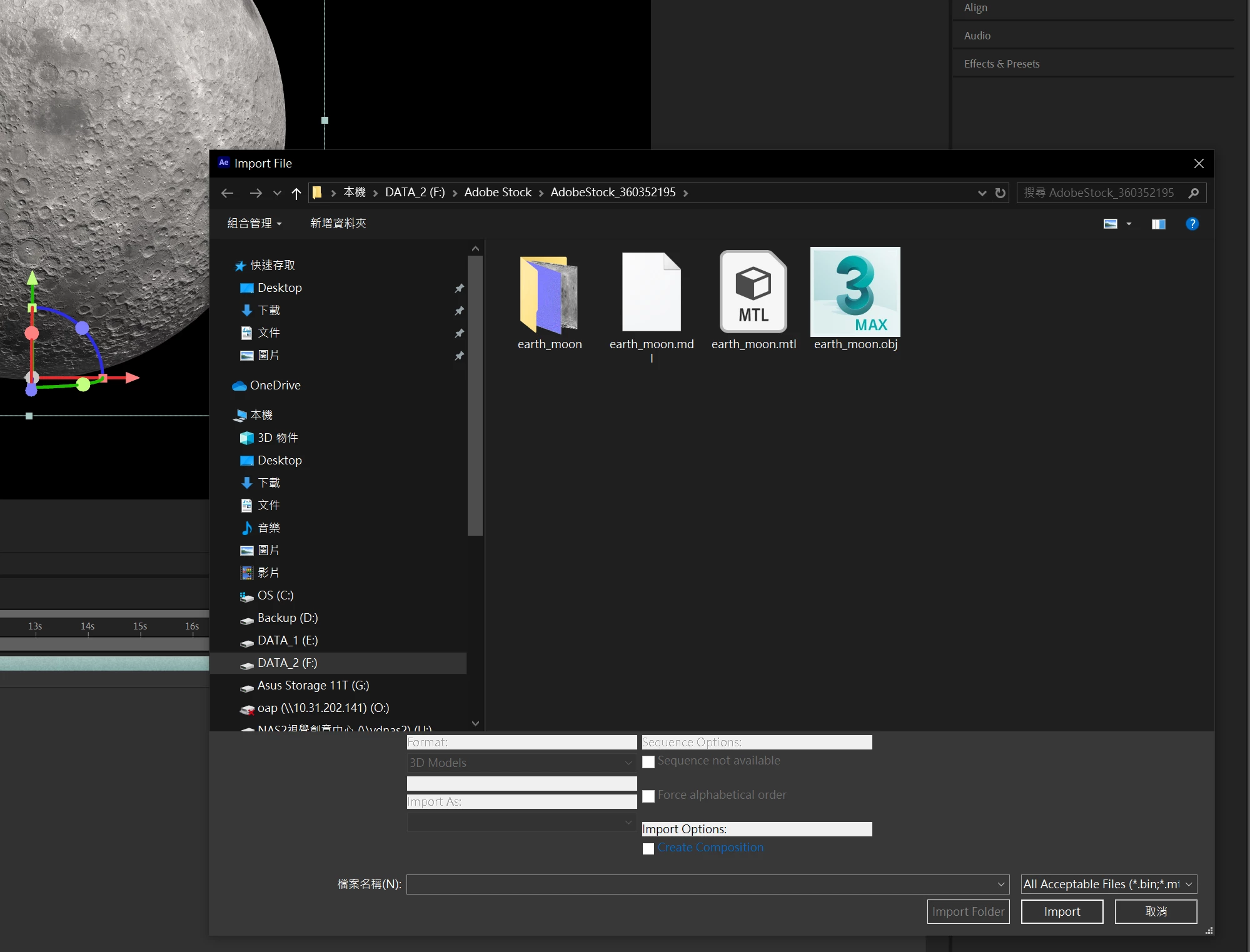
  AE crashed here

16 replies

bearflyAuthor
Known Participant
April 22, 2025

Dear Nishu,
I followed the instruction step by step it's still not working. 
The odd question is that I didn't quit AE on Friday and when the issue juist happened on Monday!! 
 

nishu_kush
Community Manager
Community Manager
April 23, 2025

Thanks for trying, bearfly. As per David, this issue has been filed as a bug for further investigation. Sorry for the inconvenience. 


Thanks,
Nishu

David.Arbor
Community Manager
Community Manager
April 21, 2025

Hi there @bearfly 


Sorry you're running into this crash. We were finally able to reproduce this issue in-house last week, and it is now actively being worked on.


Thanks,
- David, After Effects Engineering Team

nishu_kush
Community Manager
Community Manager
April 21, 2025

Thanks for reaching out, and sorry to hear about the issue.


It could be an issue with the user account permissions. Please try the steps in the following article: https://adobe.ly/3RWgE3Y

Let me know how it goes.


Thanks,
Nishu

Participant
April 16, 2025

Hello, can you help me please

David.Arbor
Community Manager
Community Manager
April 16, 2025

Hi there @Théo286980709tt6 ,


Sorry to hear you're experiencing this issue. There isn't a lot of info here, so I can only guess what might be going on. We've been investigating a crash with Advanced 3D and have been trying to track down the cause. 


A few questions:

  1. Does this error happen immediately after you import a 3D model?
  2. Does After Effects prompt you to save your project after you close this dialog, and then it crashes?
  3. In your C: drive, would you mind sharing the exact name of your user folder? Does it by any chance have any characters with accents or other special characters?


Thanks,
- David, After Effects Engineering Team

Participant
January 30, 2025

after effects cant continue: advanced 3d plug-in generated an unexpected exception 오류 해결방법 아시는 분있으신가요.


인터넷에 나온 것들은 전부 다 해봐도 안 되네요.


Legend
January 31, 2025

특정 PC에서 발생하는 문제로 현재 해당 문제에 대해 내부적으로 확인중에 있습니다. 

우선 사용 하는 PC의 사양확인이 필요해 보입니다.

이전 버전의 에프터 이펙트에서도 테스트 해보셨을까요?


Participant
January 31, 2025

네 모두 테스트 해보았습니다. 


사양은 amd ryzen 9 3900x

램 64g

ssd 1tb

rtx 2070super입니다.

Participant
January 23, 2025


현재 바이오스, 그래픽카드 업데이트, 에펙 다운그레이드 버전, 관리자 모드, 어도비 고객지원하여 원격 까지 다해보았지만 소용없었습니다
혹시 해결하신분 있으실까요?

그의 이야기
Inspiring
January 24, 2025


DDU로 그래픽 드라이버를 완전히 삭제하고 (DDU 도구는 Windows 자동 드라이버 체크 해제, 안전 모드 부팅)

Nvidia 드라이버 중에서 이전 릴리스 버전을 위주로 다시 설치 한 번 해보세요.


저도 최근에 시스템을 다시 맞추면서 동일한 오류가 발생해서, 최신 그래픽 드라이버 설치 > DDU로 드라이버 완전 삭제 > 이전 릴리스 드라이버 설치를 순차적으로 테스트했는데, 저 같은 경우는 2024 - 10월 (565.03) Studio 드라이버를 설치했어요. 그래도 해결이 안되면 Windows 초기화를 해봐야 할 것 같아요.


저도 이 문제 때문에 이틀 정도 해외 커뮤니티에서 사례 조사를 해봤는데, 마땅한 해결 방법이 없더라구요.

참고로 제 시스템 사양은 U9 285K, Z890, 96GB RAM, RTX 4080 입니다.  도움이 되길 바래요.

그의 이야기
Inspiring
January 24, 2025

말씀 하신 내용으로 전부 시도해보았지만 전부 실패하였습니다 ㅠㅠ


혹시 내장 GPU가 있는 CPU 인가요? 내장 GPU가 있으면 외장 GPU 드라이버를 제거하고, 내장 GPU로 실행했을 때 동일한 알림이 발생하는 지 한 번 테스트해보는 게 좋아보여요.  내장 GPU에서도 발생하는 거라면 외장 GPU의 문제는 아닐 테니 분리할 수 있을 것 같습니다.


그리고 Windows 초기화를 한 번.. ㅜ