
Participating Frequently
October 3, 2022

After effects dark mode bug (MacOS)

  • October 3, 2022
  • 4 replies
  • 447 views

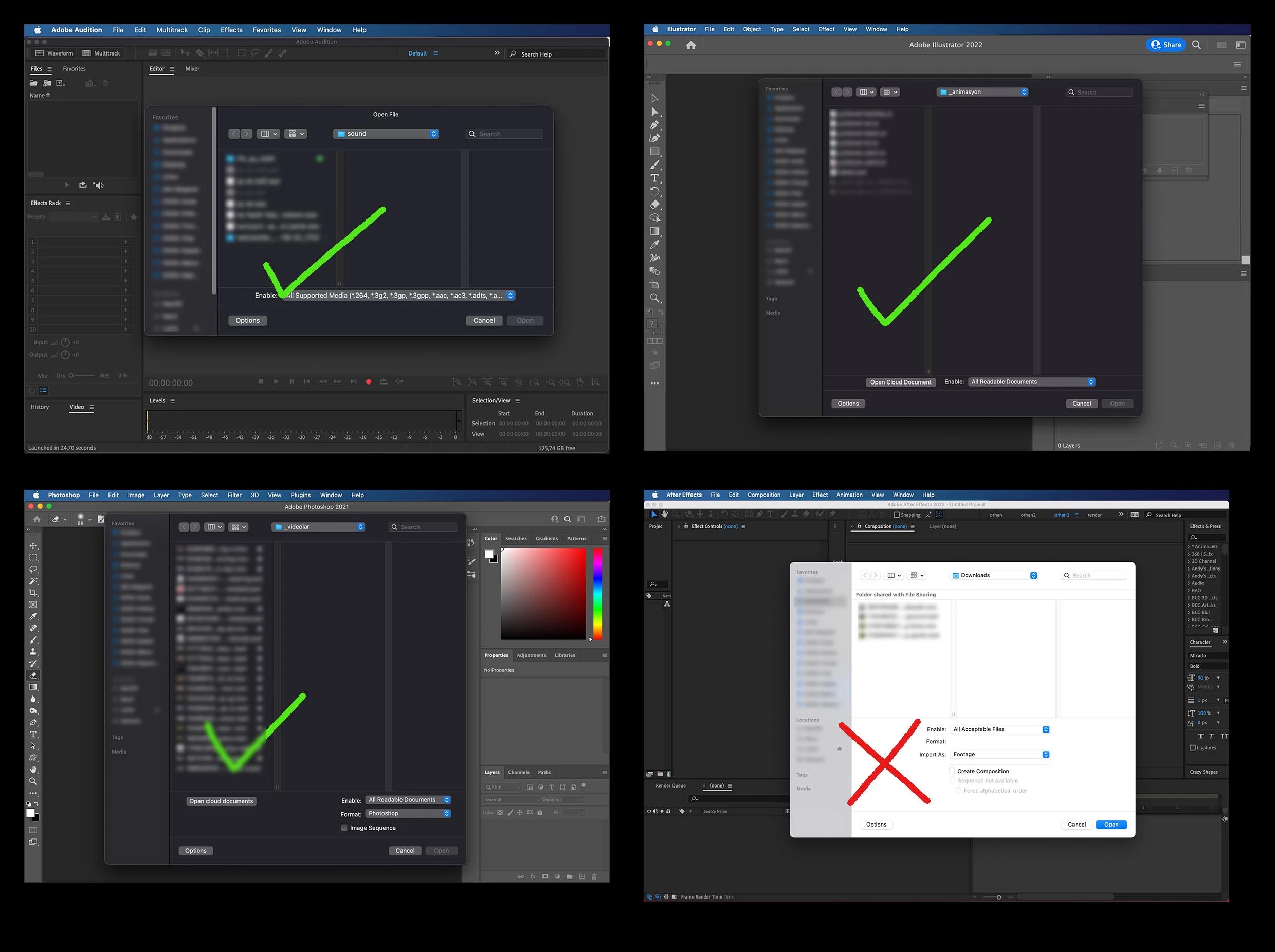
As you can see in the image, I have a problem that only exists in after effects. I am using macOS version 12.6. This is a problem that has existed since dark mode came. I did a lot of research on the adobe forum and couldn't find a solution. Then I contacted apple support and reported the situation to them. Apple confirmed that this is a problem and stated that they will establish a corporate communication with Adobe to resolve it. My expectation is that adobe cooperates on this issue. As I am usually a night worker, this bug is an annoying and negative problem for me.
This topic has been closed for replies.

4 replies

rusbs.movee
Participant
March 23, 2023

Done, thanks!!!!


Its work.

rajansAuthor
Participating Frequently
February 8, 2023

The command works! Thank you.

probablykasper
Participant
February 7, 2023

I think all that's needed might be to set NSRequiresAquaSystemAppearance to false in Info.plist, so maybe this could get taken care of soon?


In the meantime, the following command force overrides After Effects to follow the system theme:

defaults write com.adobe.AfterEffects NSRequiresAquaSystemAppearance -bool false

JohnColombo17100380
Community Manager
Community Manager
October 17, 2022

Hi @rajans,

Thank you for reporting this issue. We are aware there is additional work to complete in order to fully support Dark Mode for app bars and file dialogs on macOS. We hope to complete this work in a future version of After Effects.


Thanks again for reporting this issue,

- John, After Effects Engineering Team