Participant
November 3, 2024

Difference in type size between After Effects and Illustrator

  • November 3, 2024
  • 1 reply
  • 327 views

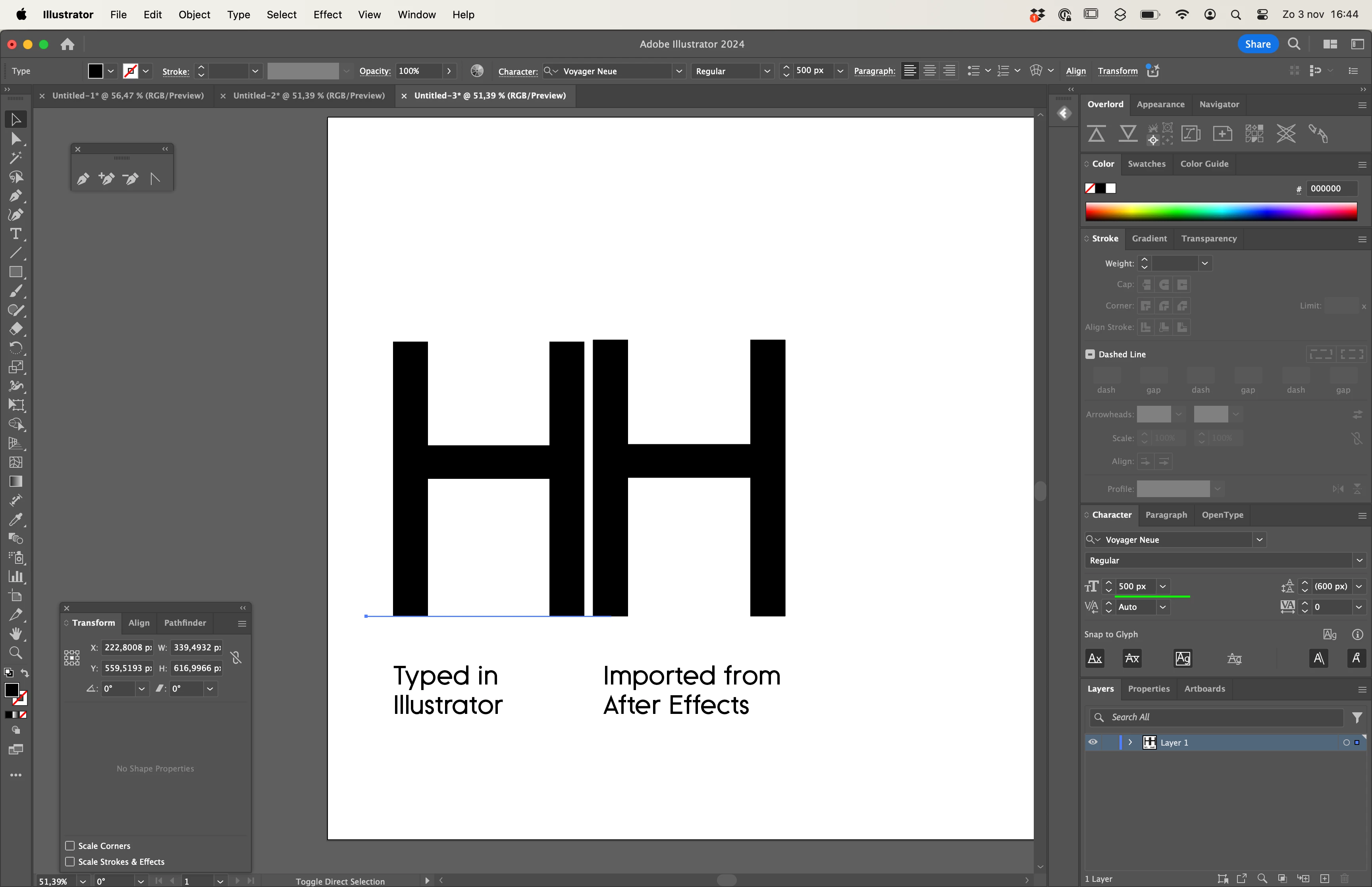
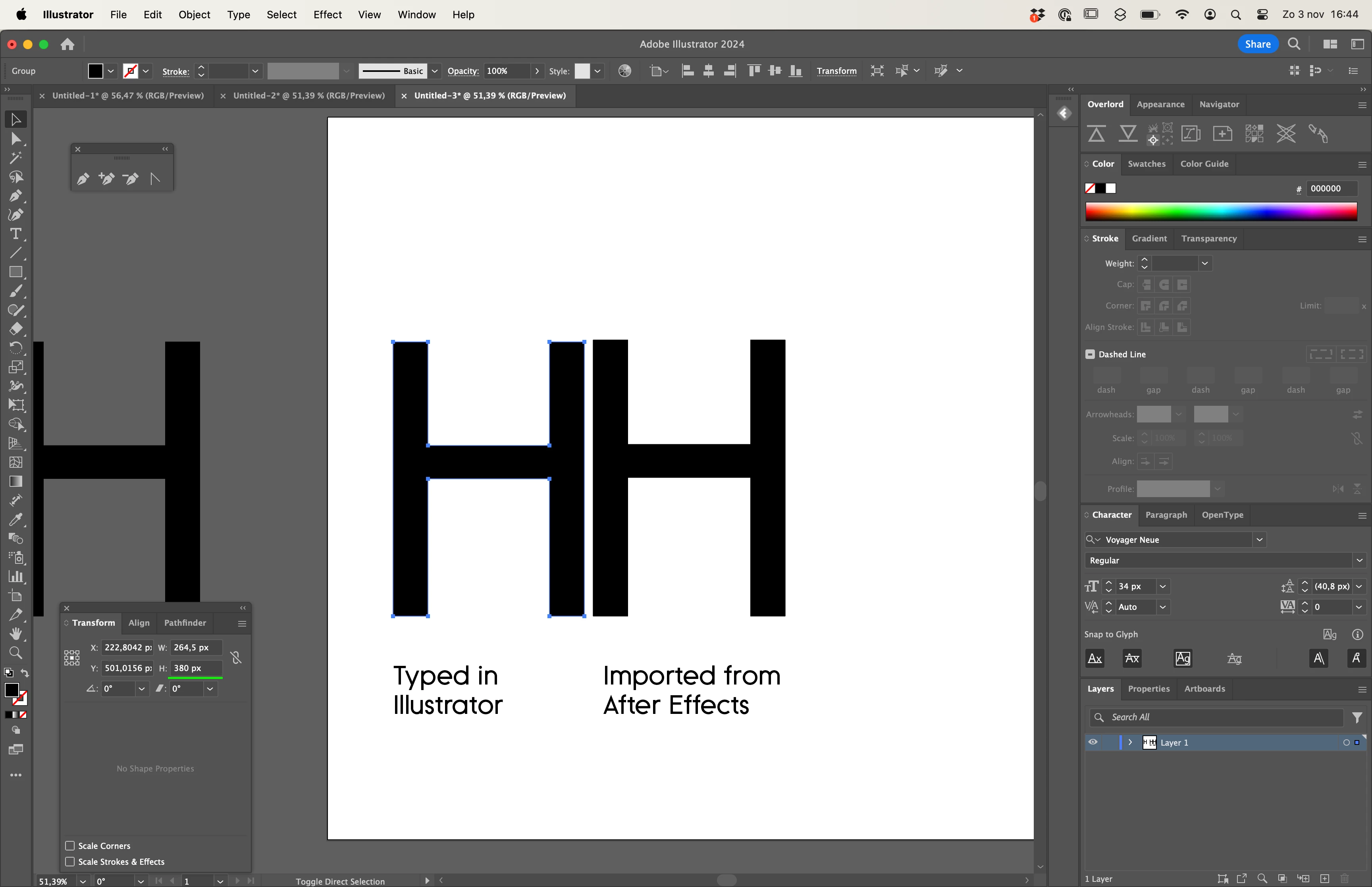
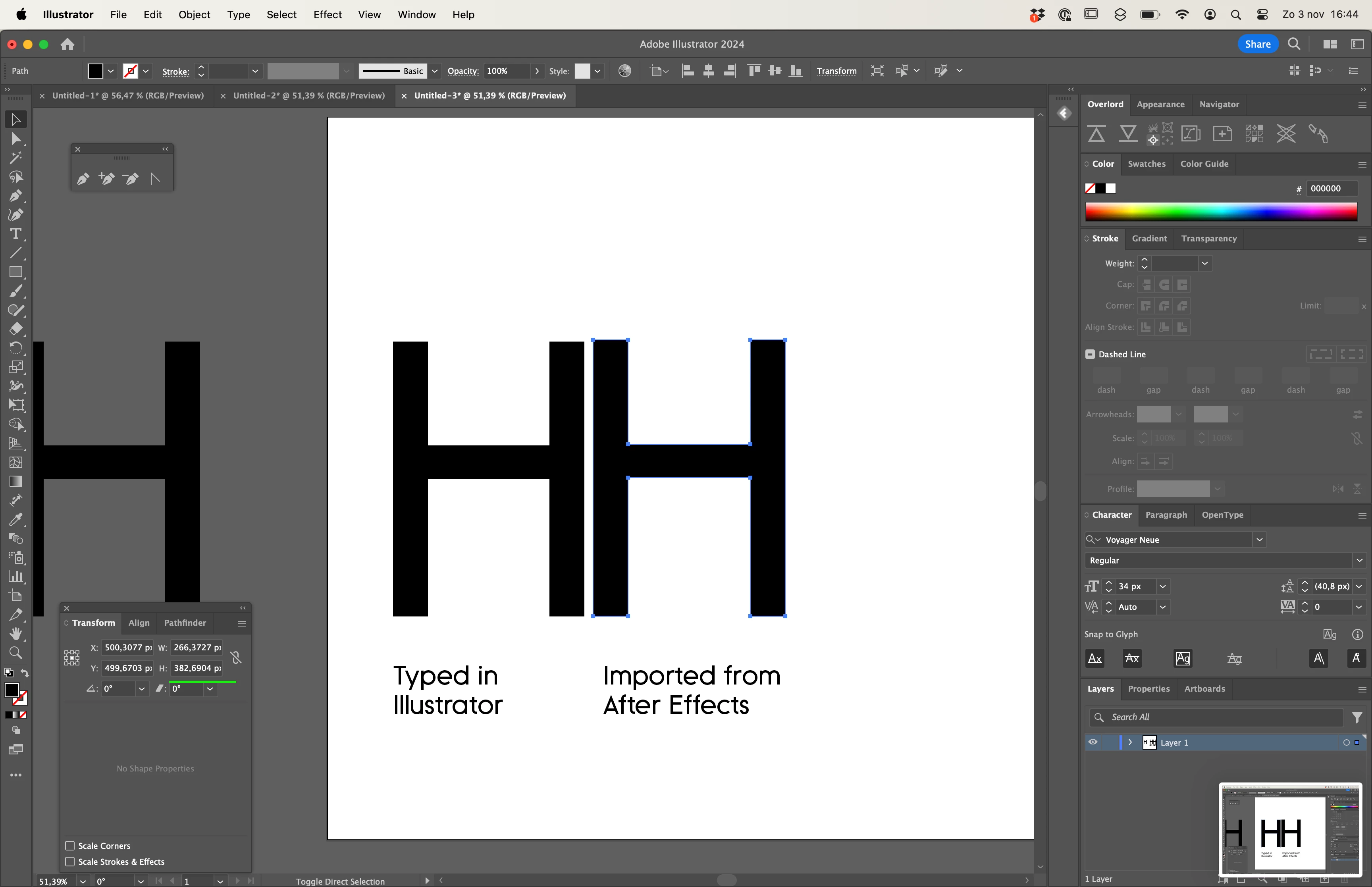
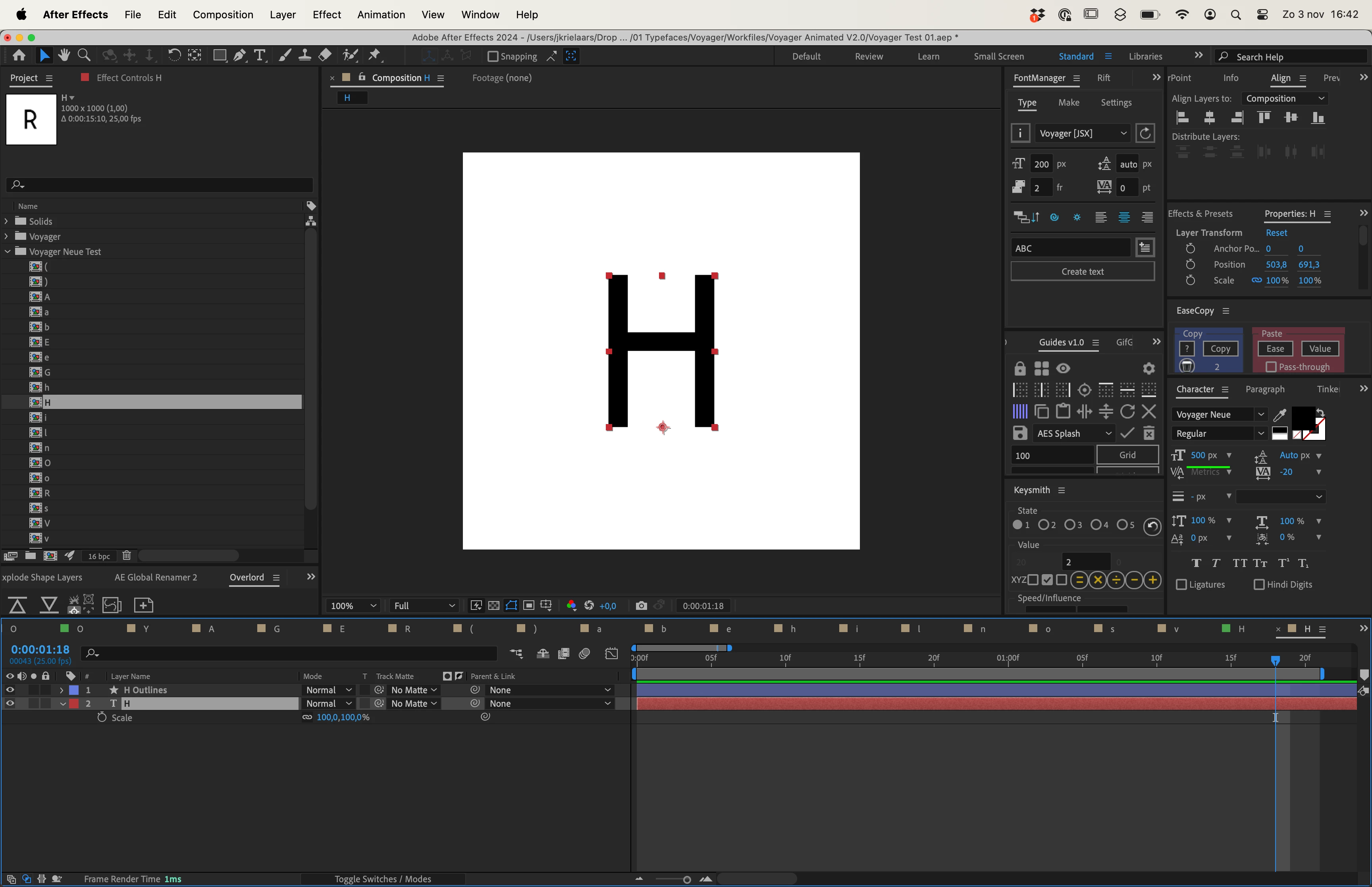
Hello, I got a little head scratcher here. I have designed a font, on a 1000pt grid (with a cap-height of 760pt). Then I type H in Illustrator at 500pt size and outline the strokes, the letter is exactly 380px tall (as it should be). When I type a 500pt H in After Effects and convert it to a shape layer, it is 382,6904 pixels tall. 

Does anyone know why there's a difference and how to fix it? I need it to be precise in After Effects so I can work with whole numbers. 


1 reply

Community Expert
November 3, 2024

I don't know much about designing fonts, but when you create files in Adobe Illustrator for video, you should set the top Artboard size to a standard comp size, and Artboard 2, under that one, should be centered on the pallet and big enough to include any artwork that extends beyond the first artboard. The document should be set up with RGB color space, and the Document Setup should be in Pixels. There are also standard Typography settings in the Document Settings. The latest Illustrator versions include video and film templates for most standard frame sizes to make it easy to use. You should also continually work with snap-to-pixel turned on when creating art for video and film productions. Zooming in to about 400% with pixel preview turned on is also a good idea to ensure your artwork is properly aligned to the pixel grid.


Ensure that the setup you used to create the fonts matches the setup in Illustrator.