
magnus atom
Participant
December 19, 2024

P: H.264 exports appear glitchy when scrubbed in QuickTime Player or Preview in macOS 15.1 or newer.

  • December 19, 2024
  • 27 replies
  • 3759 views

[Moderator: Updated title for clarity and making searching easier. This issue also affects Premiere Pro and Media Encoder.]


A month ago I updated my 2021 MacBook Pro to the latest Mac OS Sequoia 15.0.1 and that's when I began experiencing render issues when rendering H.264 from After Effects (2024 & 2025) or Media Encoder (2024 & 2025). The render plays back okay but when I scrub through, but when I scrub through the timeline, in AE, Quicktime, Frame.io, etc, I notice every 4th or so frame has terrible artifacting.
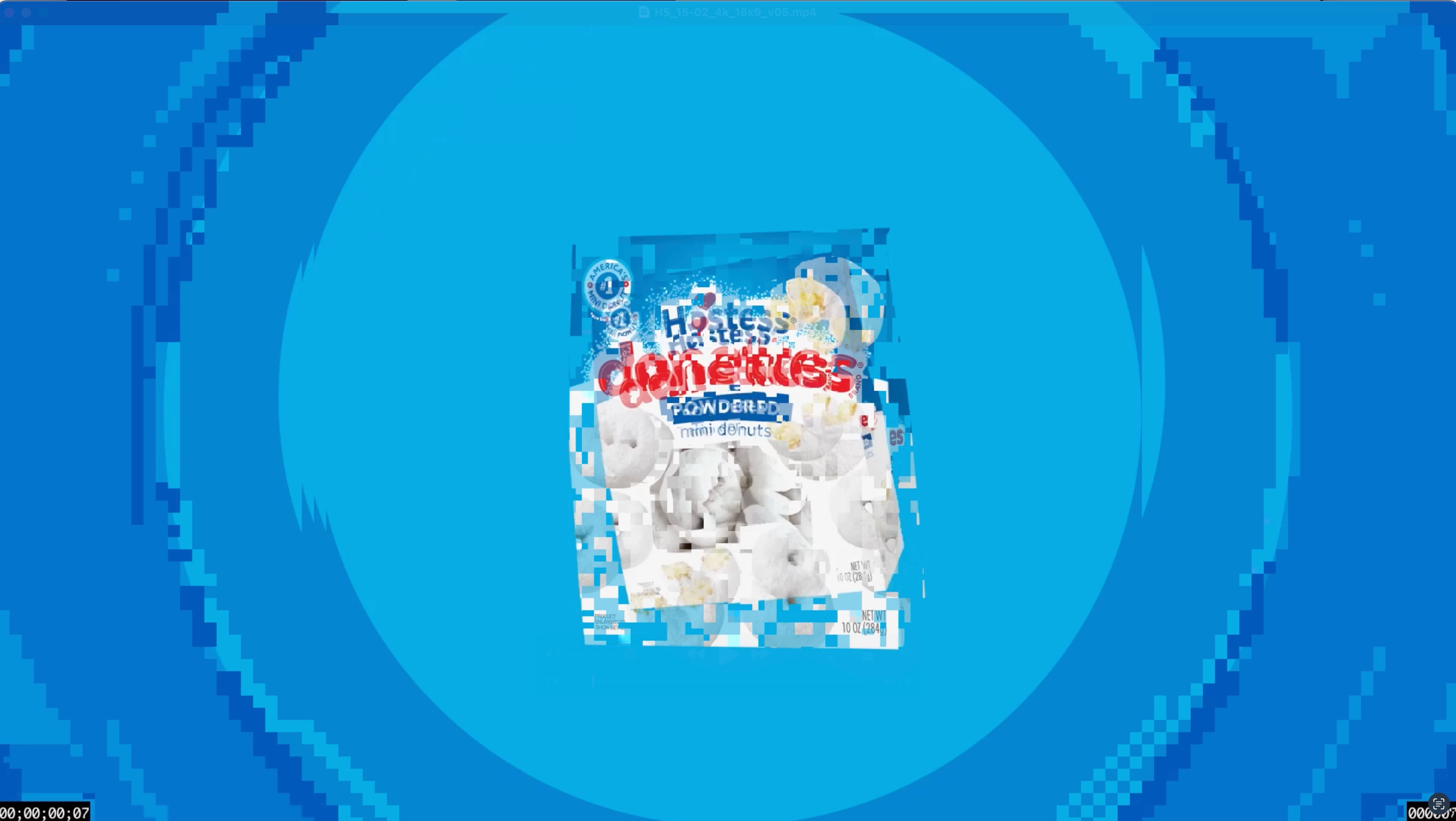
I've been able to work around this for a month by sending ProRes LT to my clients, however now a client is asking for a H264 so I'm stuck trying to figure this out or encode it on an old MacBook that still has an older MacOS version. 


If it helps at all, I've noticed when turning Audio Off when rendering through Media Encoder, the problem goes away, but obviously that's not a real solution. Anybody else have this issue and found a fix?


I'm sadly debating just buying a new MacBook at this point but not even sure that will solve the issue.

27 replies

Participant
February 12, 2025

Hi @Matteastin, question for you, what are your system specs?

Sébastien Périer17107209
Community Manager
After Effects Sr. Quality Engineer
February 12, 2025

Hi @Matteastin,

I'm Sébastien from the After Effects team. Would you have one piece of footage that repros the bug that you could share with me in a private message?

Sébastien
After Effects Quality Engineer

Participant
February 12, 2025
Hi! I figured out a way to fix it, for now. I always just choose H264 and
select the high bitrate option, and check the boxes for the highest render
settings. Instead, I manually selected a 2 pass VBR and made my own custom
setting. It seems to be working now.

Here’s a link to the export I sent to my client last night when we
discovered the issue:
https://we.tl/t-7w8MR5tZEH

The weird part is that I looks bad when you play it in the Finder, or in
QuickTime, but looks fine when you bring it back into Premiere, or upload
it to YouTube. It’s almost like the file container is bad, or something.
Participant
February 12, 2025

Same thing is happening to me. The strange part is that the files playback normal when when I bring them back into Premiere, or upload to YouTube or Vimeo. They only look glitchy in the Finder or in QuickTime. It's so strange.

Sébastien Périer17107209
Community Manager
After Effects Sr. Quality Engineer
February 3, 2025

Hi @Darth Jahona ,

sorry to hear you're having this issue. Would you mind sharing the Prores file with me in a DM so I can investigate further? I've investigated with some footage Magnus Atom shared with me privately, but wasn't able to reproduce on my end.

Sébastien Périer
After Effects Quality Engineering

Participant
January 30, 2025

This issue has been plaguing my team for a few weeks now.  We can't reproduce it all the time.  But some renders come out fine at h.264 and others don't.  It's something in the Adobe Suite.  We've noticed this issue when exporting direct in After Effects, Premiere, and in Media Encoder.


I ran a test using the same ProRes 422 video.  Encoding in Media Encoder using the Match Source - Adaptive High Bitrate H.264 preset.  Hardware encoding causes the glitchy anomaly.  Switching to software encoding seems to work fine.


Converting ProRes to h.264 in Apple Compressor or Handbrake haven't shown any issues.


I can't post examples due to the nature of my work.  But it's very similar to what Magnus atom has posted.


Specs:

MacBook Pro 16-inch, 2023

Chip Apple M2 Max

Memory 96 GB

MacOS Sequoia 15.2


Adobe Software Versions:

Premiere Pro: 25.1.0 (Build 73)

After Effects: 25.1.0 (Build 68)

Media Encoder: 25.1 (Build 65)

magnus atom
Participant
December 19, 2024

Thanks Sébastien, 


Yes, I get the artifacting whether I'm converting from a ProRes > H264 in AME and when sending it straight from the AE timeline. I'll DM you a link to both files you've requested. Thanks again!

Sébastien Périer17107209
Community Manager
After Effects Sr. Quality Engineer
December 19, 2024

Hi @magnus atom ,


I'm Sébastien from the After Effects team.

I'm very sorry you're running into an issue with h264 encoding.


Does the encoding problem persists if you use AME to convert your ProRes into h264, or is it only happening when rendering your AE timeline directly (through RenderQueue and AME).


Would you be able to share the encoding preset and/or customer parameters you are using for encoding?


Last but not least, would you be able to share in a DM a link to a video you exported showing the encoding issue that I could share internally with the team?


All the best,

Sébastien,

Sr. Quality Engineer After Effects