



Question
3D Axis not visible on Active 3D tracker camera
- Version of the app: 24.1.0
- Platform and OS version : Windows 11
- Basic steps to reproduce the problem: 3D camera track a video, create a new Text and camera.
- Expected result and actual result
Expected Result:
On the 3D Camera tracker Fx, after a successful camera track, creating a new Text, Camera, null ,etc. The created object should show a 3D axis on the object for easy transformation.
Actual result:
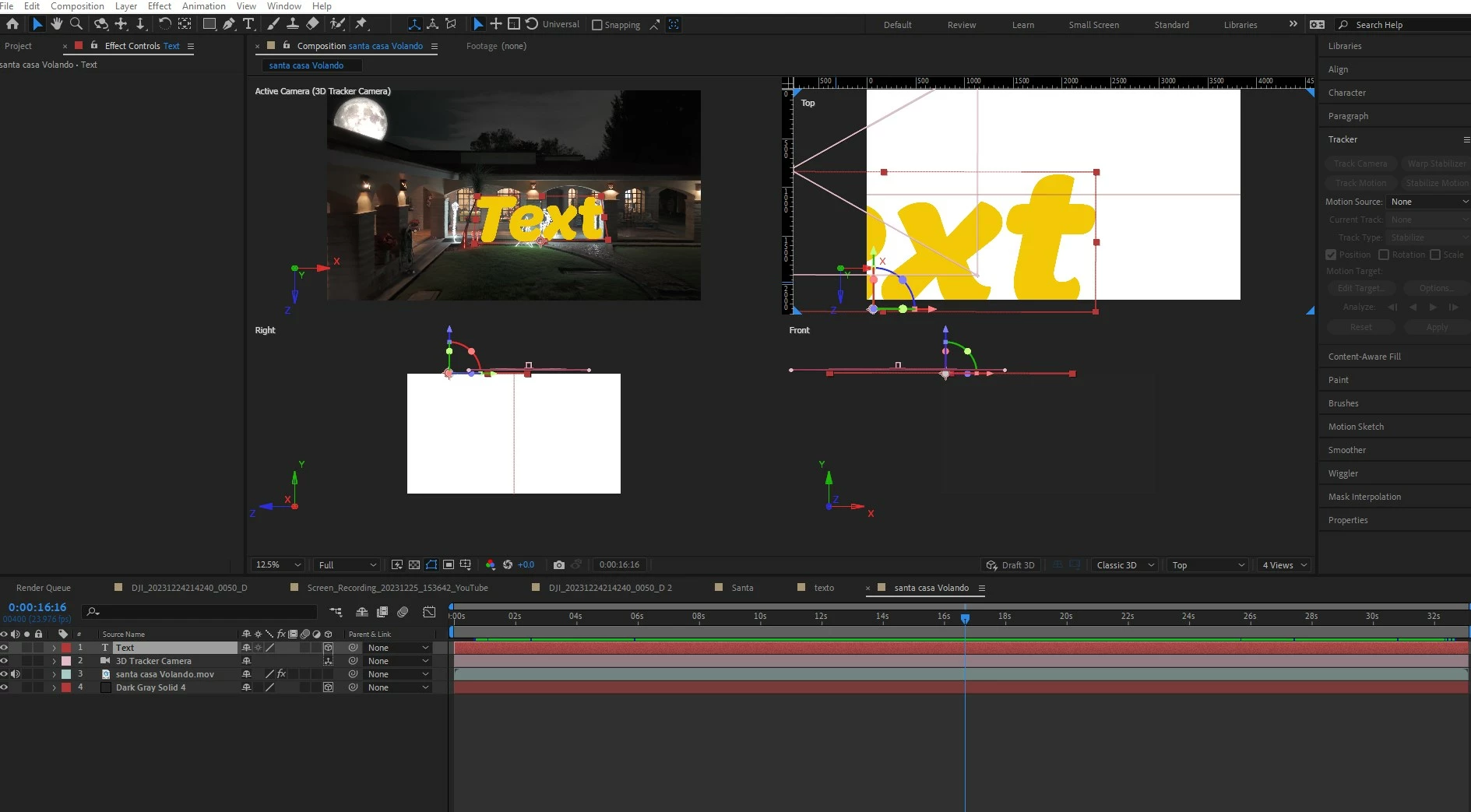
On the 3D Camera tracker Fx, after a successful camera track, creating a new Text, Camera, null ,etc. The created object does not show a 3D axis on it, it may only be seen if you set camera to default, but is not usable, also it seems only to be shown in multiple views but only at default camera.
3D Axis not visible on active camera.
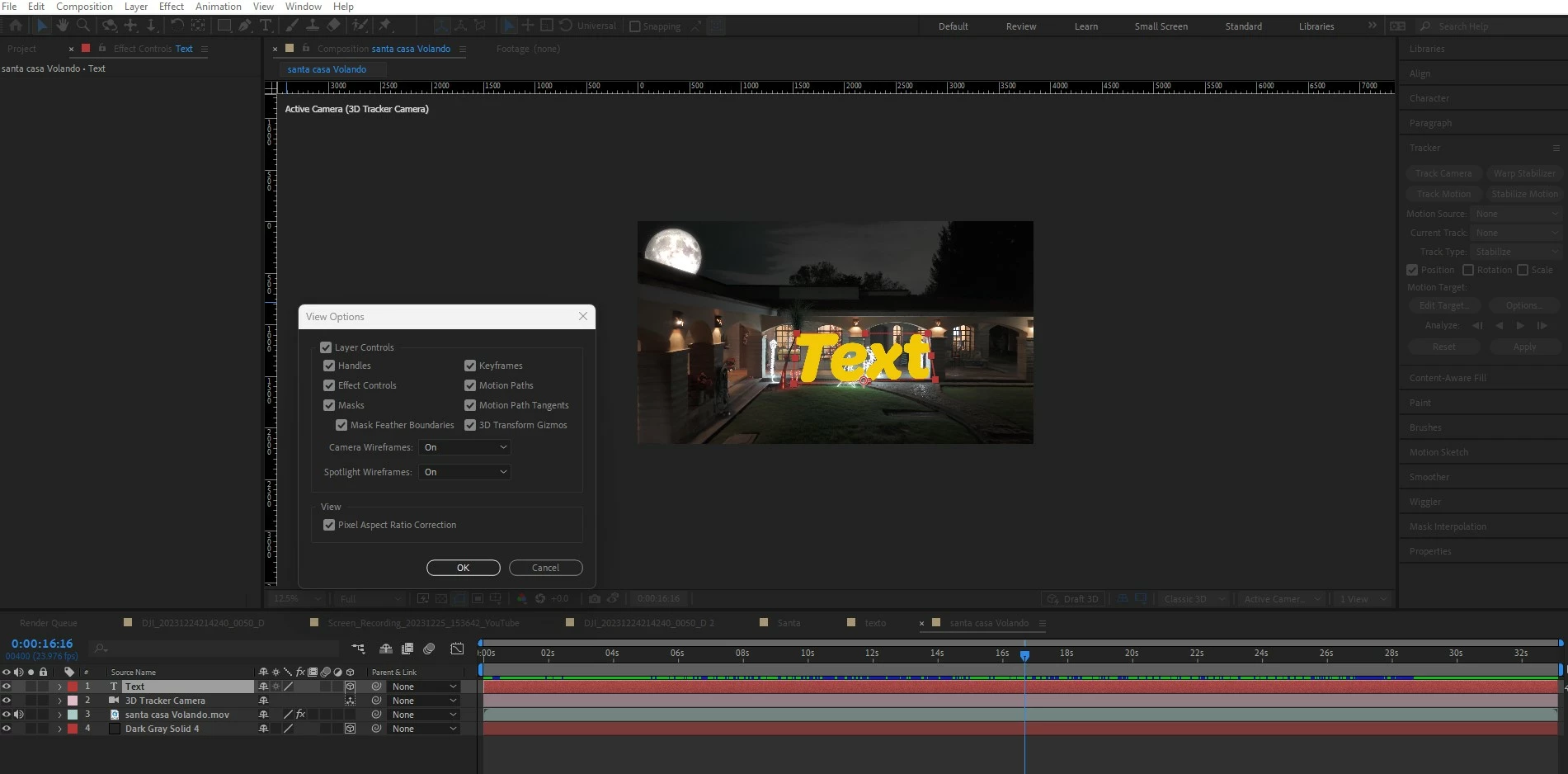
Not Visible on active camera view.
 AdChoices