
Participating Frequently
October 7, 2017
Answered

3D Camera Tracker Major issues

  • October 7, 2017
  • 1 reply
  • 1740 views

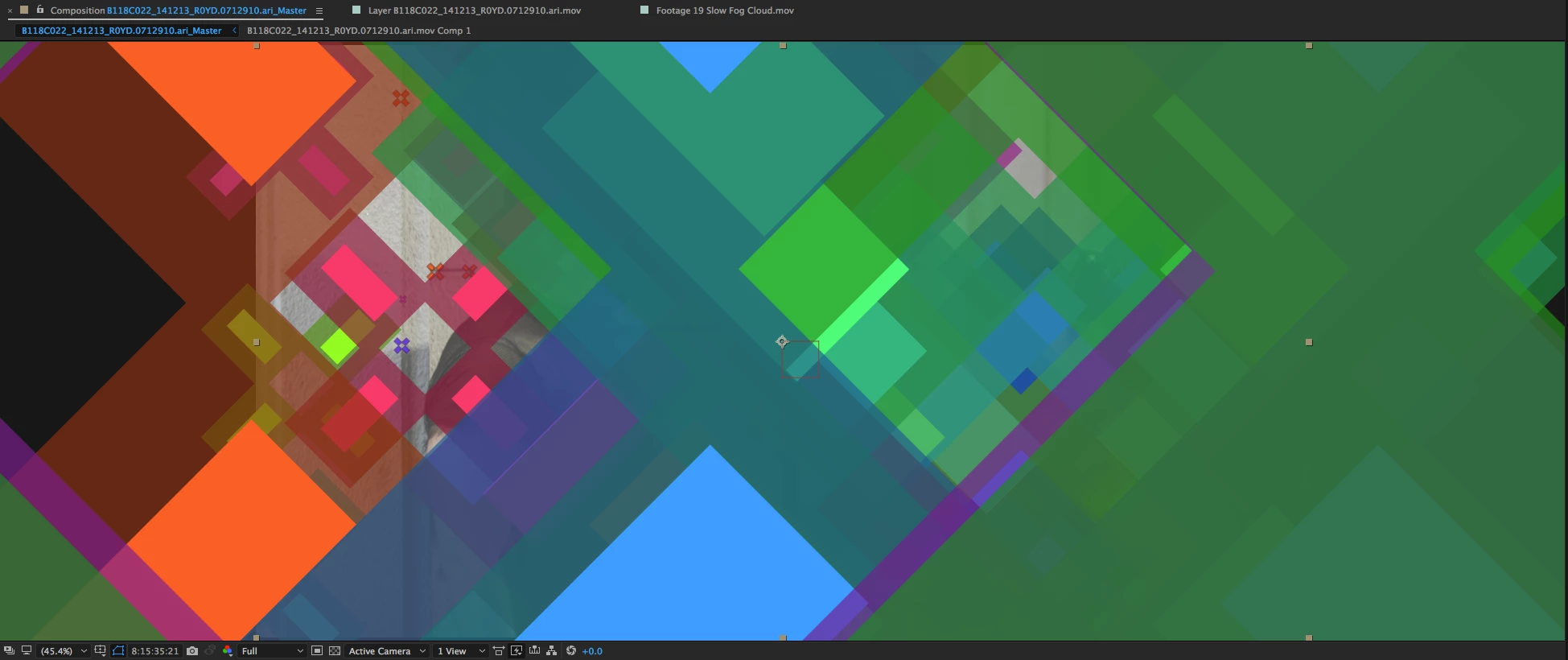
The 3D camera tracker is randomly not creating tracking points or when it does, they are HUGE. This happens regardless of the type of footage. The shot used in the test I'm posting here only has a MINOR camera movement with plenty of places to lock onto. I'm inserting a screen shot. I'm on the latest version of AE, on a mac tower pro 3.7 GHs quad core, 64 gigs of ram, AMD firepro graphics card running Sierra 10.12.6. Video footage is quicktime prores4444 2880 x 1620

Please help! Desperately needed for current project.
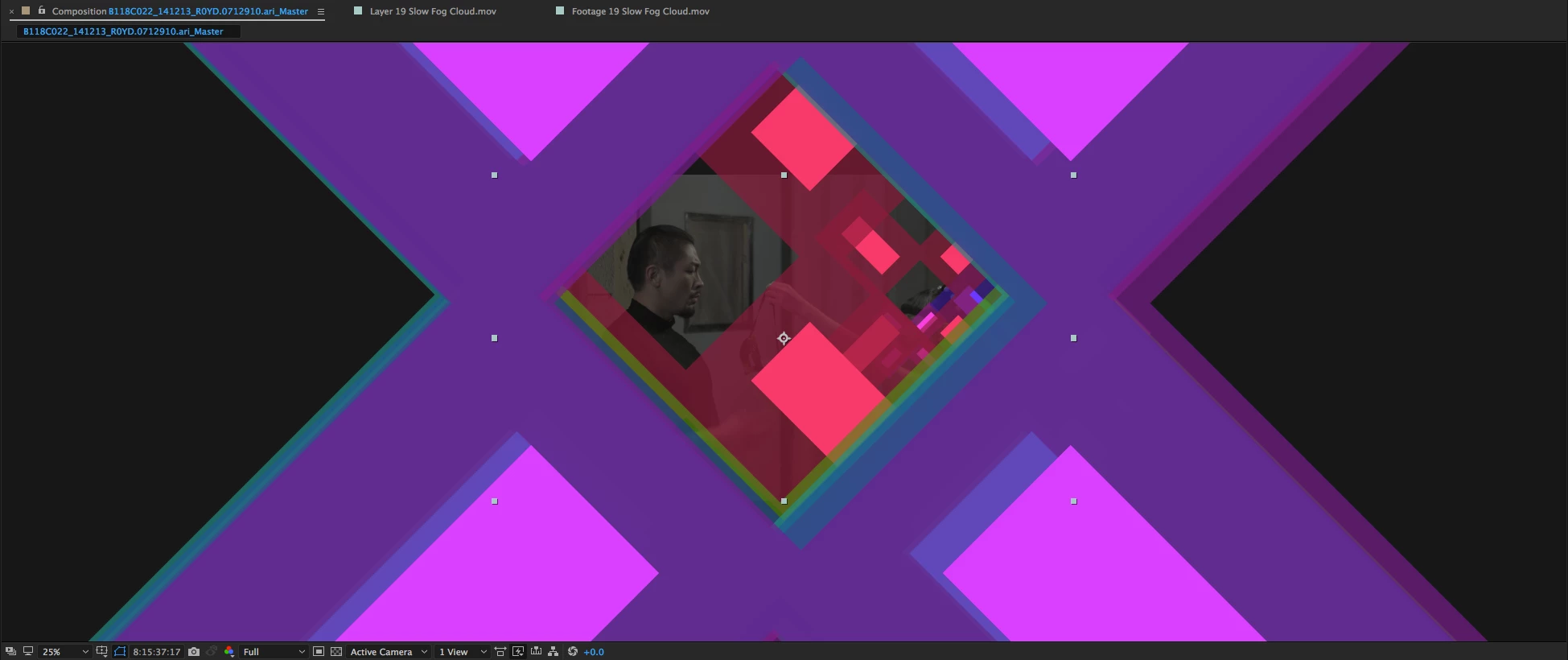
In this shot, you can see that the tracking marks are missing but it still thinks something is there. (Note white triangle on the top right) This is happening throughout the shot.
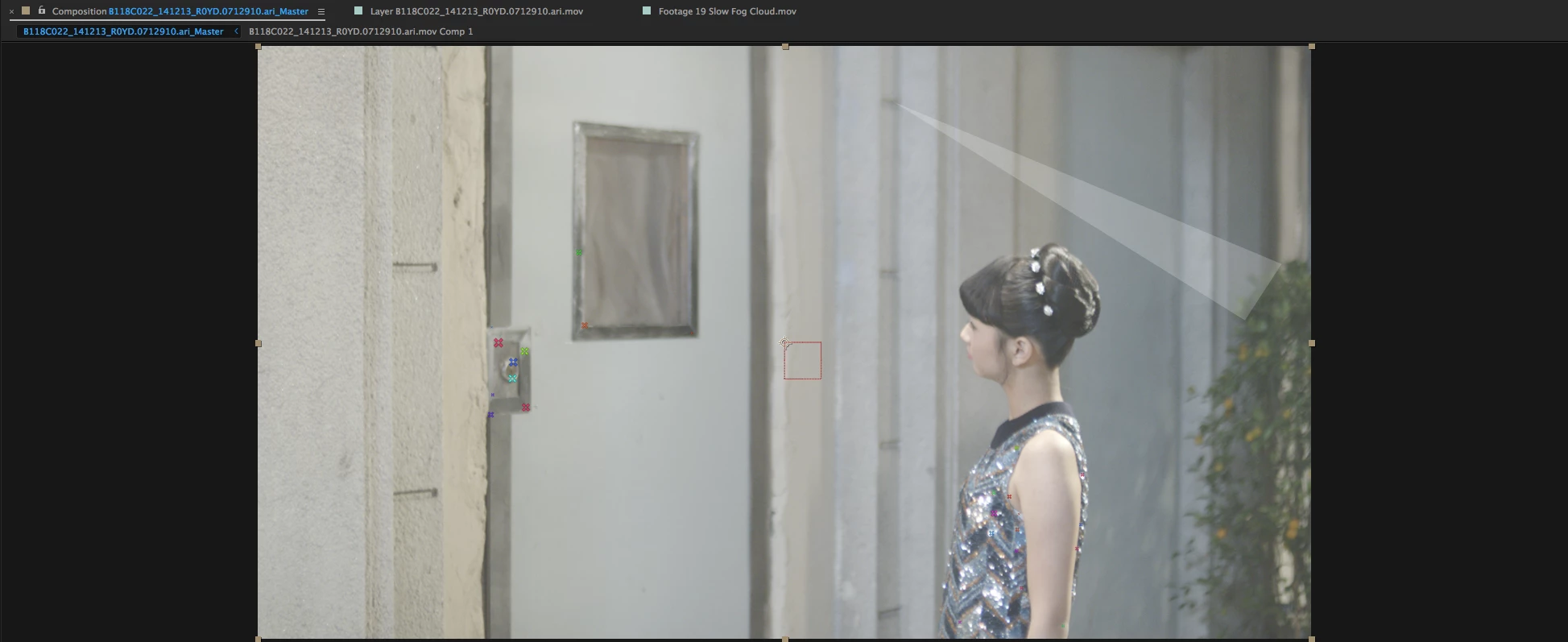
And Finally, - this madness......
This topic has been closed for replies.
Correct answer Jose Panadero

What is the size of the composition?

1 reply

Jose Panadero
Community Expert
Jose PanaderoCommunity ExpertCorrect answer
Community Expert
October 7, 2017

What is the size of the composition?

Community Expert
October 7, 2017

I would have to see the  shot but from what I can see there isn't much in that shot that has the changes in parallax required to do a good camera solve. When the tracking markers are way off like that it usually means the shot is not compatible with camera tracking.

Try tracking this shot from Adobe Stock: https://stock.adobe.com/stock-photo/seattle-wa-4-29-16-aerial-fly-over-downtown-city-buildings-to-reveal-space-needle/110966019?prev_url=detail.​ You should be able to get a decent track using this shot.

I have been preparing a lesson for a class that I'm teaching in a few days so I've got some stuff that I can show you. If you track that shot you will get plenty of tracking markers to work with but the hard part is going to be finding a plane that matches the geometry in the scene. If you wanted to insert something on the roof of the round building in the center of the frame you would have to do some fancy footwork because there are never 3 tracking markers on that roof at the same time.

Because I downloaded the 4K footage from Adobe Stock the markers were a little hard to see so I increased the track point scale to 200%. As you can see it's easy to get a nice sized target but this one doesn't line up with any real geometry so placing a solid here wold be useless. The solid that I did manage to get to stick to the roof was added when I found 3 points on the side of the building that matched the plane of the building. The track points only showed up for a few frames but it was enough to get an accurate position for the wall of the building.

This was the easiest solution that I could find. I tried using a roof from a couple of other buildings and then sliding the solid around to get it into the right position but I was not having any luck.

When I found the three points that gave me the surface of that wall on the building I wanted to use I set the origin and ground plane there, added a camera and a solid, then rotated the plane 90º in X and moved it up to the corner of the roof and adjusted the X and Y position to get it lined up. I then drew a mask around the edge of the roof so I could check the accuracy of the track. It held fairly well. The next step was to add optics compensation to the original footage to fix the lens distortion in the shot. When the optics compensation was perfect I cut the effect from the footage layer to preserve the settings, added an adjustment layer above the solid, moved the camera to the top, pre-composed the camera, adjustment layer, and solid, opened the pre-comp and pasted the Optics Compensation effect to the adjustment layer. The last step is to reverse the lens distortion because the layer needs to bulge a bit when it approaches the edge of the frame. Back in the main comp the solid now perfectly tracks the building. I could then use the coordinates for the solid layer to insert anything I wanted on the roof, like a swimming pool and it wold track perfectly. All I had to do was find a shot that matched the perspective in this shot fairly closely.

Camera tracking in AE works very well for a lot of shots, you can make it work for some difficult shots, but it does not work for all shots. No camera tracker does. If there is any lens distortion in your shot you are going to have to make some kind of correction for that. I usually remove the lens distortion before I start a composite. It makes things a lot easier in the long run.

What are you trying to do in your shot? If you wanted to put something in the frame on the door then Corner Pin tracking in Mocha or even AE wold be a far better solution. If we knew exactly what you were trying to accomplish we could probably give you some suggestions that would work.

Community Expert
October 8, 2017

And then on the very next shot, from a similar angle with similar camera movement, everything works great. It seems very random as to what works and what doesn't which is why I thought there may be a bug, or something I'm missing...


Cropped screenshots that do not show the modified properties of the layers giving you problems are almost useless. Just PrintScreen and paste to the forum please.

Sometimes you have to monkey with the settings in Camera Tracker. Sometimes you have to pre-compose, apply some color correction or even masking in the pre-comp and then Camera Track the pre-comp. All you are looking for is a camera solution anyway. Once you get a working camera and drop in a couple of place holders.

You should only be camera tracking the frames that you are actually are going to use in the project. The other day I had a very long tracking shot where the actor was walking past a bunch of storefronts. We had 8 signs and logos on the windows that needed to be replaced and six to be 3D models. I set up 8 different comps that only contained the frames where the replacements were visible. Not one extra frame was included. I pre-composed did some corner pin tracking and put gray solids over the windows to hide the reflections, I did all of the compositing for two of the replacements using corner pin techniques in Mocha, but the other six shots were all camera tracked. In five of them there was significant tracking required to remove reflections and other noise. I ended up with comps that all had a camera and at least 1 solid layer placed in the scene. All of these cameras were copied and inserted in the main comp in sync with the footage and the 3D models and final composite was done there. If I had tried to camera track the full shot it would have likely failed, many of the parts of the shot would have very bad camera placements and it would have wasted the better part of a day just fiddling. I told you that story so that maybe you can look at your footage, try and decide exactly which frames you need to camera track and what you need to do to the shots to help prepare them for camera tracking. There just are not that many shots that track successfully the first time and the longer the shot the less likely it is that the camera created will be accurate through the entire shot.

All of the screenshots but one that you have shown look under exposed and flat. One is just flat. I would pre-compose the footage, do some color grading to bring up the detail levels and get some real good contrast going, then camera track the footage. The color grade for tracking is completely different than the final color grade. See if you don't get better results. If you get what looks like a good track but none of the track markers will line up with a plane then you should try some of the advanced options. If there are reflection or very large areas that have absolutely no parallax changes or detail then you have to do something else. On one occasion when I had a large flat wall that had to be camera tracked I pre-cmposed the footage, used some advanced corner pin tracking in Mocha to stick a solid with the grid effect to the wall and I then camera tracked the pre-comp. The grid gave me plenty of trackers and provided a nearly perfect camera solution on a shot that was pretty much a mess. Once the camera was created and some reference solids positioned I just deleted the pre-comp from the main comp and used the original footage to do the composite.

All these stories are just to give you some ideas. Without actually getting my hands on the shots that you cannot track I can't tell you what is going on.