
Participant
January 25, 2018
Question

3D Camera Tracker "timed out obtaining dynamiclink server connection."

  • January 25, 2018
  • 4 replies
  • 17465 views

Since I've switched to After Effects CC 2018 I've not been able to use the 3D camera tracker. I've looked around and couldn't find an answer and was wondering how to fix this or if anyone else has had the same issue.

Here's a screen grab:
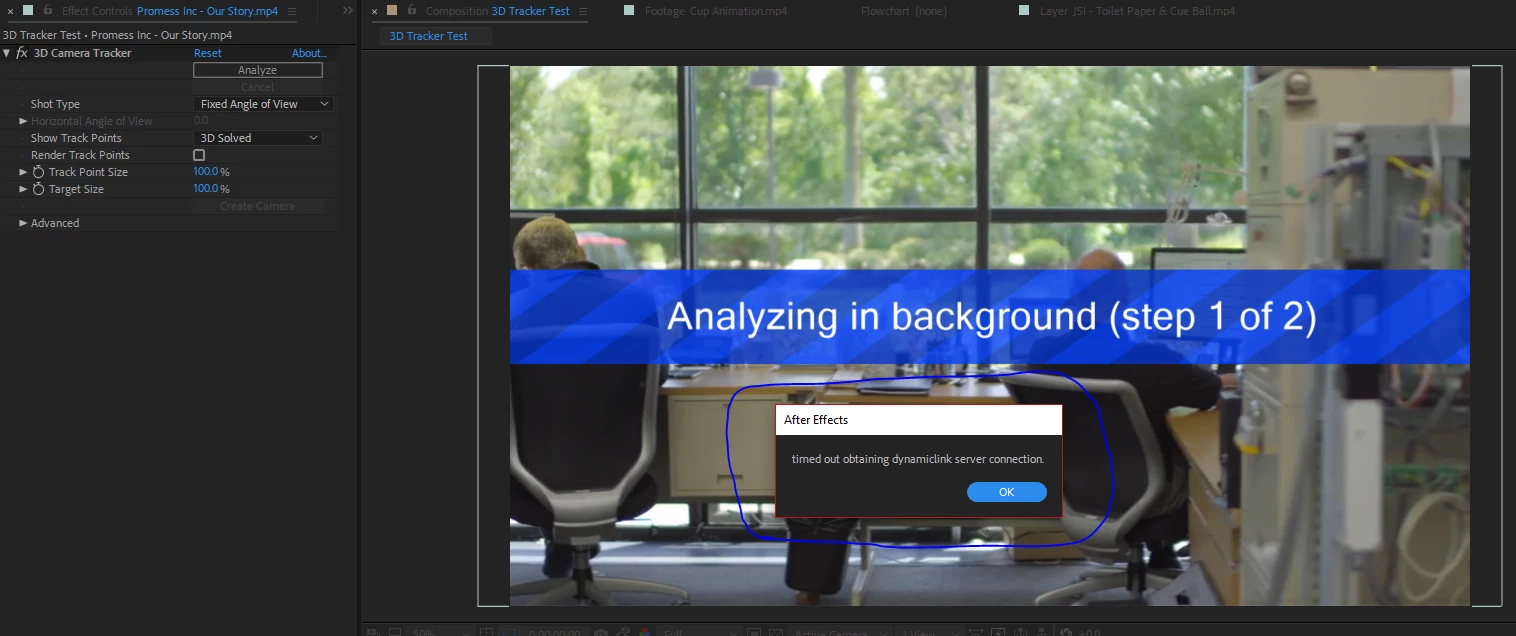
I've tried uninstalling and using the CC Cleaner Tool but it still doesn't work. Any help on how to fix this would be most appreciated!

This topic has been closed for replies.

4 replies

Participant
June 2, 2023
It has no errors at all, it's just that you respond with a message that when running the program for too long,
it will show "timed out of acquiring dynamiclink server connection".
Check the windows that pop up from the software and turn it off, it will work right away.
Participant
July 12, 2023

Me too, I haven't figured it out yet

Participant
May 23, 2024

None of these things worked either. Really struggling to find a solution

Participant
March 29, 2023

I have the same problem. I back to version 23.0 and then it work. Let's try.

Participant
June 8, 2020

This is how I solved the problem. Close AE, then enter the Task Manager, there shut down all programs and background processes related to any Adobe program. Then re-enter AE and it should work.

TracyReneeB
Participant
April 28, 2022

Hey, so I tried this, I shut everything down including everything with adobe or creative cloud references.  Now, AE won't load at all.  I get the title screen for a moment, it says initilizing, then it goes away and nothing ever loads.  Did I close too much? lol.  Is something else going on?  


thanks.

Rameez_Khan
Legend
April 28, 2022

Hi @TracyReneeB


If the splash screen goes away without giving any error messages, it could be an activation issue on your machine. Please log out from the CC desktop app, restart your machine, and log back in. Launch After Effects from the CC app for the first time after the restart. 


If that doesn't help, we need more information to help you: FAQ: What information should I provide when asking... - Adobe Support Community - 3928960


Thanks,

Rameez

Kevin-Monahan
Community Manager
Community Manager
February 3, 2018

Eli Sawicki,

Please see this blog post and go through the steps to troubleshoot your dynamic link issues, likely related to permissions. If that does not work for you, report back.https://blogs.adobe.com/creativecloud/permissions-mac-os-start-adobe-applications/

fixing permissions problem that impedes start of Adobe applications | Creative Cloud blog by Adobe

Thanks,

Kevin

Kevin Monahan - Sr. Community and Engagement Strategist – Adobe Pro Video and Audio
jackthegiantkiller
Inspiring
April 5, 2018

Have tried all these steps, changed permissions, turned Firewall off, set Little Snitch to allow everything and I'm still getting the error.