Participant
August 20, 2017
Answered

3D camera tracking issue

  • August 20, 2017
  • 1 reply
  • 688 views

Hi,

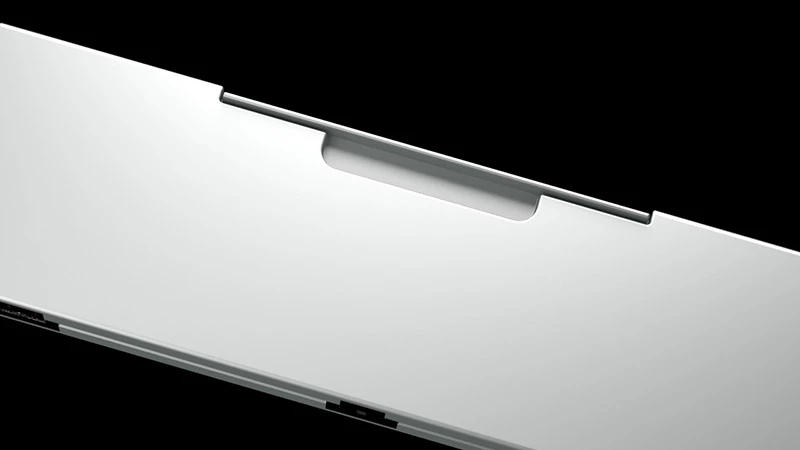
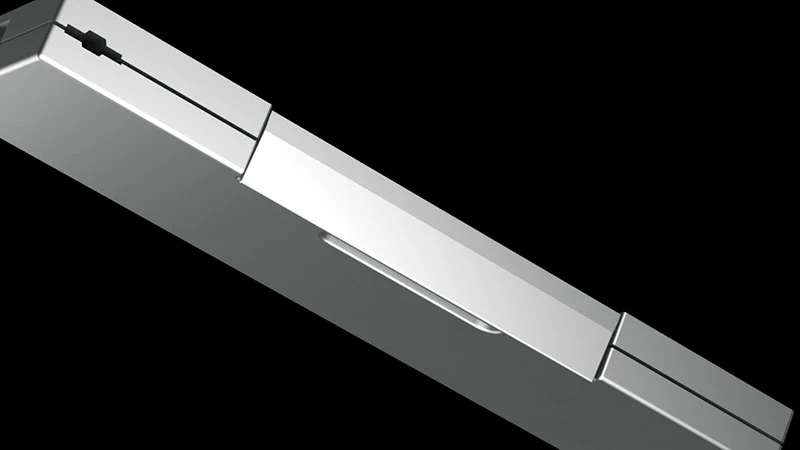
I'm trying to use the 3D camera tracking on a short clip I created with a sequence of renderings of a sort of box rotating in the space (see below first and last images of the sequence).

The scope is to add a call-out text perpendicular to the "box", so my understanding is that I need to create the 3D camera to find a plane to which I should link the text.

Unfortunately AE cannot solve the camera.

Is there anything I can try to fix this error or is there any way I can manually "tell" AE which is the plane?

Corrado
This topic has been closed for replies.
Correct answer Jose Panadero

I think this is a work for Mocha rather than AE 3D Tracker.

in what 3D App did you create the 3D object? Some 3D packages lets you export 3D Camera for After Effects.

1 reply

Jose Panadero
Community Expert
Jose PanaderoCommunity ExpertCorrect answer
Community Expert
August 20, 2017

I think this is a work for Mocha rather than AE 3D Tracker.

in what 3D App did you create the 3D object? Some 3D packages lets you export 3D Camera for After Effects.

corrado69Author
Participant
August 20, 2017

I'm using 3DSMax ... it would be great if I could export the camera!

If not I will check Mocha.

Thanks for both suggestions!

Jose Panadero
Community Expert
Community Expert
August 20, 2017

Rendering in RPF format from 3DS Max you can extract the camera movement. Also, you can check this script : FBX to AE Pro - aescripts + aeplugins - aescripts.com