
Participant
April 19, 2020
Answered

3D layer won't show after rendering

  • April 19, 2020
  • 1 reply
  • 2891 views

Greetings, I am new to After Effects. Recently I have tried  to make a 3D carousel from a youtube videos I found on YouTube (https://www.youtube.com/watch?v=YZoqxJ4Y2C0). However, I have noticed that the 3D carousel is not visible in the rendered .MOV format video. The 3D carousel can be seen in the preview though. I am using  the classic 3D renderer. Please let me know what could go wrong, thank you so much.

Carousel in AE preview:
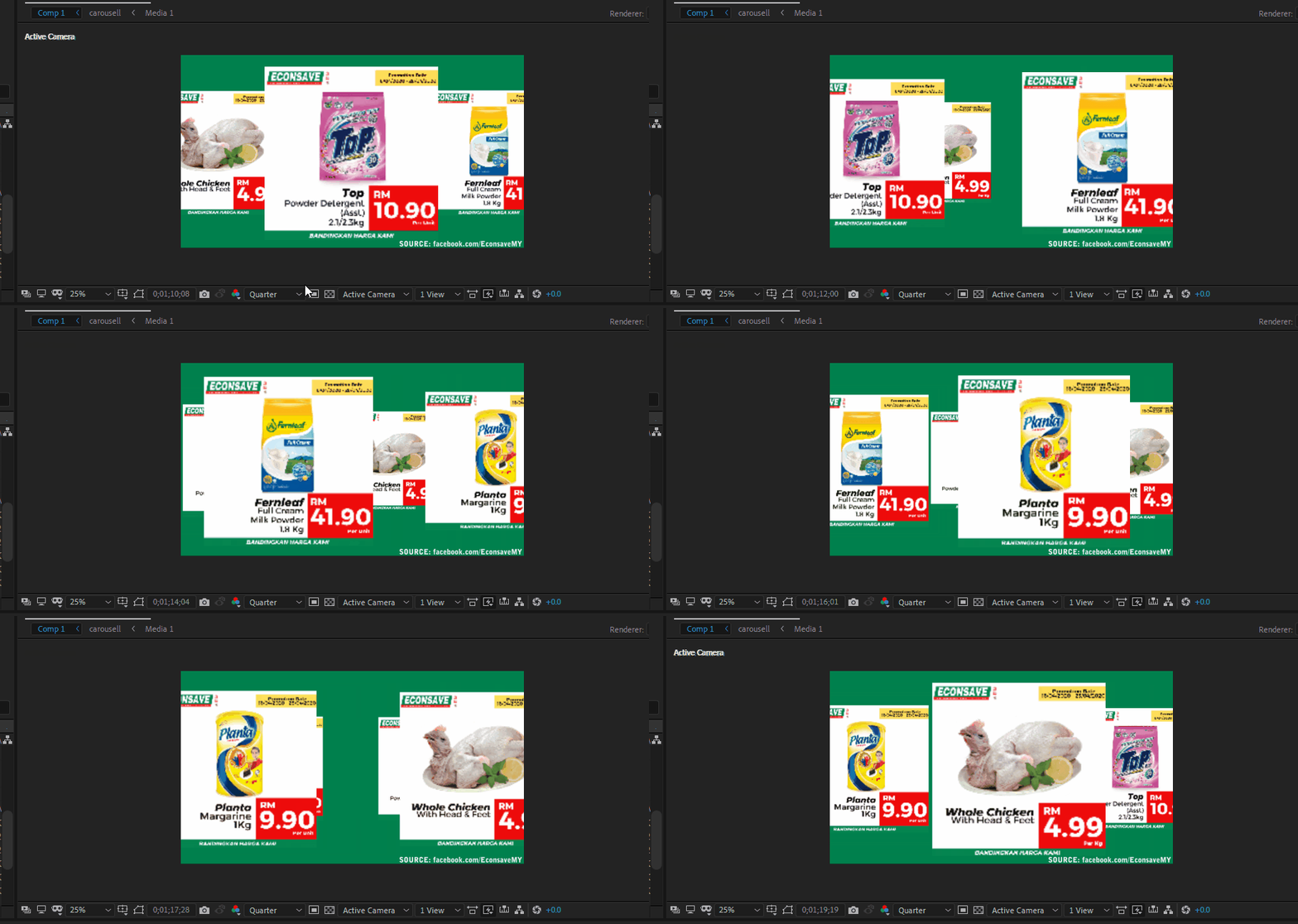
 

Carousel in rendered video:


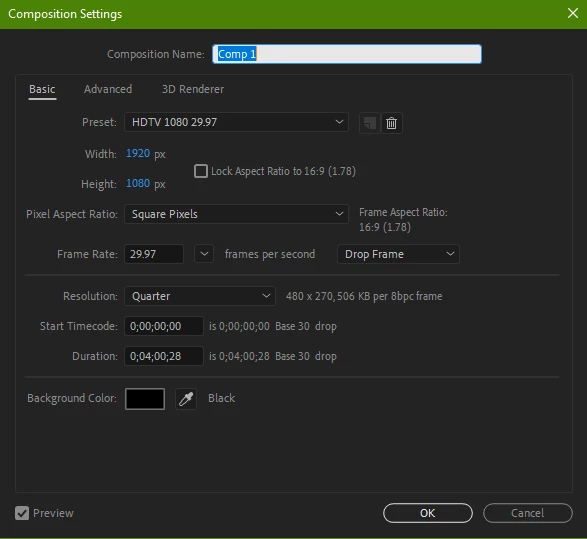
My composition settings:


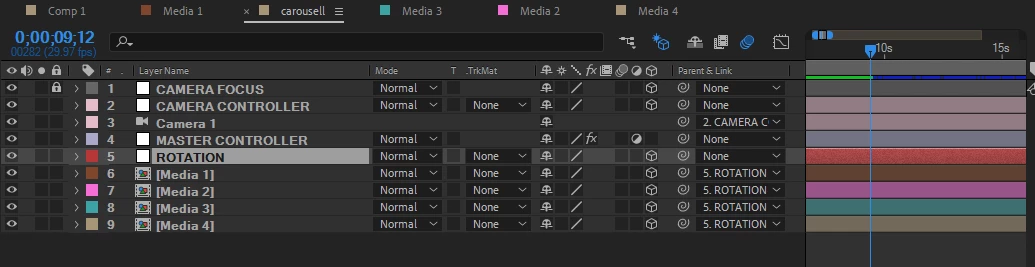
Carousel layers:



PC Specs:




This topic has been closed for replies.
Correct answer Rick Gerard

Your preview is set to Draft 3D, the comp resolution locked to 1/4 and you have a camera in the scene. You have to turn Draft 3D off and set the comp resolution to Auto or Full and have the Comp Panel rendering set to Final Quality to accurately check the comp before you render. It looks to me like your camera has Depth Of Field enabled and the iris is set to a very high value. 


If you have no idea where to find those settings check the User Guide. To reveal the camera properties that have been changed press the U key twice or press the A key twice to see all of the camera settings. 

1 reply

Rick GerardCommunity ExpertCorrect answer
Community Expert
April 19, 2020

Your preview is set to Draft 3D, the comp resolution locked to 1/4 and you have a camera in the scene. You have to turn Draft 3D off and set the comp resolution to Auto or Full and have the Comp Panel rendering set to Final Quality to accurately check the comp before you render. It looks to me like your camera has Depth Of Field enabled and the iris is set to a very high value. 


If you have no idea where to find those settings check the User Guide. To reveal the camera properties that have been changed press the U key twice or press the A key twice to see all of the camera settings. 

Participant
April 20, 2020

Hi sir, thanks for the guidance. I have changed the camera settings and followed exactly what you have said, the carousel is now being rendered properly. Thank you so much.