
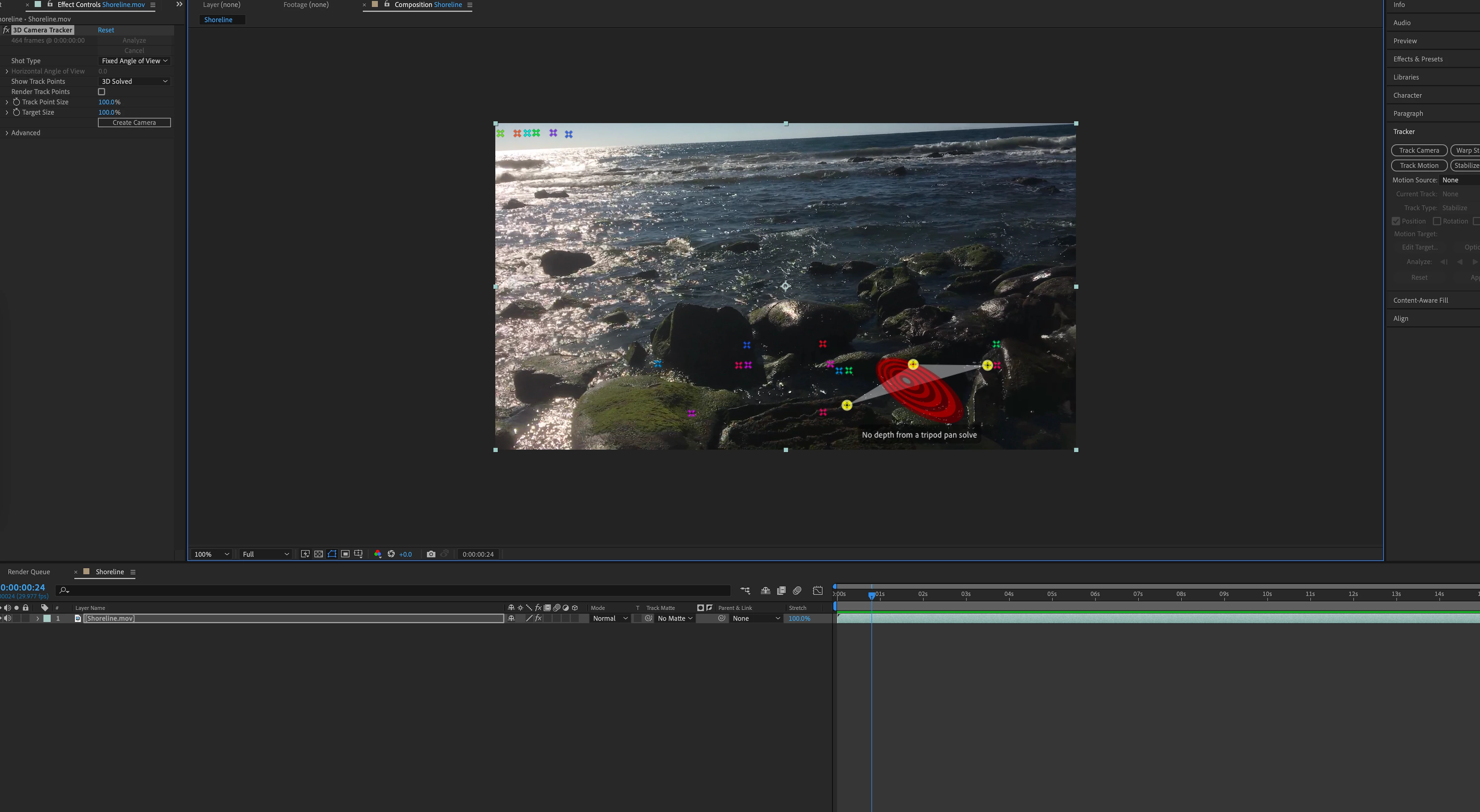
3D track marks not sticking and "no depth from a tripod pan solve" message.
My 3D tracker is not working after two days of troubleshooting including completely uninstalling and reinstalling the program twice. My 2020 128 GB mac is up to date as well as all of my Adobe software. I have referenced every youtube video on how to 3d track/troubleshooting 3d tracking and I don't see any missed steps. I've expereinced with various footage assumed to be best suited for tracking. The footage I am most recently using is the the Adobe footage I downloaded form the Adobe's latest version of After Effects 'Classroom in a Book'. It's the footage form the chapter that covers 3d tracking so, I assume at the very least this footage would track. After analyzing track marks will appeaer but always in the same spot no matter what the scene or footage is. Then those track marks stay in the same spot as if stuck to the camera lens as you scroll though the shot opposed to sticking to one spot in the scene as the camera pans through. Any solutions would be cherrished. Thank You.
 AdChoices