
Participant
February 23, 2021
Question

Accidentally closed my comp window. Can't get it back.

  • February 23, 2021
  • 3 replies
  • 1819 views

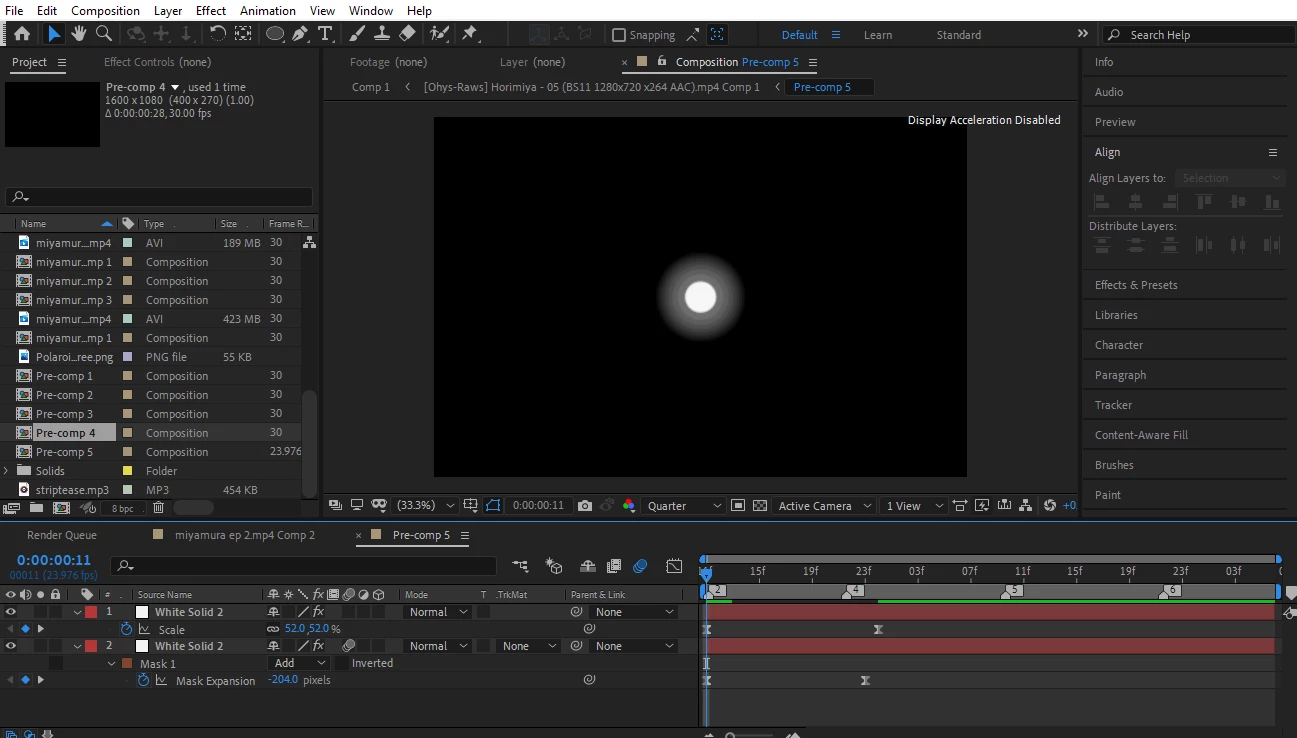
Hi. I was closing some of my composition windows and I accidentally closed one called "Comp 1" aka the base (?) composition of the project. So now I can't view my whole project I've spent hours on and urgently need. I've tried looking around and 'fixes' such as resetting the workspace and trying to open a comp from the window tap doesn't work. I can't find anything on my project panel either. Please help. Thanks.The panel should be sat next to Render Queue.
3 replies

adrienp1919518
Participant
June 6, 2024

Hey, Adobe team and engineers, is that too f***** complicated to add a warning message asking for confirmation in case of accidental manipulation with such consequences? 

Or do you just keep uploading a dead horse with features instead of revamping your softwares that could share shortcuts and UI ? I mean, for the the price you ask monthly, that's just plain lazy work, and you probably know it. Ctrl+T "Shame" + homotetic resize at 200%

Community Expert
February 23, 2021

I don't see "Comp 1" in your Project Panel. Make sure you scroll through all of the items and folders in the Project Panel. If Comp 1 is not there then you deleted it. If it has been deleted and you have Auto-Save turned on you should be able to find a copy of the project that still has Comp 1 in it.

Sam5FACAuthor
Participant
February 23, 2021

Also, I've saved and reopened the project multiple times. This didn't work either.