
Adding Fire Effect Behind an Occlusion Area in a Video
Hello there,
I've been busting my head the last 2 days on a particular problem while trying to turn a daytime shoot of a house into a nighttime scene with a burning fire from the windows. I'm having trouble keeping an occluding wooden joist on the porch of the second floor in front of the fire coming out of the window behind it. I made a track with Mocka there (tried without AE's regular mask as well) on both the window and the area with the joist (and the facade below it) and used the trackings to create a mask and for the joist area so that the fire doesn't appear before it. However, when I add the glow effects on the fire, you can see the outlines of the mask and it ruins everything. I tried all sorts of combinations of the layers and the assets to "trick" the damn thing, but couldn't figure it out. I also used Mocha to track the other window and the bushes and used the tracking for the larger window fire, but I don't seem to be having a problem there. Here's a screenshot:
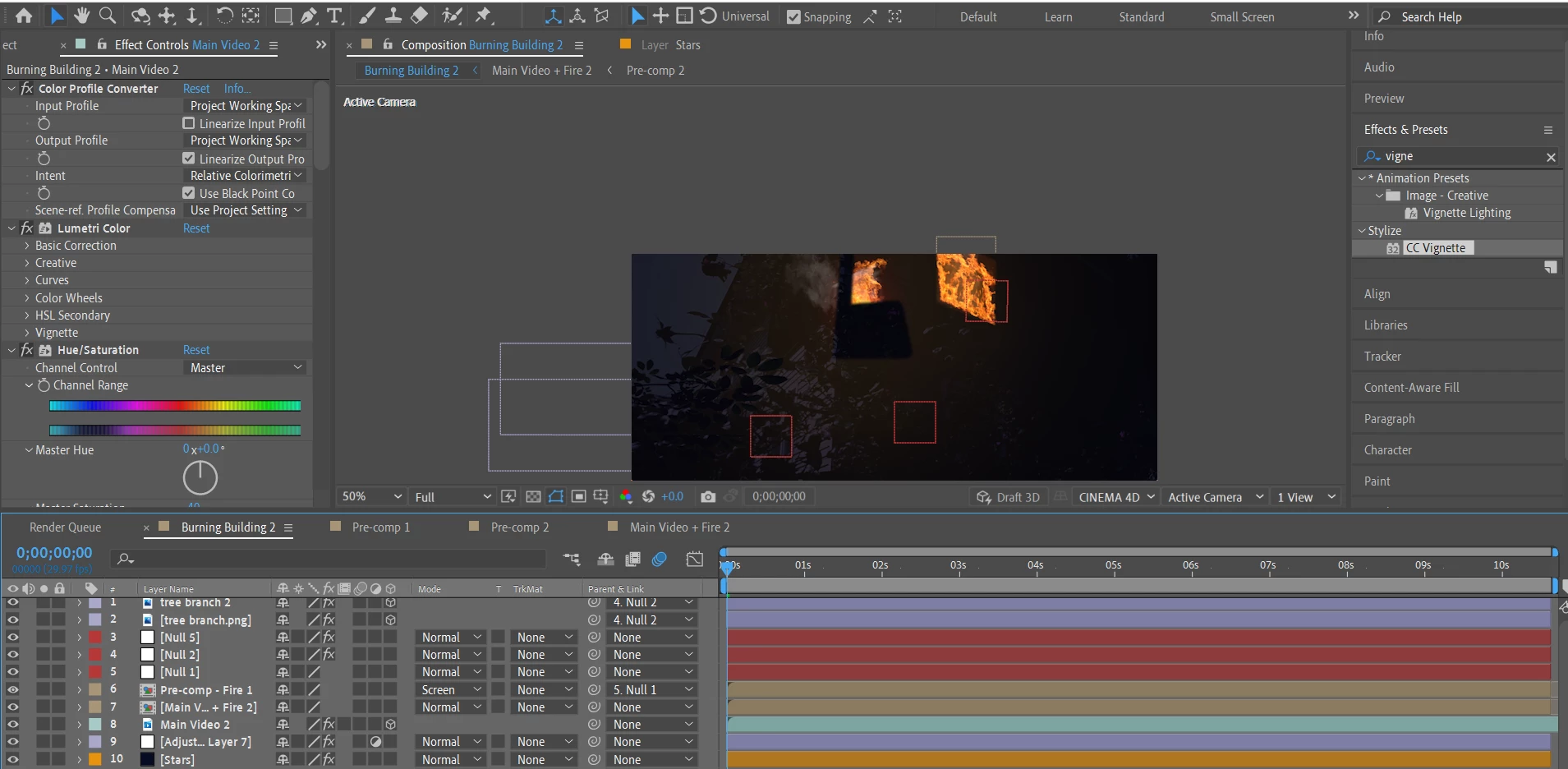
Since there are quite some tweekings across the layers, I'm sending a link with the zipped project so you can check it properly on your own. I'd be very grateful if someone gives me a tip as to what might be wrong and how to correct it, so I'll know how to do it properly in the future when I have such situations: https://we.tl/t-7ToYLSb4cB
Best,
Nik
 AdChoices