
julieta86444528
Participant
October 25, 2018
Question

Addressing random groups within one shape layer

  • October 25, 2018
  • 2 replies
  • 1662 views

Hi all,

I have a shape layer made out of the digits 2 and 0, filled with smaller letters and numbers.

The entire shape layer consists of over 1000 groups (each with path and fills) and the smaller numbers/letters need to make up the the bigger numbers randomly.

So, it should work as follows:

1. Transparent BG

2. first few small numbers/letters appear with increasing transparency

3. more numbers/letters appear

4. the rest of the numbers/letters appear to finally fill out the entire shape

See rough mockup of the resulting shape:
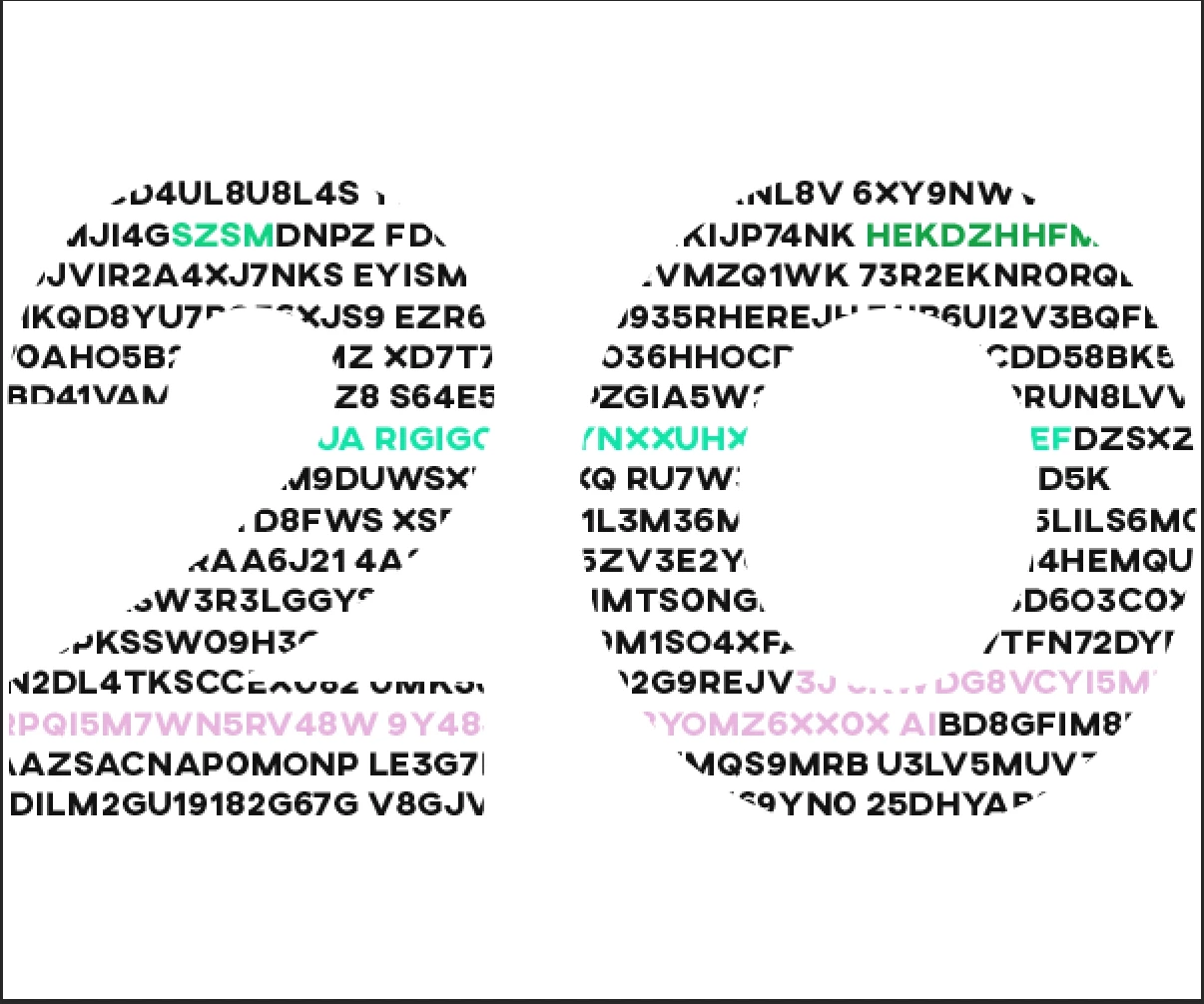
My problem is that I don't know how to randomly select groups within a shape layer and then address each of their opacity to go from 0 to 100.

I am okish in After Effects but have hardly any experience with using expressions so any pointers would be greatly appreciated!

Thanks a lot,

Juliet

This topic has been closed for replies.

2 replies

julieta86444528
Participant
October 30, 2018

Hi Martin

Thanks, after a bit more thought I do get how the expression leads to that exact outcome, I was just wondering as Dan has said I shouldn't have to split up each shape group into its own layer.

The random preset for letters and numbers would work but unfortunately the client needs that exact sequence of numbers and letters.

I think I won't be able to get around re-creating it in Illustrator and putting each number/letter sequence onto its own layer.

Thanks for your help.

Juliet

Martin_Ritter
Legend
October 30, 2018

Hi Juliet,

if you apply Dan's expression you need to put it in your shape-groups -> form -> fill and contour. You can use QuickExp-Script to insert the expression on multiply properties at once, but you will most likely to select each of them before (and if you have 1000 groups with fill and contour, this is a selection of 2000 items and a lot! of clicking).

https://lesterbanks.com/2018/10/expressions-quickexp-script/

You can still go the text-layer way, but instead of animation random letters, you just add an animator for opacity. The advantage in this way is, that you can put the whole string into one text layer and use the start and end property of the animator to change the opacity for some letters only. You can try to use random() expression on start and end, too:

for start:

seedRandom(index,true);

start = random (something);

for end:

seedRandom(index,true);

end = start + random (somethingelse); // prevent from going backwards

Then, you duplicate this text-layer a lot of times and in each layer, another part of letters got the opacity change. The result should be near to what you want, but you don't need to re-create everything in AI and you don't need to put apart the artwork in hundreds of layers.

Maybe there is another way, but my recommendation is to have a look into the text-animator options. This is truly an animators playground!

*Martin

Dan Ebberts
Community Expert
Community Expert
October 25, 2018

Each shape will need its own expression (an expression can't control anything except the value of the property hosting the expression). You should be able to use something like this:

tTotal = 3;

seedRandom(index,true);

myTime = random(tTotal);

(time < myTime) ? 0 : 100

Dan

julieta86444528
Participant
October 26, 2018

Hi Dan

Thanks for your help!

So I will have to split out each shape/letter/digit into its own shape layer?

Would you be able to explain that expression to me?

So, I set my time to 3 seconds, then randomise with seedRandom (why do I need the index if I have to apply it to each shape individually anyway?) and then I set to the time for each to be random within the 3 seconds and if the time is under my time of 3 seconds it goes to a value of 100.

Did I get that right?

Thanks a lot,

Juliet

Mylenium
Legend
October 26, 2018

(why do I need the index if I have to apply it to each shape individually anyway?)

The default behavior of any random function is to generate a new seed for each evaluation. You need to "put a pin in it" with something that uses a fixed value to get a consistent result.

Mylenium